Generate One-Time Password
What this guide covers
Creates a temporary authentication code for a POS terminal or kiosk, used during initial device setup or when re-authenticating an existing device.
This workflow assumes the device is part of a Byte POS setup managed through Admin Portal.
If the market is not using Byte POS, Byte Commerce relies on Byte Connect as the bridge to the market POS, so the authentication/setup flow may not match the steps on this page.
Steps
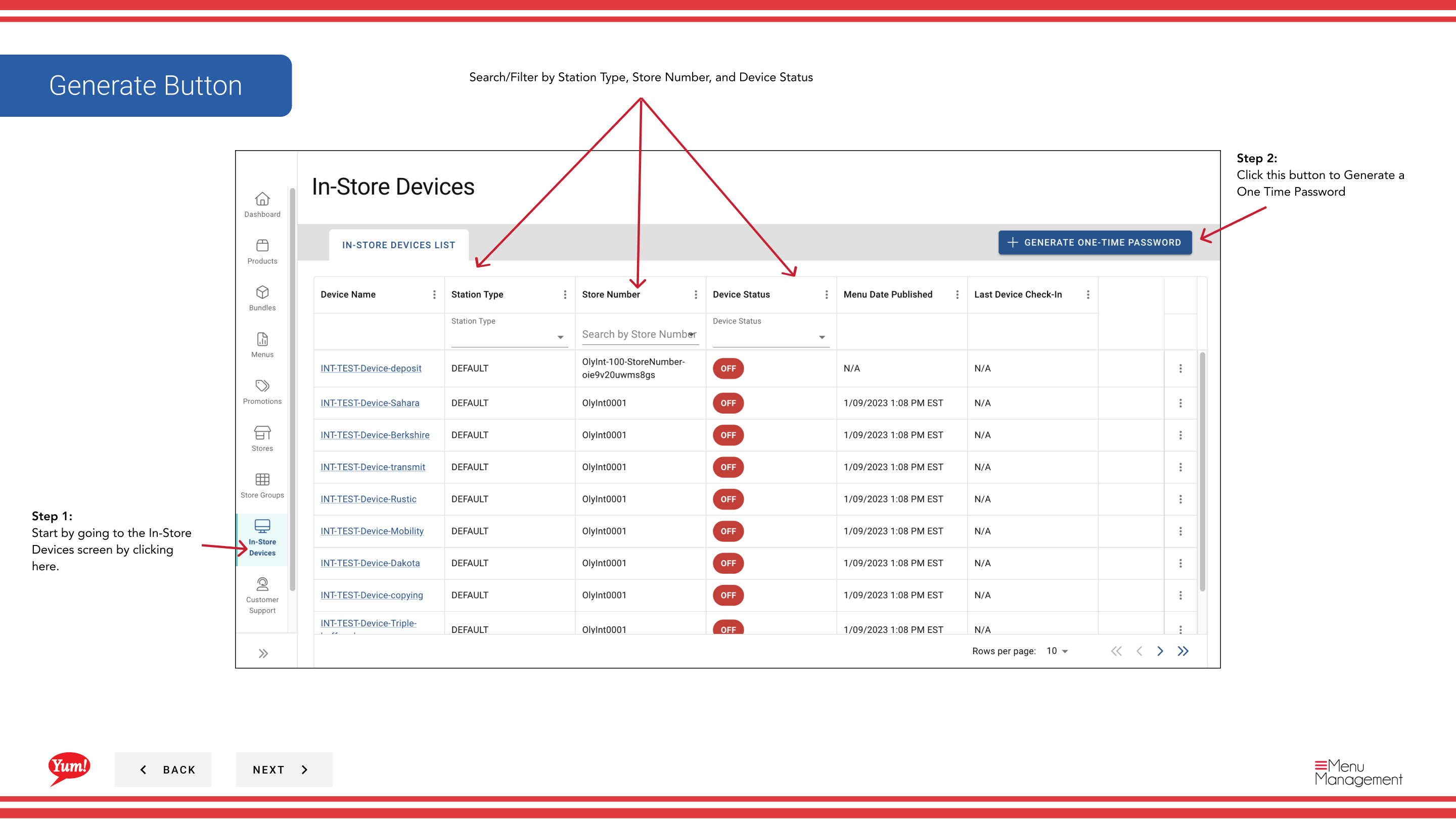
Step 1: Navigate to the In-Store Devices section using the left-hand navigation menu.
Step 2: Click the Generate One-Time Password button.
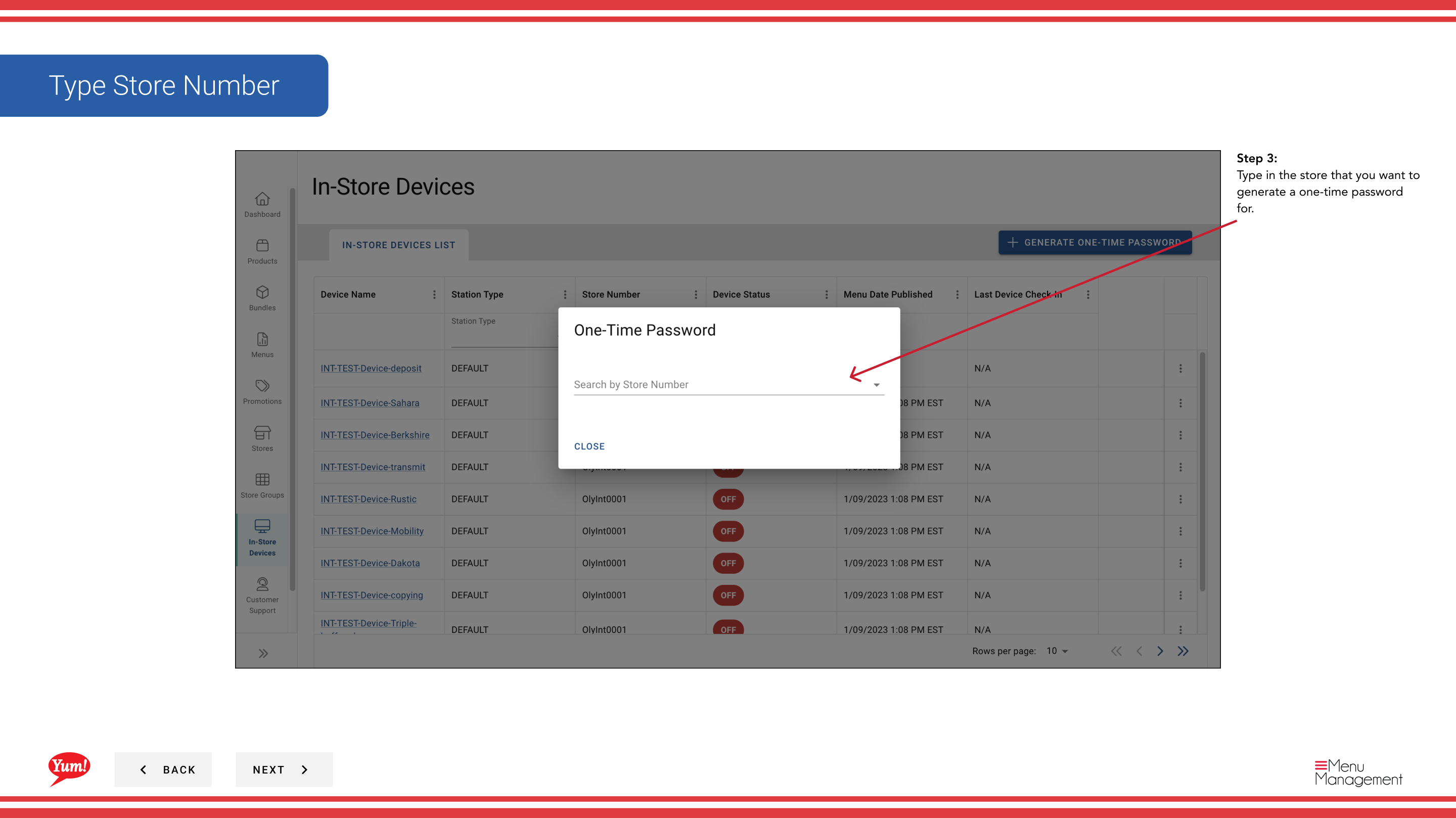
Step 3: A search field appears. Type the store number or store name to find the location you want to generate a password for.
Step 4: Select the store from the dropdown results. The one-time password is automatically generated and displayed on screen.
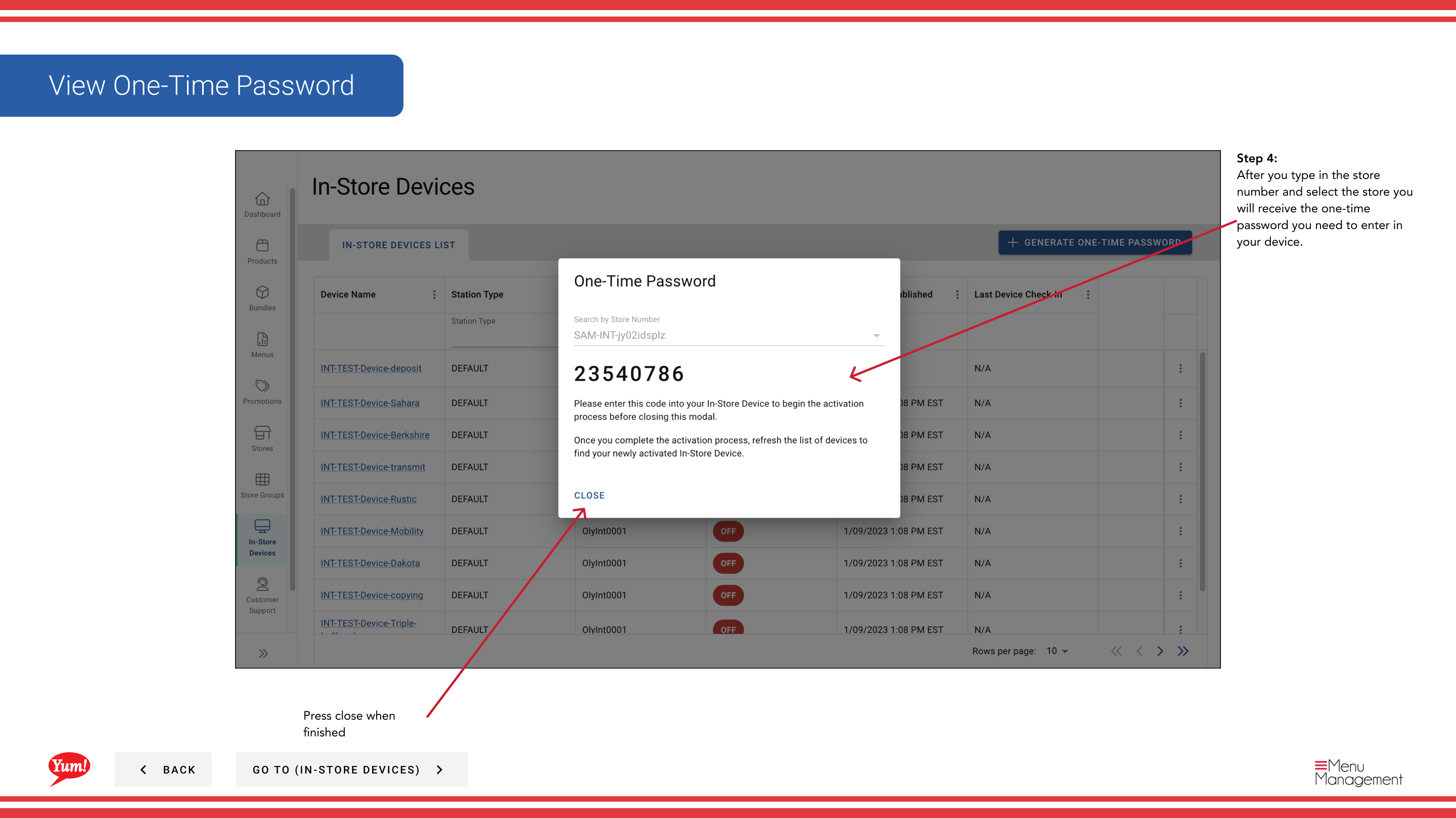
Step 5: Copy the one-time password (OTP) displayed. Provide this code to the person setting up or re-authenticating the POS device. They will enter this code on the device screen to complete authentication.
The one-time password is temporary and expires after a set period (typically 15-30 minutes). If the device doesn't accept the code, generate a new one.
You can search and filter devices by Station Type, Store Number, and Device Status to find the right location quickly.
Related guides
Part of the Admin Portal Guide · Section: In-Store Devices