Delete a Choice
What this guide covers
Removes a choice and its associated products/variants from the system permanently.
Steps
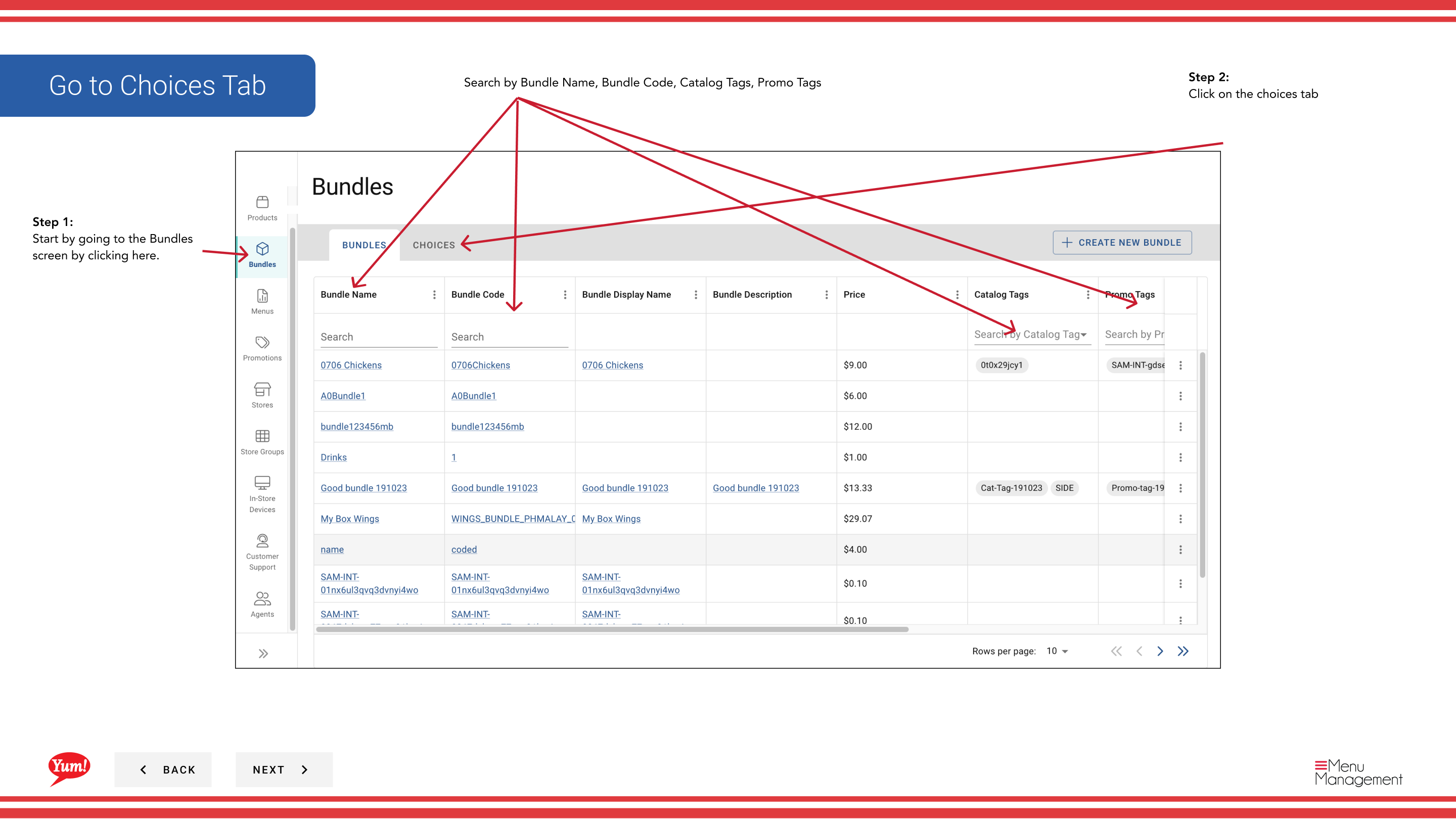
Step 1: Navigate to the Bundles section using the left-hand navigation menu.
Step 2: Click the Choices tab at the top of the Bundles screen.
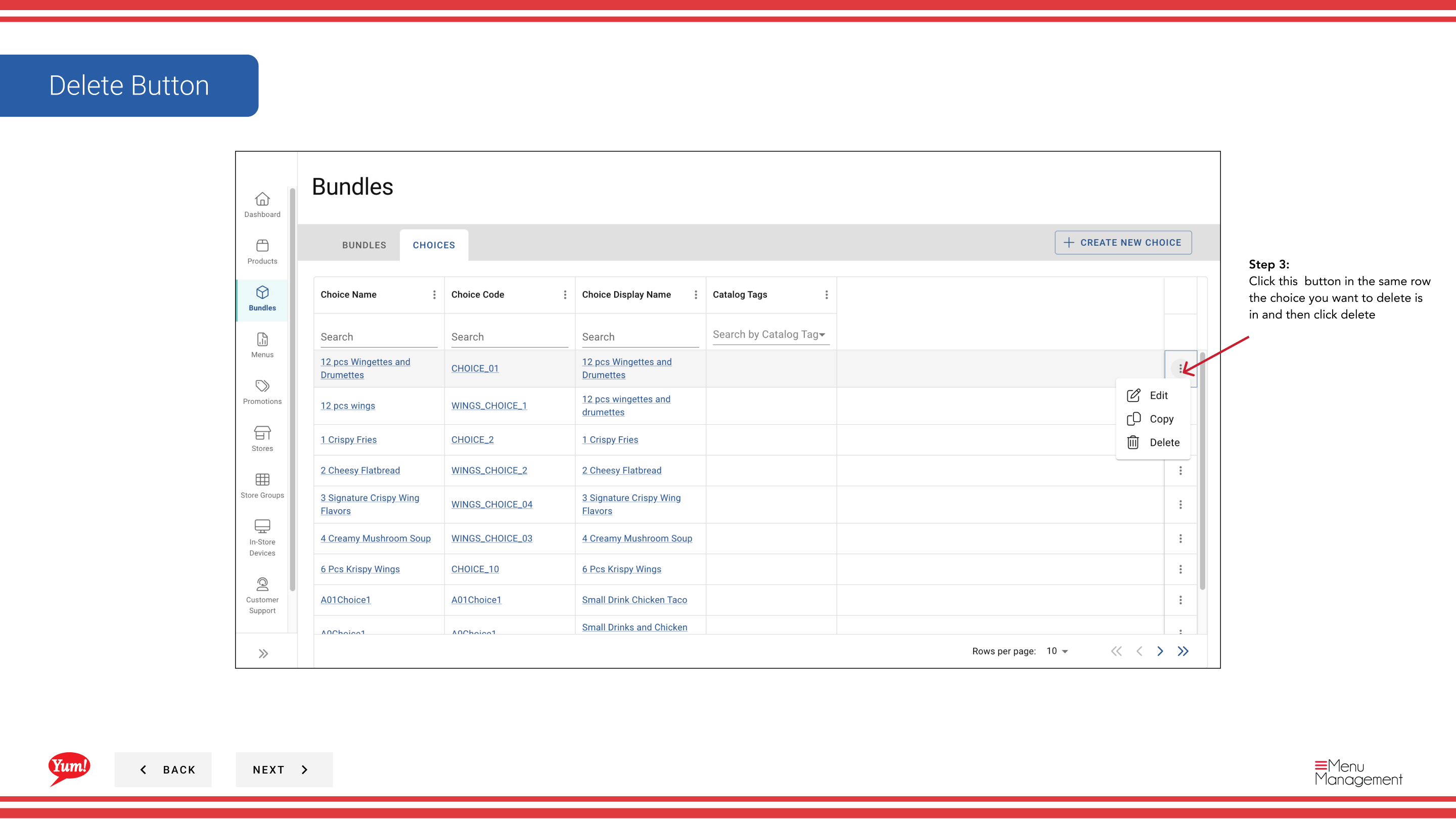
Step 3: Find the choice you want to delete by searching by Choice Name, Choice Code, Choice Display Name, or Catalog Tags.
Step 4: Click the ⋮ (three-dot menu) button in the same row as the choice, then select Delete.
Step 5: A confirmation modal appears. Click Confirm to delete the choice, or click outside the modal or Cancel to keep it.
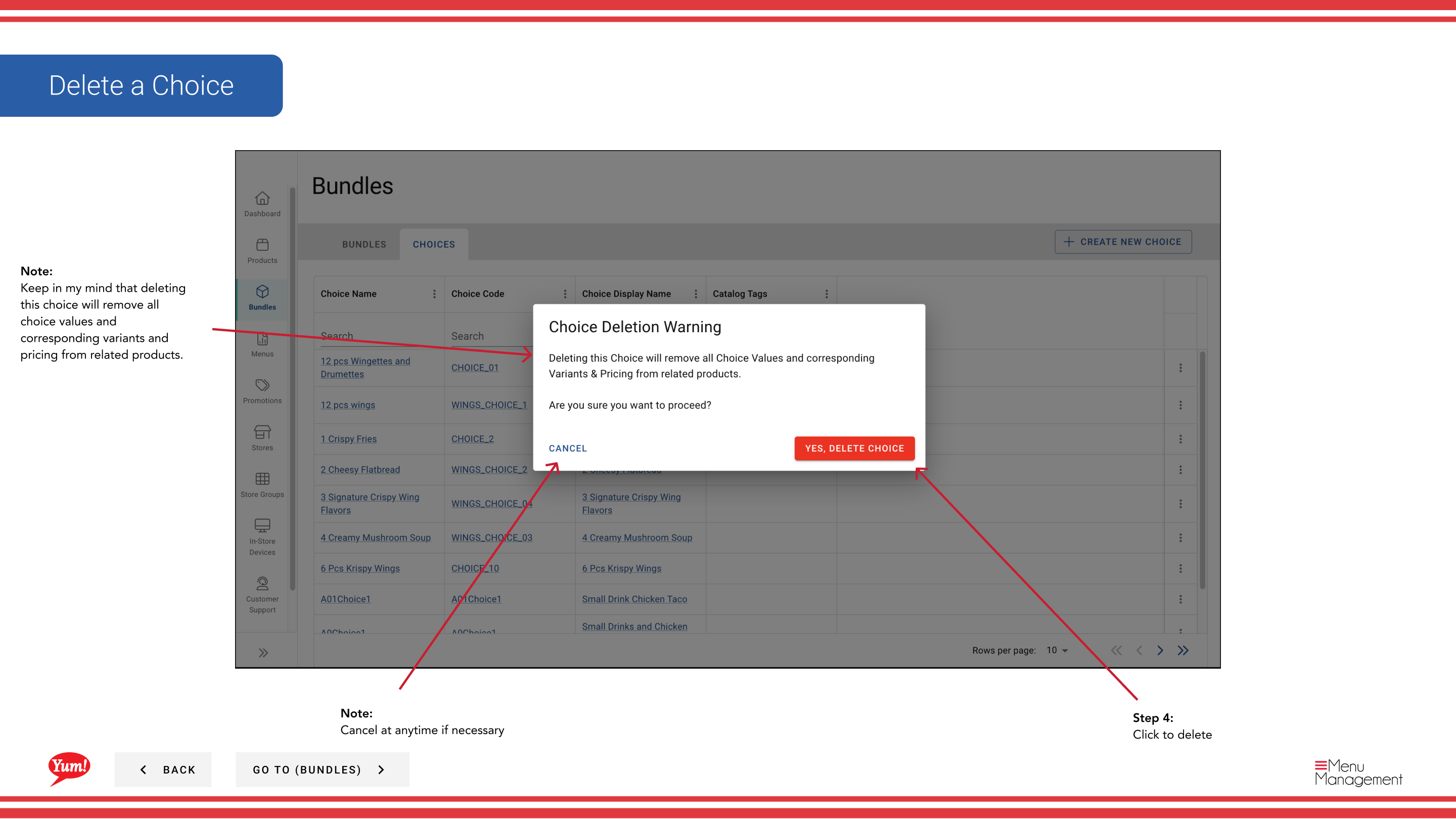
This action is permanent. Deleting a choice will:
- Remove it from all bundles that use it
- Delete all choice values and corresponding variants
- Remove any pricing associated with this choice
You cannot undo this action. Bundles that depend on this choice will no longer function correctly until you add a replacement choice.
Related guides
Part of the Admin Portal Guide · Section: Bundles