Edit a Choice
What this guide covers
Updates an existing choice's name, products, variants, or min/max quantity settings.
Steps
Step 1: Navigate to the Bundles section using the left-hand navigation menu.
Step 2: Click the Choices tab at the top of the Bundles screen.
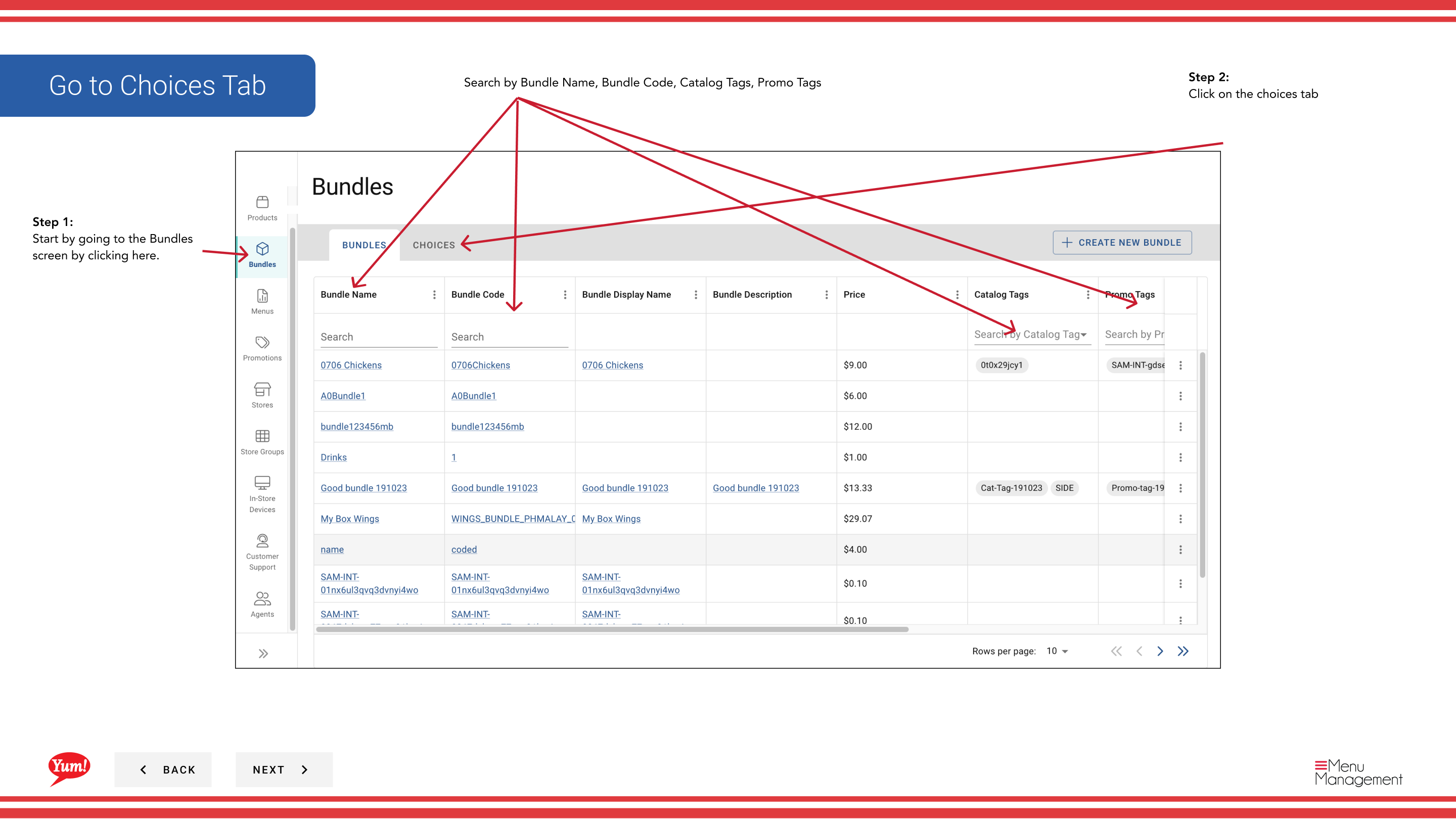
Step 3: Find the choice you want to edit. You can search by Choice Name, Choice Code, Choice Display Name, or Catalog Tags.
Step 4: Click the ⋮ (three-dot menu) button in the same row as the choice, then select Edit.
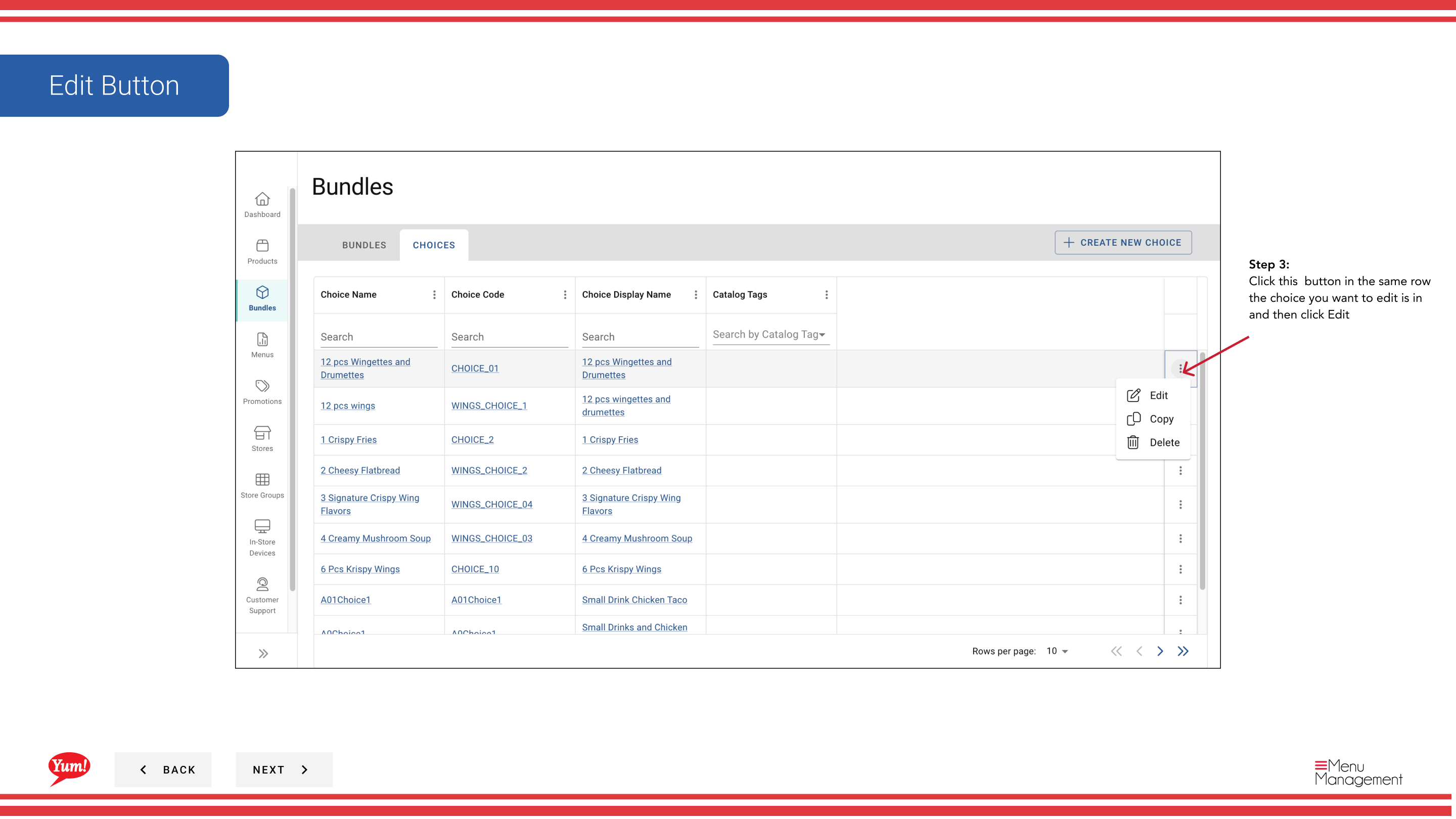
Step 5: Update any of the following fields:
- Choice Name or Choice Display Name
- Min Quantity or Max Quantity
- Products: Add or remove products and their variants
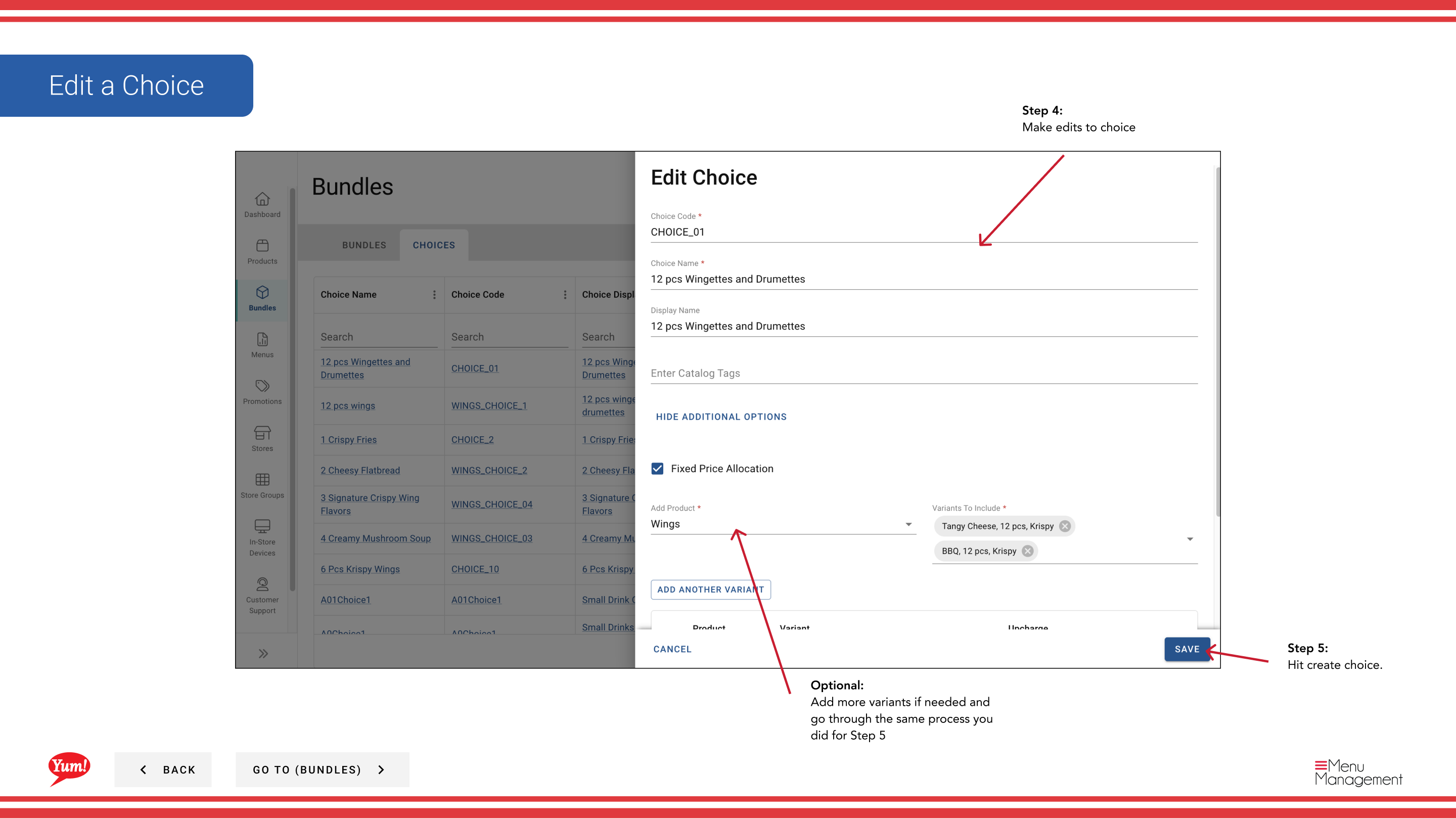
Step 6: Click Save to commit your changes.
tip
You can add or remove products and variants at any time without affecting bundles that use this choice.
Related guides
Part of the Admin Portal Guide · Section: Bundles