Edit a Bundle
What this guide covers
Updates an existing bundle's name, code, choices, pricing, or description.
Steps
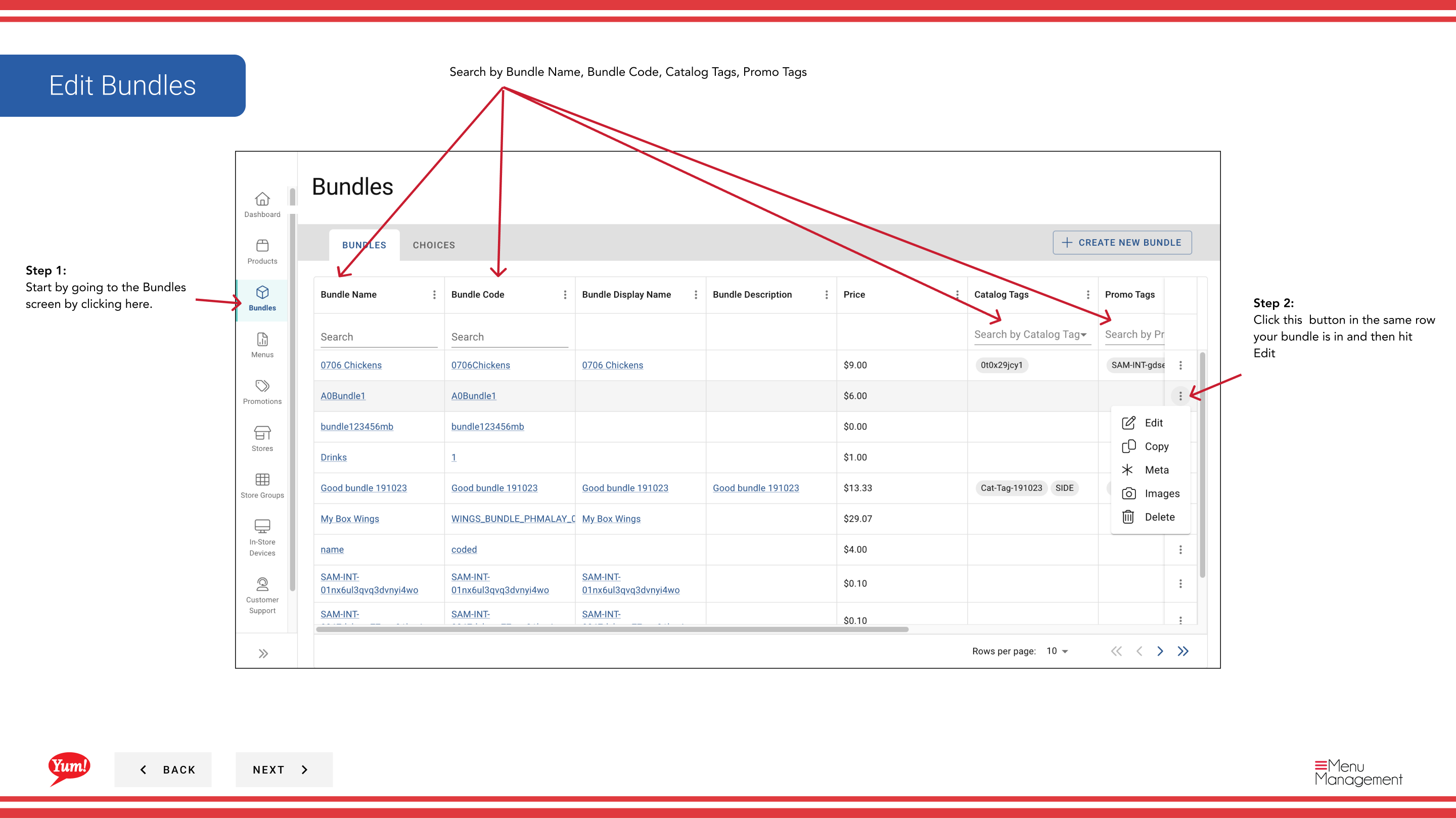
Step 1: Navigate to the Bundles section using the left-hand navigation menu.
Step 2: Find the bundle you want to edit. You can search using the search bar by Bundle Name, Bundle Code, Catalog Tags, or Promo Tags.
Step 3: Click the ⋮ (three-dot menu) button in the same row as the bundle, then select Edit.
Step 4: The same multi-page form from bundle creation opens. Update any fields:
- Click blue section headers to jump between pages (Basic Info, Choices, Review)
- Click Next to move through pages sequentially
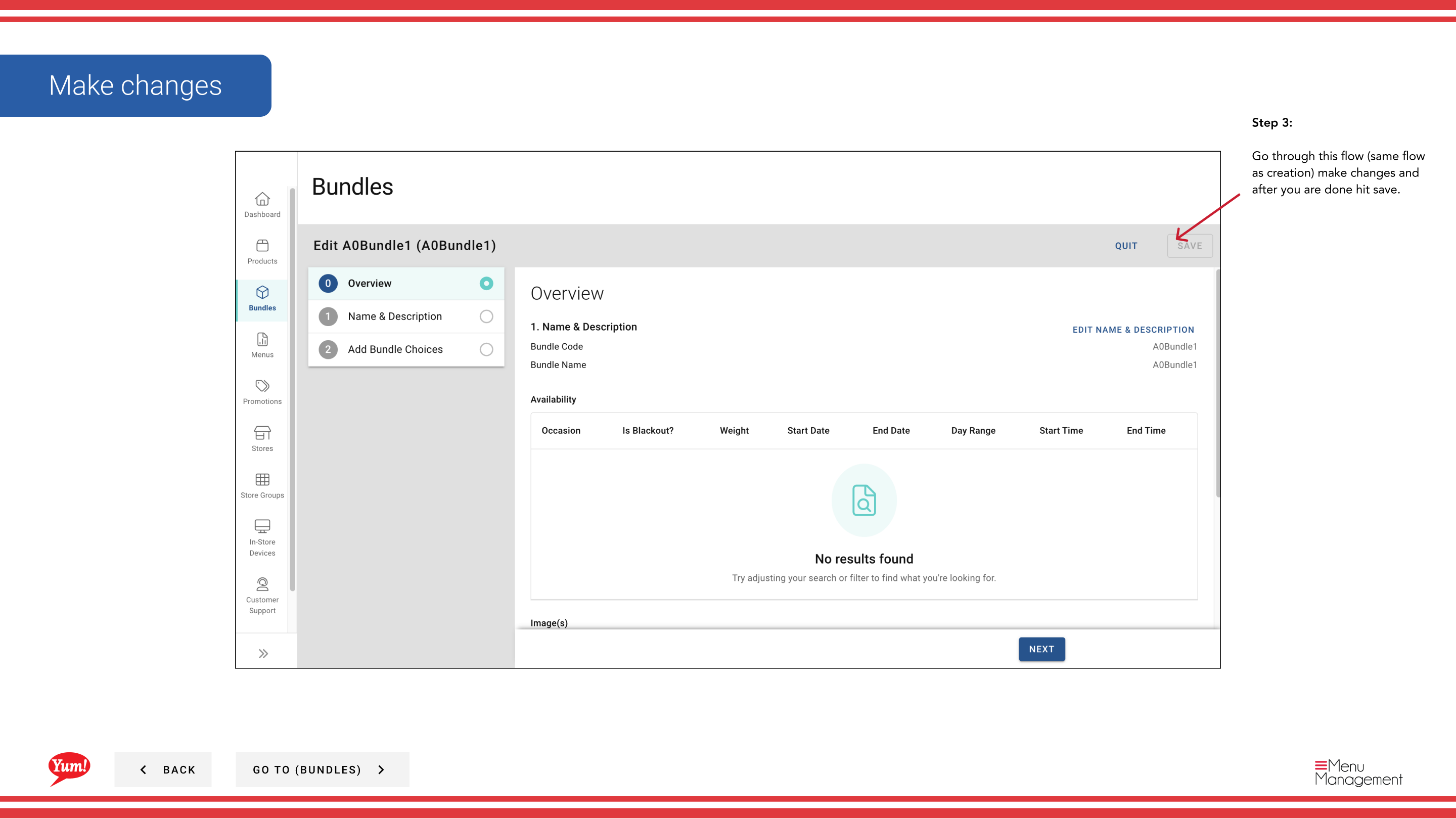
Step 5: After making all changes, click Save to commit the updates.
caution
Clicking Cancel discards all unsaved changes.
Related guides
Part of the Admin Portal Guide · Section: Bundles