Copy a Weight
What this guide covers
Duplicates a weight entry to reduce setup time when creating similar weight configurations.
Steps
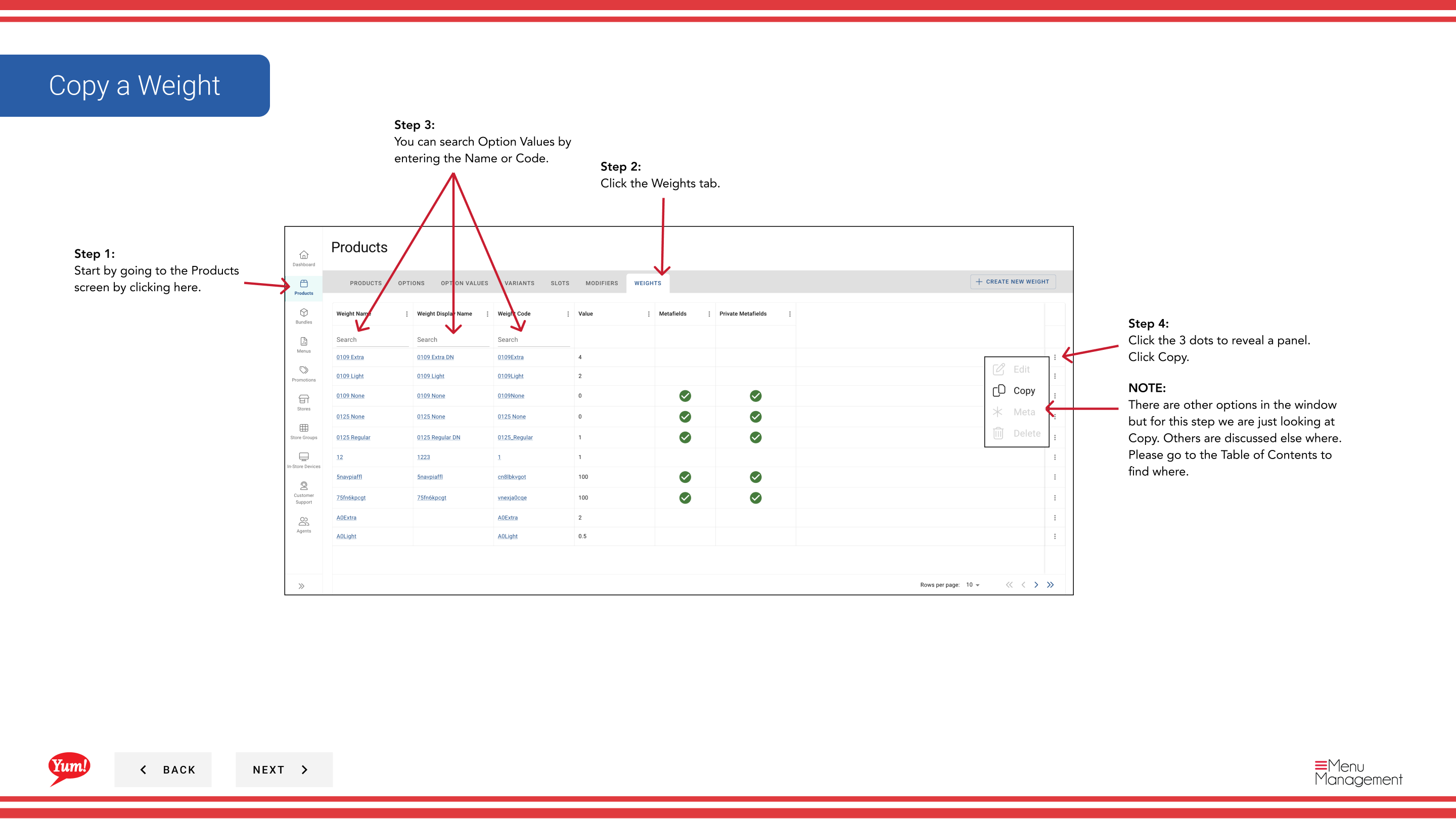
Step 1: Navigate to the Products section using the left navigation menu.
Step 2: Click the Weights tab.
Step 3: Search for the weight you want to copy by entering the Weight Name or Weight Code in the search field.
Step 4: Click the three-dot menu next to the weight, then select Copy.
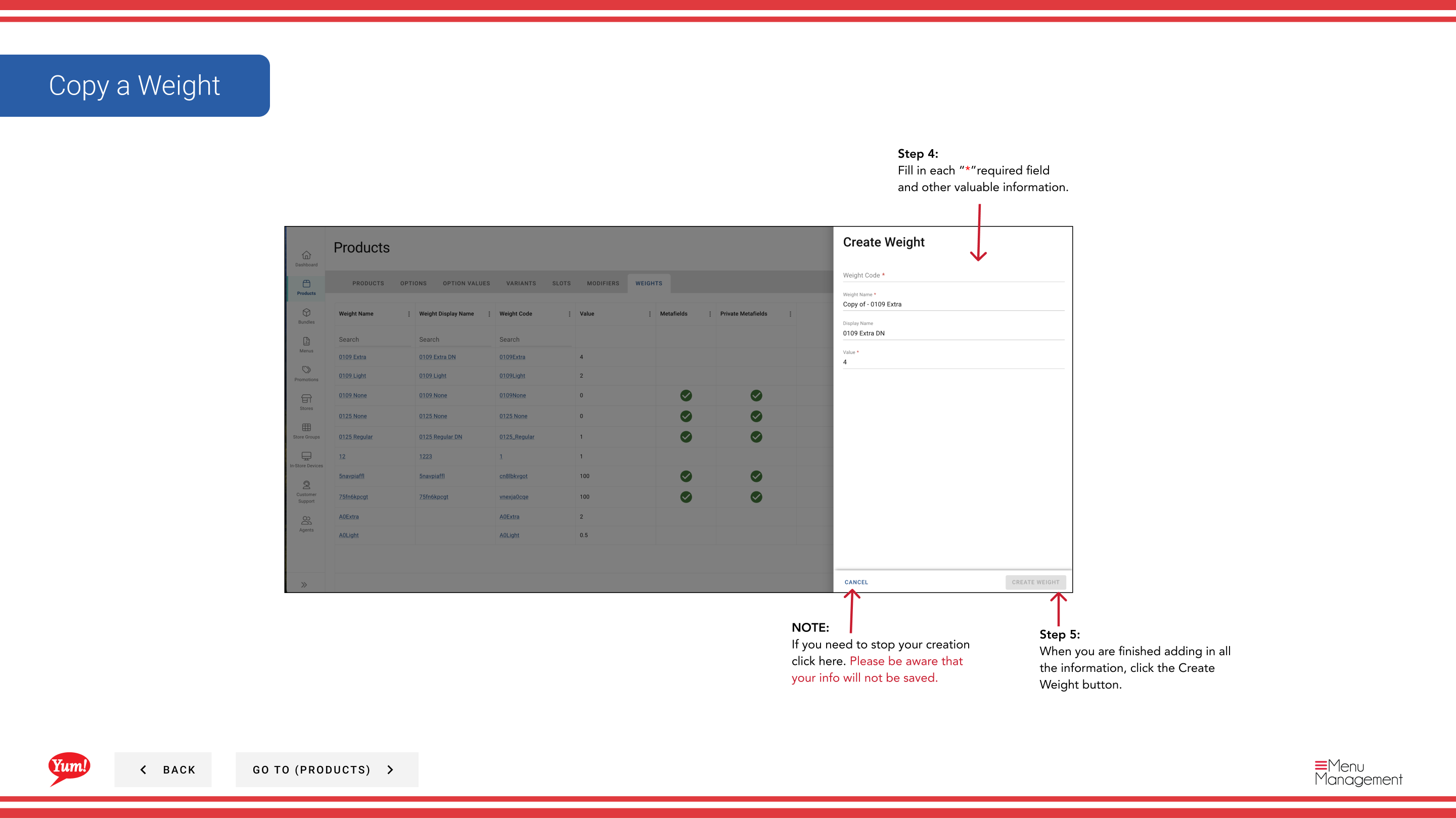
Step 5: The copy form will appear with the original weight's information. Update the fields as needed. Fields marked with * are required.
| Field | What to enter | Notes |
|---|---|---|
| Weight Code * | Unique identifier for the new weight | Must be different from the original (e.g., “WT-LARGE-COPY”) |
| Weight Name * | Describes the portion size | Can be the same or customized |
| Max Weight Value | Numeric maximum weight value | e.g., “500” (in grams or your unit) |
| Default | Toggle to mark as default | Only one weight should be marked as default per option |
Step 6: When you are finished adding all the information, click the Create Weight button.
Notes
The Weight Code must be unique. You cannot use the same code as the original weight.
Clicking Cancel discards all unsaved changes.
You can search weights by Weight Name or Weight Code.
Part of the Admin Portal Guide · Section: Products