Delete a Weight
What this guide covers
Removes a weight configuration when it is no longer applicable.
Steps
Step 1: Navigate to the Products section using the left navigation menu.
Step 2: Click the Weights tab.
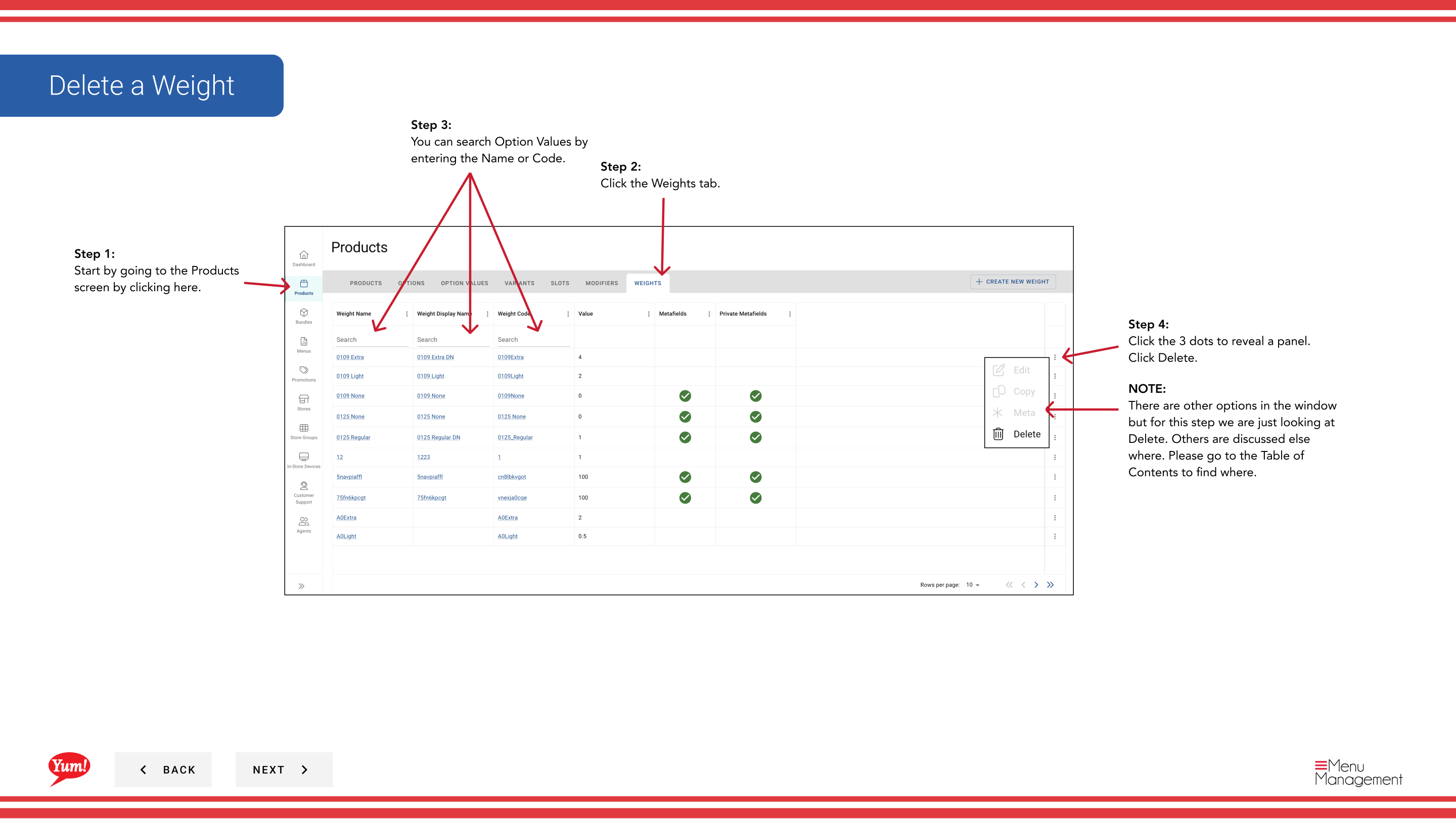
Step 3: Search for the weight you want to delete by entering the Weight Name or Weight Code in the search field.
Step 4: Click the three-dot menu next to the weight, then select Delete.
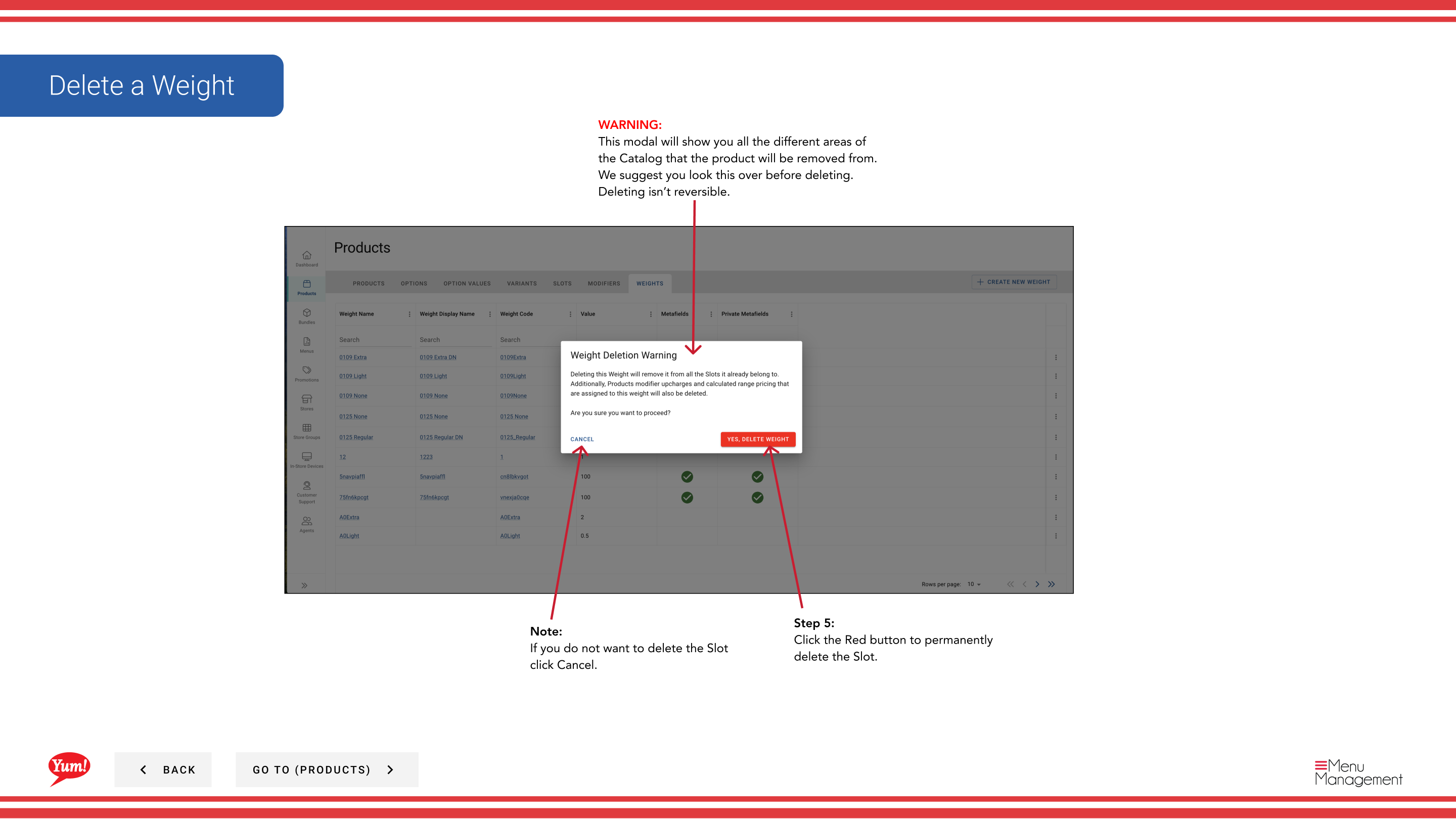
Step 5: A confirmation modal will appear showing all the areas of the system where this weight is used. Review this carefully to ensure you are deleting the correct weight.
Step 6: Click the red Delete button to permanently remove the weight.
Notes
Deleting a weight is permanent and cannot be undone. The weight will be removed from all slots and modifiers that use it.
You can search weights by Weight Name or Weight Code to quickly find the item you want to delete.
Click Cancel if you do not want to proceed with deletion.
Part of the Admin Portal Guide · Section: Products