View Stores in a Store Group
What this guide covers
Lists all stores currently belonging to a store group for visibility and verification purposes.
Steps
Step 1: Navigate to the Store Groups section using the left-hand navigation menu.
Step 2: Browse the Store Groups table to find the group you want to view, or use the search bar to locate it. Click on the store group name to view its details.
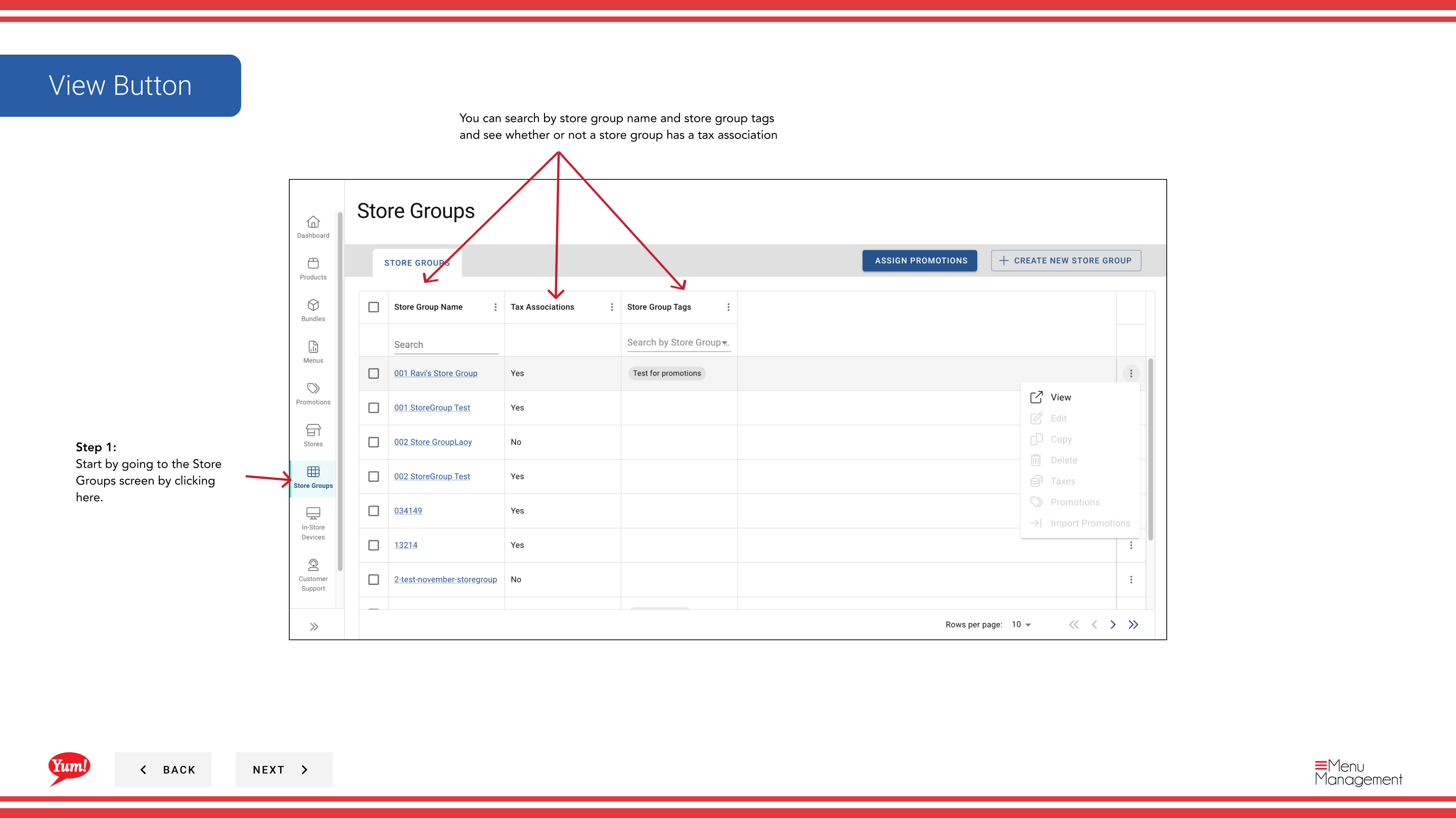
Step 3: A detailed view will open showing:
- Store Group Name — The name of the selected group
- Store Group Tags — Any tags assigned to this group
- Stores Table — A complete list of all stores in this group
The table displays:
- Store Number — Unique identifier for each store
- Store Name — Name of the store location
- Franchise Code — Franchise identifier if applicable
- Tax Rules — Whether this group has associated tax rules
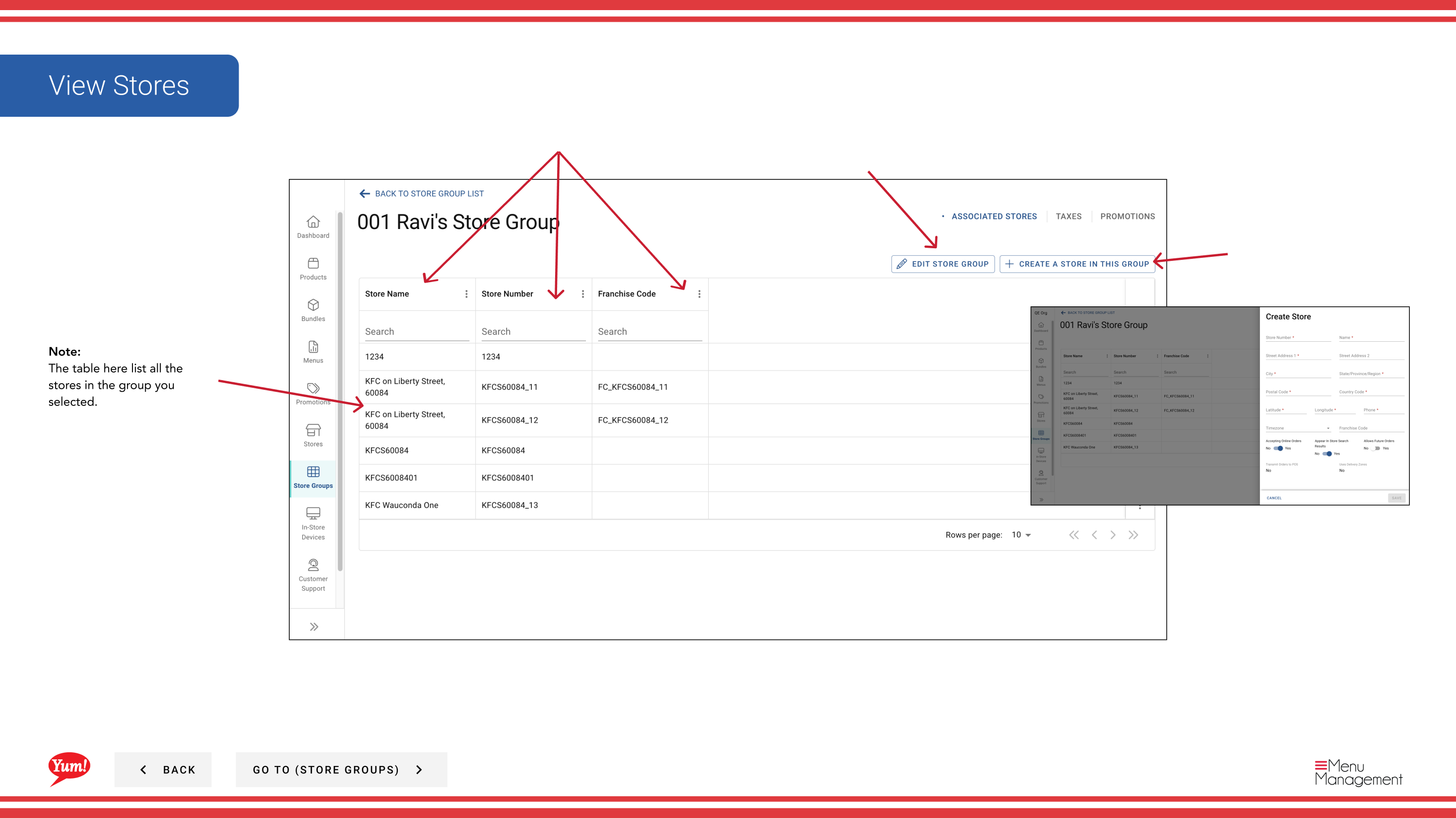
note
The stores table lists all stores currently belonging to this store group. To modify store membership, see Edit a Store Group.
Related guides
Part of the Admin Portal Guide · Section: Store Groups