Step 1 - Setup Order
This step covers the decisions a customer must make before Atlas can show the right menu, pricing, availability, and fulfillment path.
What This Step Covers
Setup Order defines the customer's order context. The prototype focuses on order mode selection, pickup store selection, and delivery address or store assignment. These choices determine which products, promotions, hours, fees, and checkout rules are available.
Journey Map
| Sequence | Customer Decision |
|---|---|
| 1 | Choose pickup or delivery |
| 2 | Select a pickup store or confirm delivery address |
| 3 | Review serviceability, store availability, and fulfillment details |
Screenshots
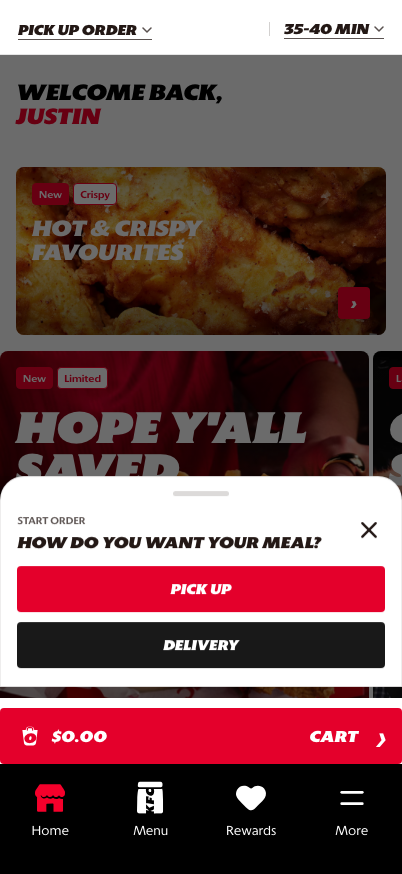
Set Order Mode: the customer chooses the fulfillment path before browsing.
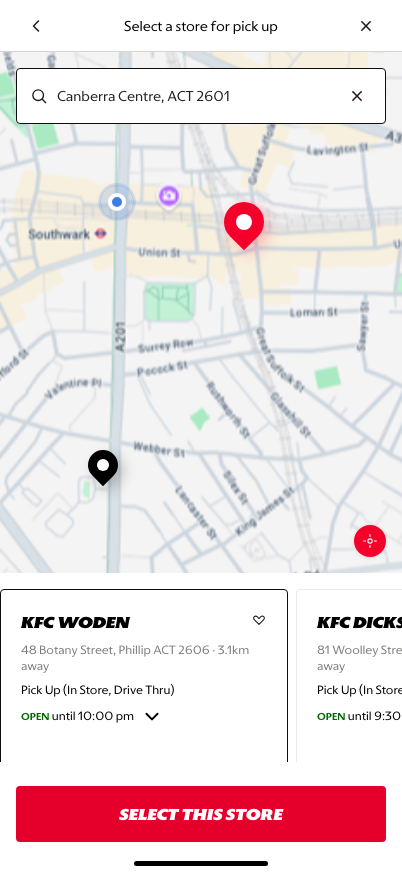
Pickup: map and store cards give location confidence before menu entry.
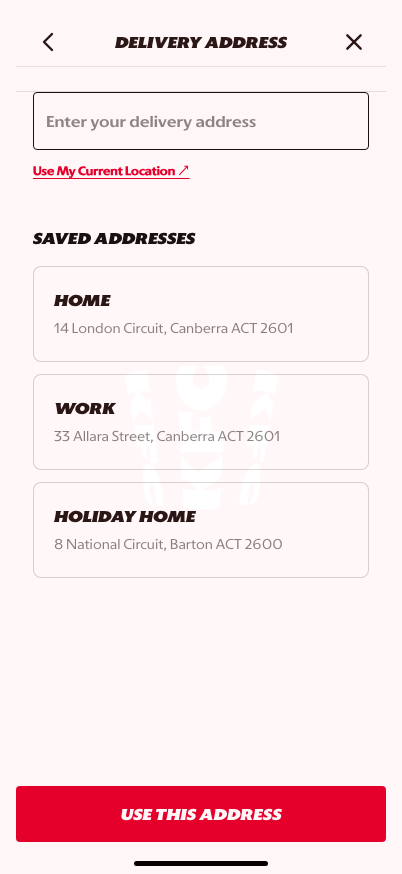
Delivery: address entry starts serviceability and store assignment.