Step 2 - Find Products
This step covers how customers browse, compare, select, and customize products once order context is set.
What This Step Covers
Find Products starts after the customer has enough context for Atlas to show an eligible menu. It includes category discovery, product listing, product detail, customization, Build Your Own Bucket, Secret Menu, nutrition, allergen, and add-on entry points.
Journey Map
| Sequence | Customer Decision |
|---|---|
| 1 | Enter Home or Menu and browse categories |
| 2 | Browse a PLP and compare products |
| 3 | Open PDP and review product detail |
| 4 | Customize size, components, or deeper options |
| 5 | Use special product flows such as BYOB or Secret Menu |
| 6 | Review nutrition, allergen, or add-on prompts |
Screenshots
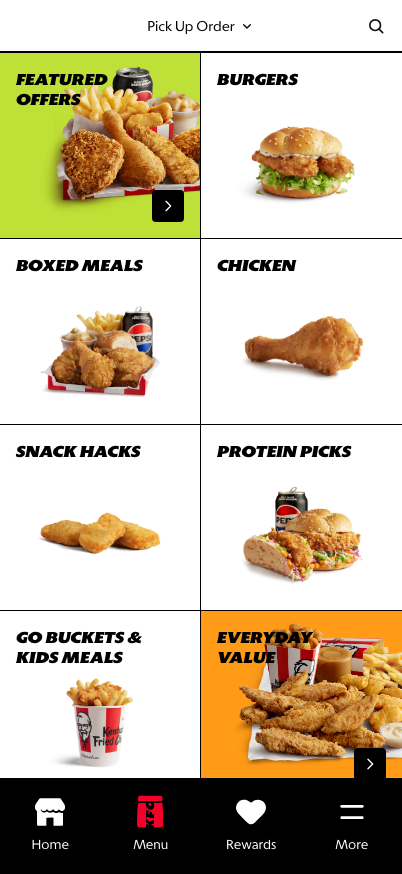
Menu Landing: category tiles help customers choose a starting point.
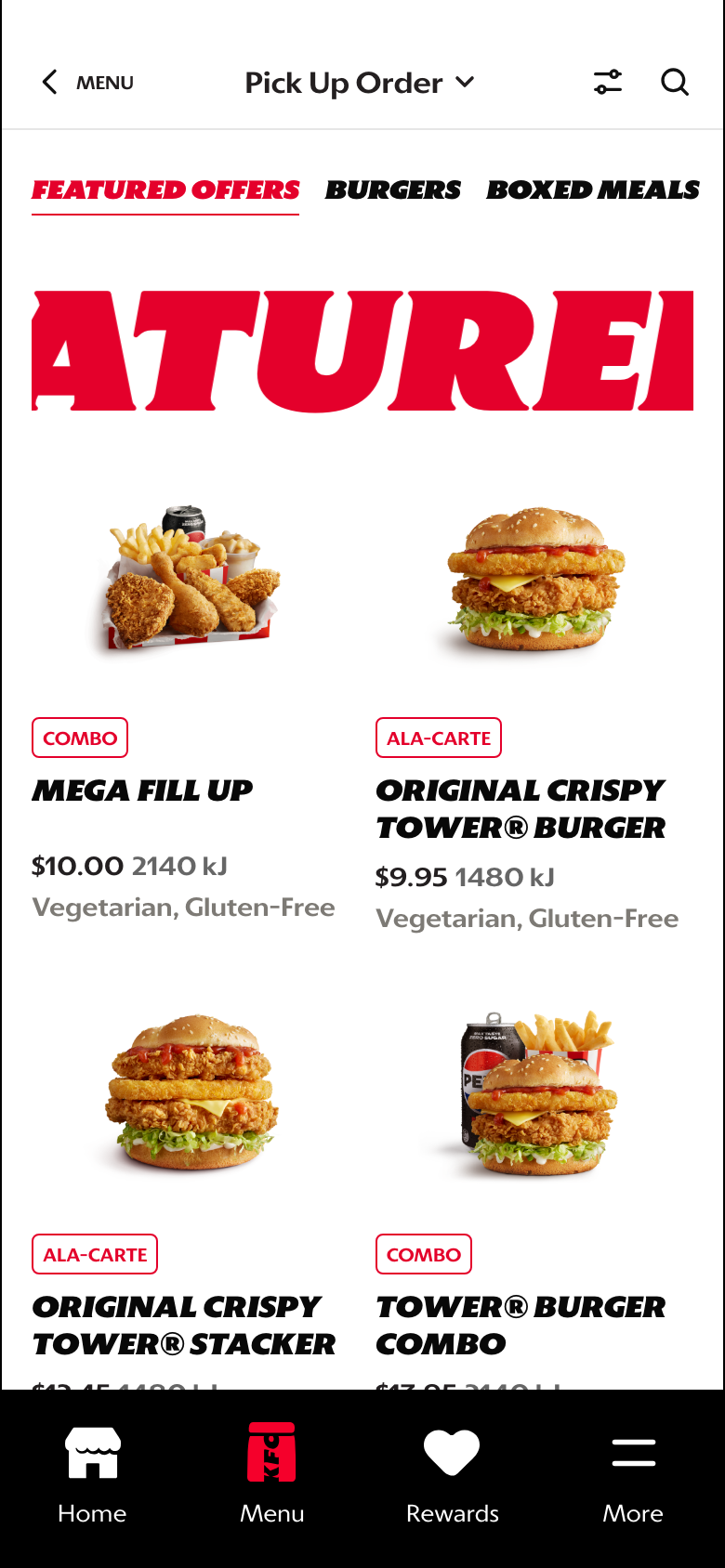
PLP: product image, tag, title, price, energy, dietary attributes, and category context stay together. Product descriptions are reserved for PDP.
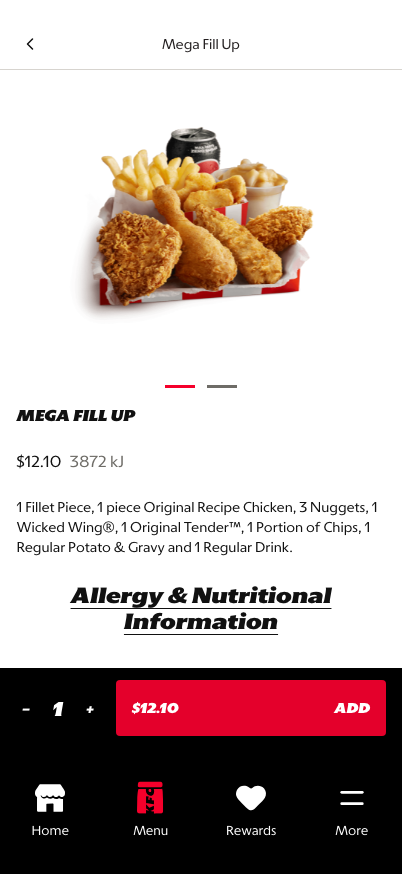
PDP: product detail and customization entry support purchase confidence.
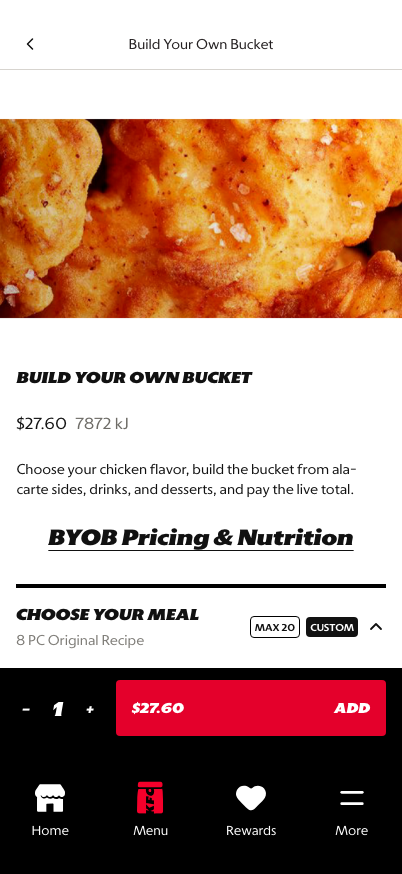
BYOB: bundle construction is treated as a product journey, not a separate tool.
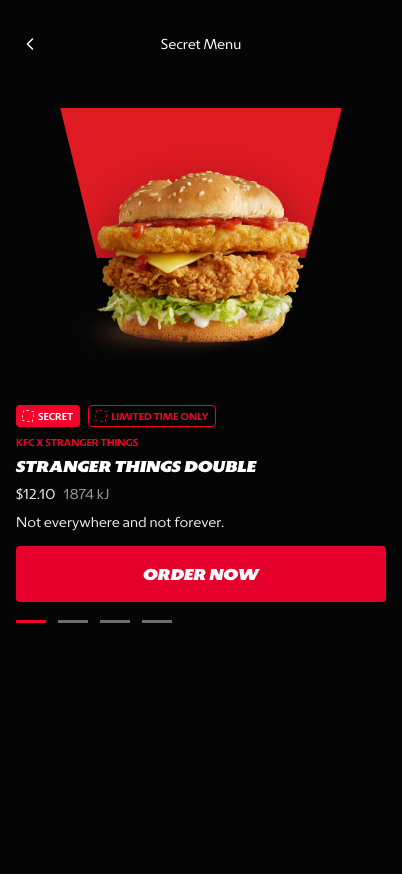
Secret Menu: campaign-led discovery can still route into orderable products.