Build Your Own Bucket
How This Journey Works
A. Signed-In User
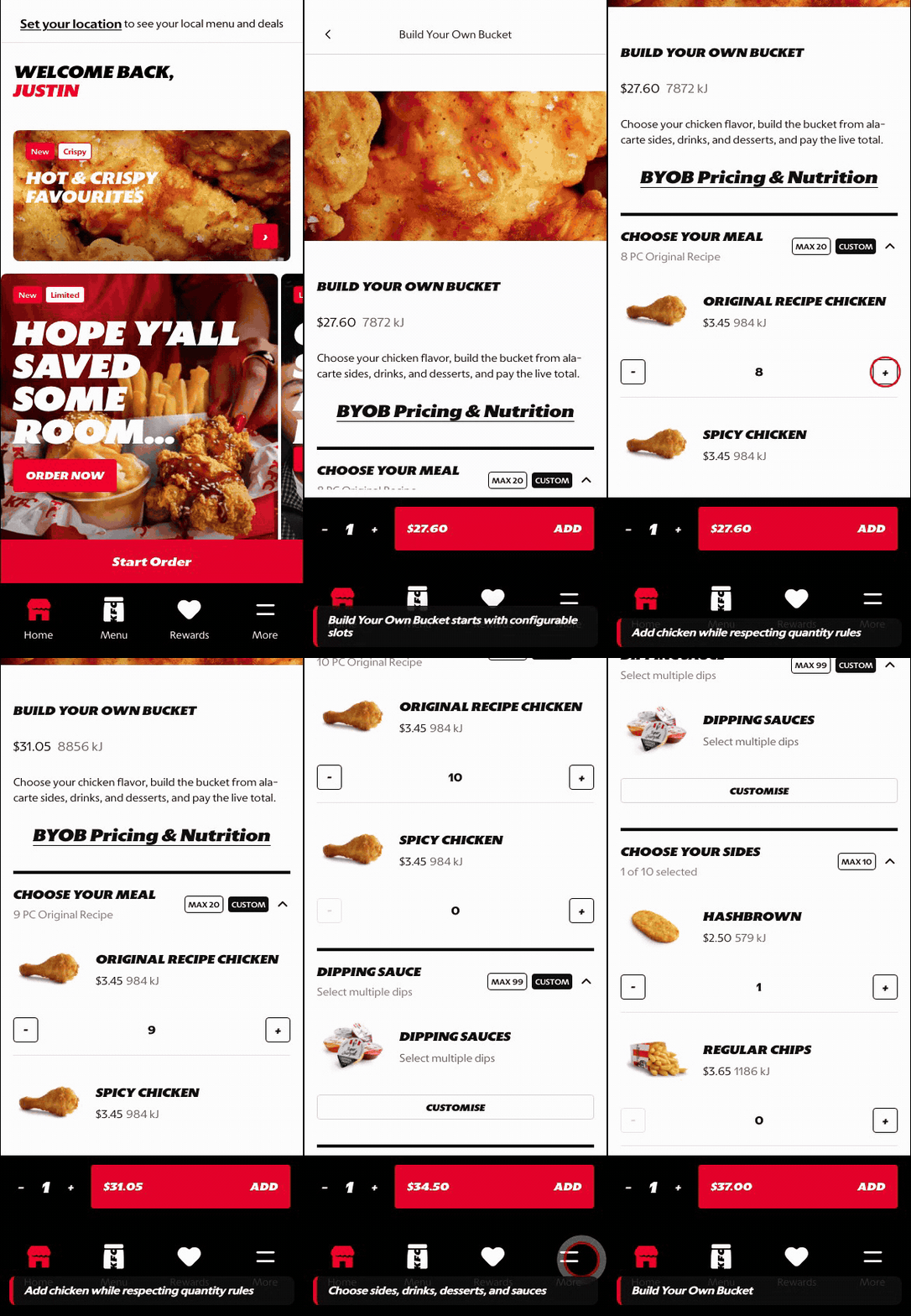
What this shows
- Shows the builder entry and slot-by-slot configuration path.
- Keeps selected choices organized as the customer builds the bucket.
- Supports deeper customization while preserving order context.
B. Guest User
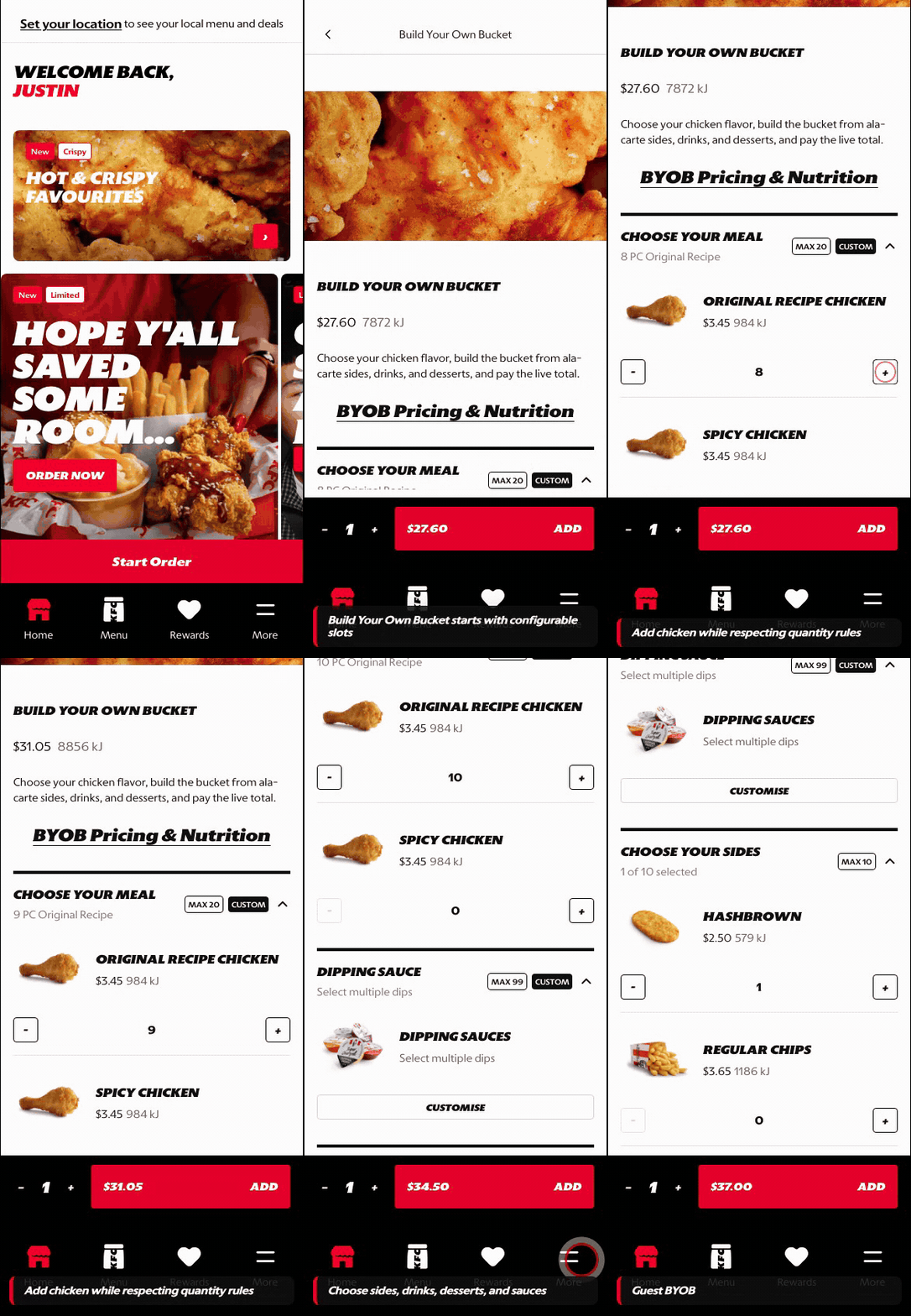
What this shows
- Lets guests understand the builder and configure slots before sign-in.
- Preserves bundle intent through item selection and customization.
- Defers authentication until account-specific or checkout actions are required.
Key difference: Signed-in users see account-aware shortcuts and rewards access. Guests can browse and build intent, but authentication is required for account-specific actions such as checkout, rewards redemption, or saved details.
Build Your Own Bucket is the configurable bundle journey where customers assemble a bucket from guided slots instead of choosing a fixed bundle.
Screen Capture Sequence
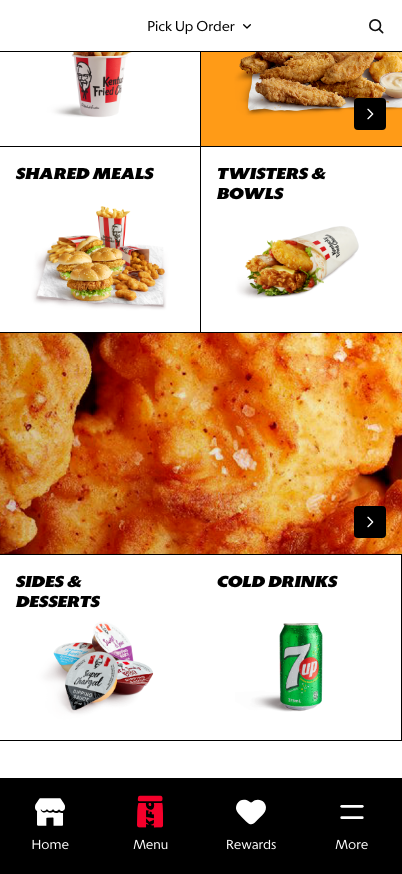
Menu entry: Build Your Own Bucket appears as a wide visual tile inside Menu Landing.
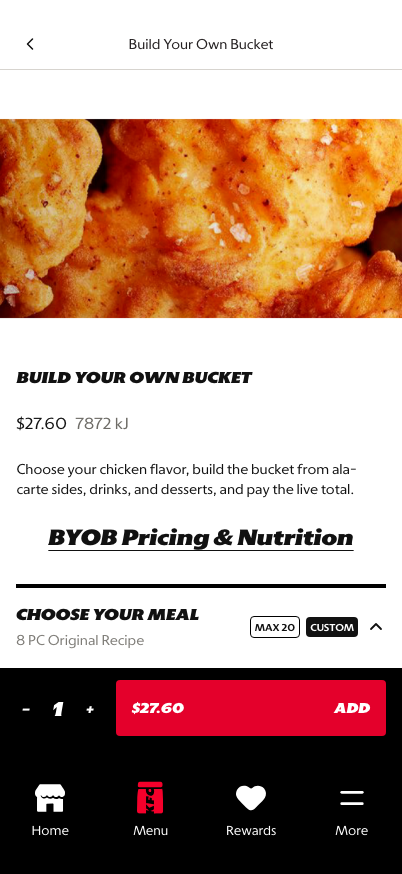
Builder top: the customer understands the bundle purpose and live price.
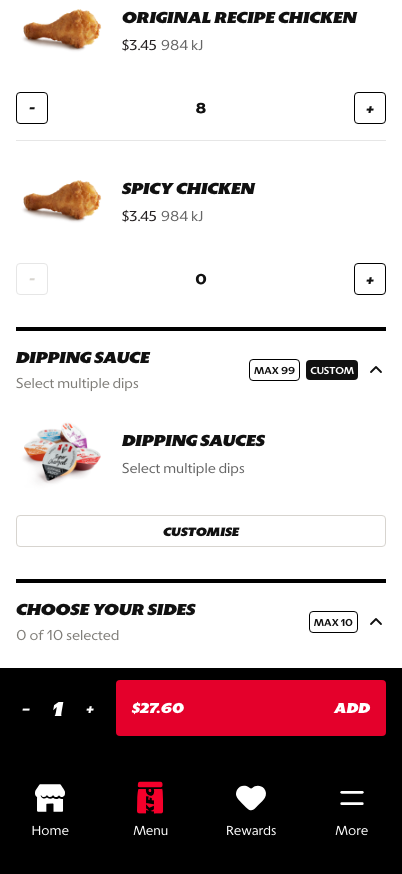
Slots and quantity rules: each group communicates limits and selected quantities.
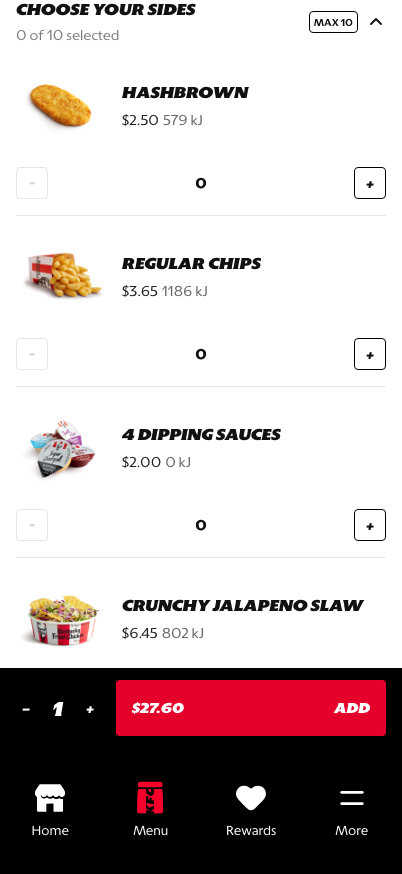
Deeper customization: sauces and extras can be configured in a focused editing state.
What This Feature Is
Build Your Own Bucket lets customers construct a shared meal by selecting quantities across configured component groups. In the prototype, the entry appears as a specialized tile on Menu Landing and opens directly into the guided builder. The builder supports chicken selections, dipping sauce, a live total, and add-to-cart once the rules are satisfied.
Why This Step Is Designed This Way
Build-your-own flows can become overwhelming if every option is exposed as an unstructured product list. The Atlas pattern keeps the experience guided by grouping choices into slots, showing maximum quantities, and keeping the total visible.
The customer should feel like they are building a meal, not filling out a form.
WIP: What Can Be Configured On This Screen
| Configurable Area | What Markets Should Be Able To Control | Current Documentation Status |
|---|---|---|
| Menu entry | Whether BYOB appears on Menu Landing, PLP, or campaign surfaces | WIP |
| Entry behavior | Whether the tile opens the builder directly, routes through PLP, or uses a campaign page first | WIP |
| Slot groups | Chicken, sides, drinks, sauces, desserts, or market-specific components | WIP |
| Quantity rules | Minimum and maximum quantities by group or total bucket | WIP |
| Defaults | Preselected items, default piece count, and starter bundle behavior | WIP |
| Pricing | Per-item pricing, bundle pricing, live total, and surcharge logic | WIP |
| Validation | Add-to-cart eligibility, missing selection messaging, and disabled states | WIP |
| Localization | Builder copy and component names in English, French, Spanish, and German | WIP |
What This Screen Should Communicate
- The customer is entering a guided build-your-own meal journey from the menu.
- The customer understands this is not a standard category grid.
- Each slot has clear limits and selected quantities.
- The total price changes as the customer builds.
- Required selections are controlled by the builder rules.
- The customer can move from broad bucket configuration into focused component editing.
Design Read On This Screen
- The wide tile entry makes BYOB feel like a deliberate menu feature, not an ordinary category.
- Slot sections reduce decision effort by grouping choices into familiar meal parts.
- Quantity steppers are appropriate because the core behavior is count-based selection.
- The persistent add-to-cart area keeps the customer aware of basket progression while editing.