Nutrition and Allergen
How This Journey Works
A. Signed-In User
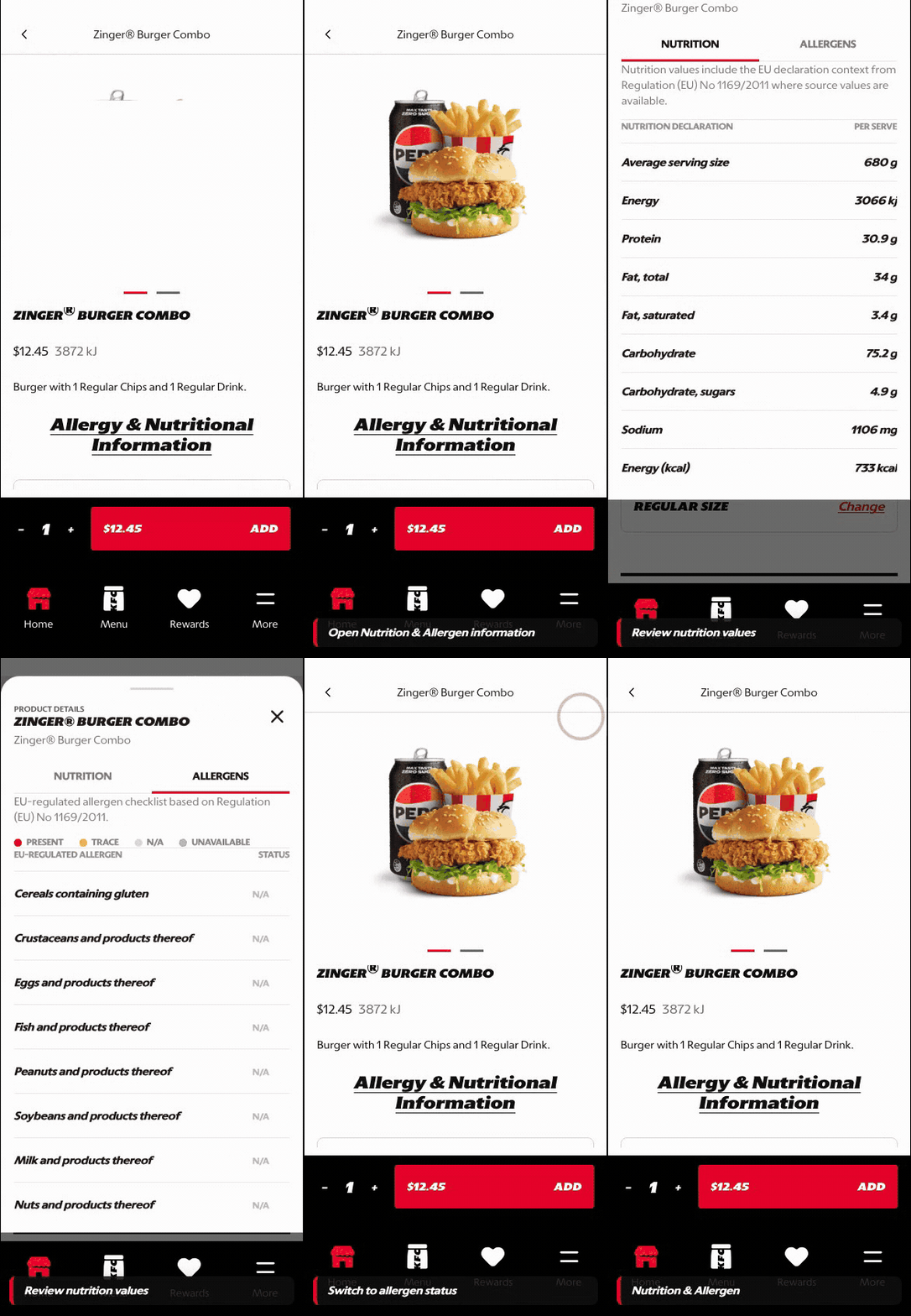
What this shows
- Shows nutrition and allergen information from the product decision point.
- Lets the customer switch between nutrition and allergen states before purchase.
- Keeps dietary information close to customization and add-to-cart actions.
B. Guest User
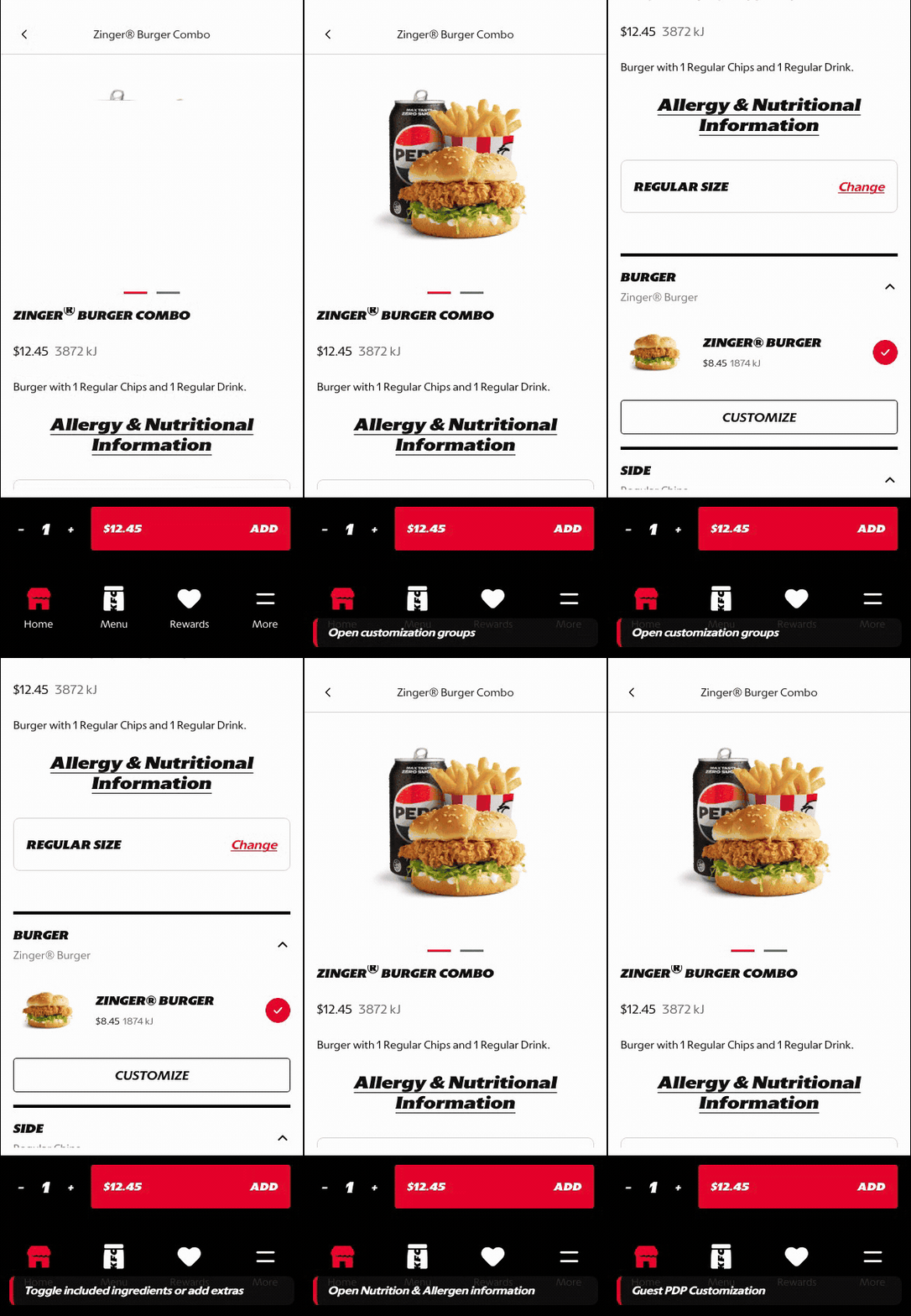
What this shows
- Lets guests review product details before account creation.
- Keeps product information available without forcing sign-in first.
- Preserves the path back to customization and cart building.
Key difference: Signed-in users see account-aware shortcuts and rewards access. Guests can browse and build intent, but authentication is required for account-specific actions such as checkout, rewards redemption, or saved details.
Nutrition and Allergen covers the PDP information sheet that gives customers product-level nutrition and allergen details close to the purchase decision.
Screen Capture Sequence
These captures show the current PDP information pattern: the customer opens Nutrition & Allergens from PDP, reviews per-serve nutrition values, switches to allergen status, and sees an explicit unavailable state when market data is not present.
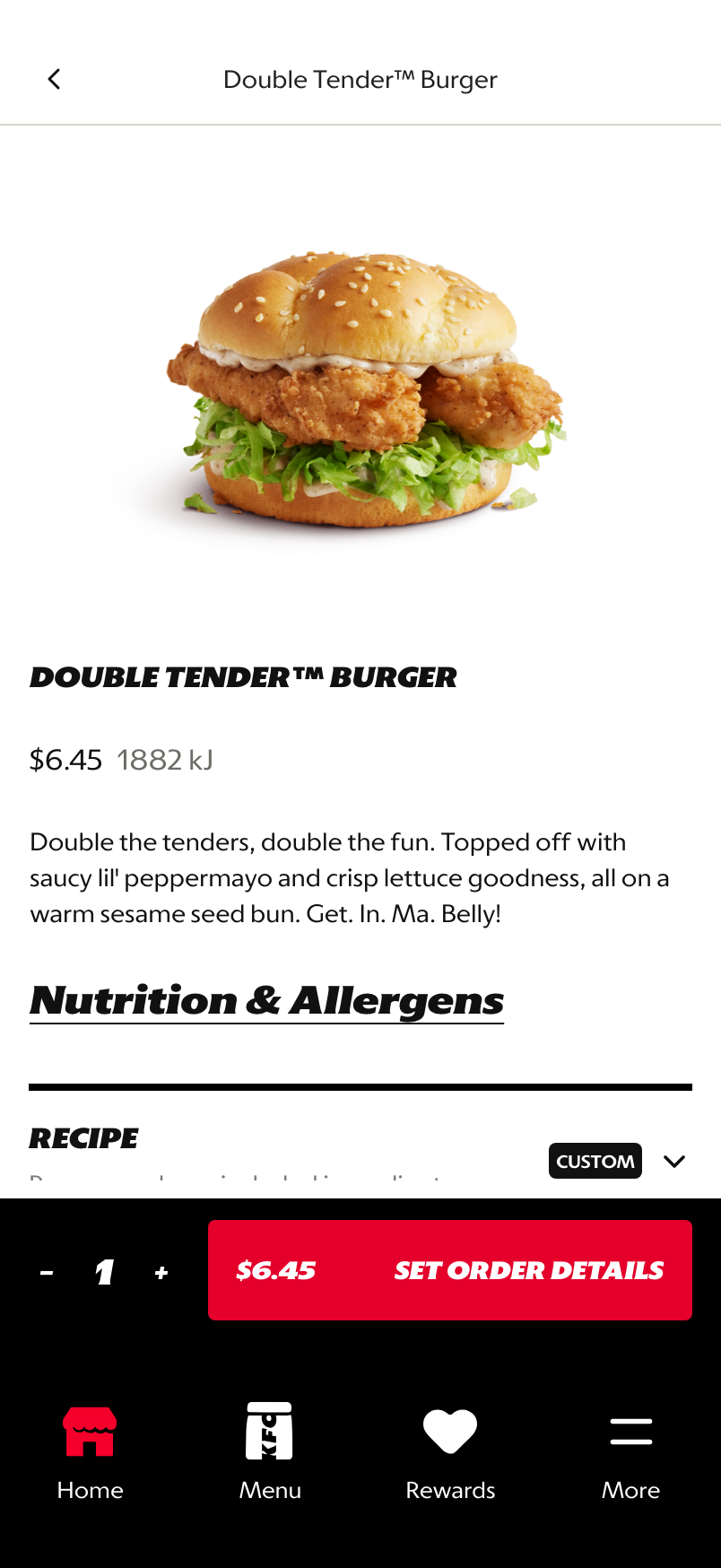
PDP entry point: Nutrition & Allergens appears inside the product decision flow before customization continues.
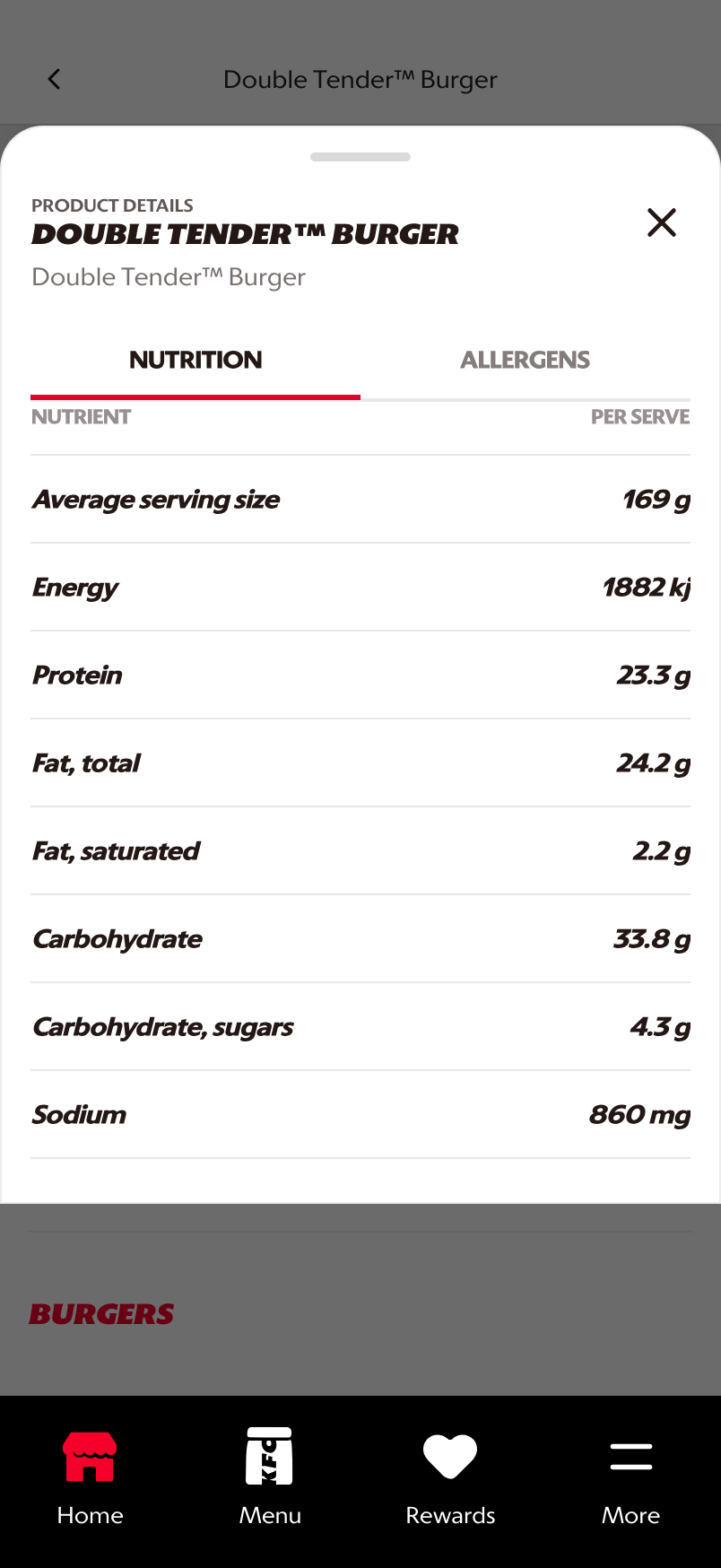
Nutrition tab: per-serve values are shown in a scannable table tied to the selected product and size.
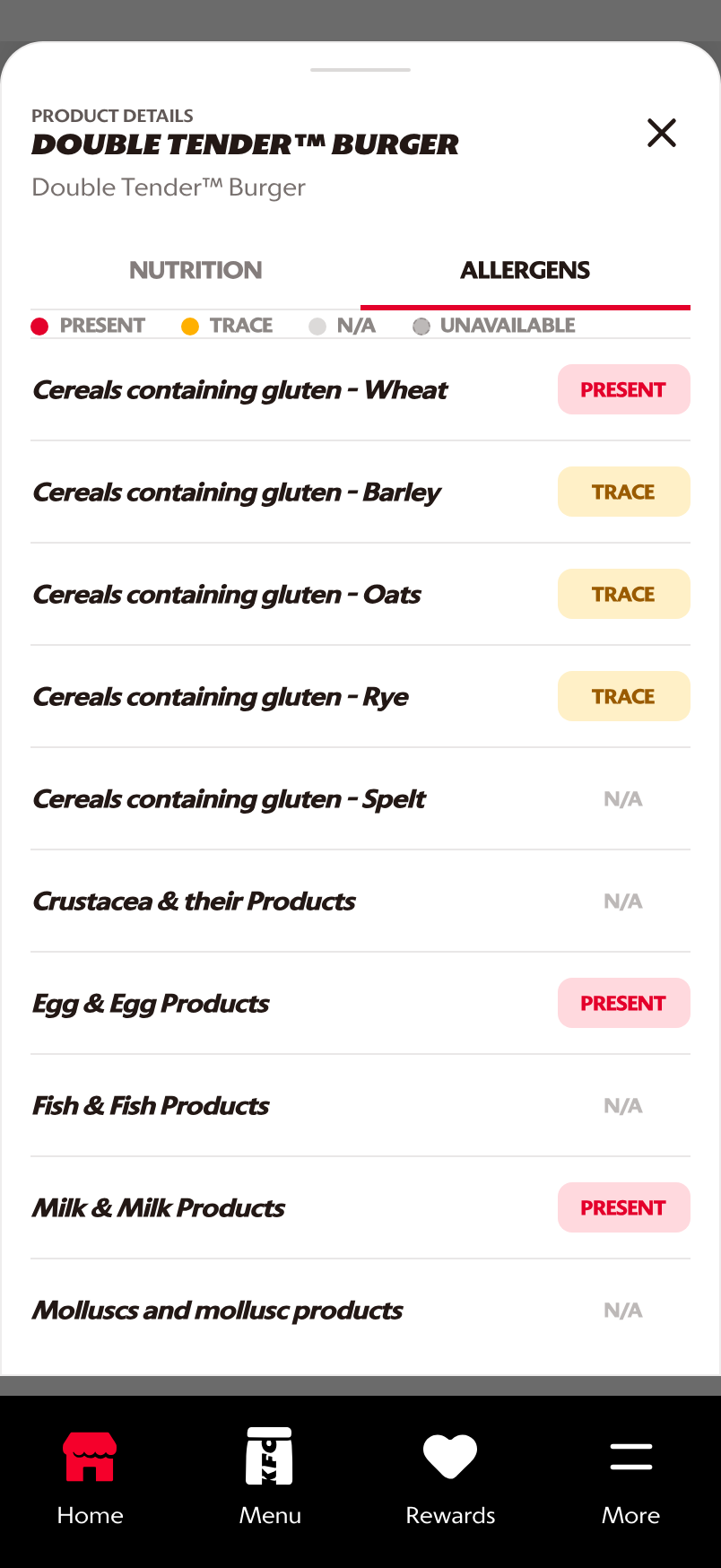
Allergen tab: a legend standardizes Present, Trace, N/A, and Unavailable states across markets.
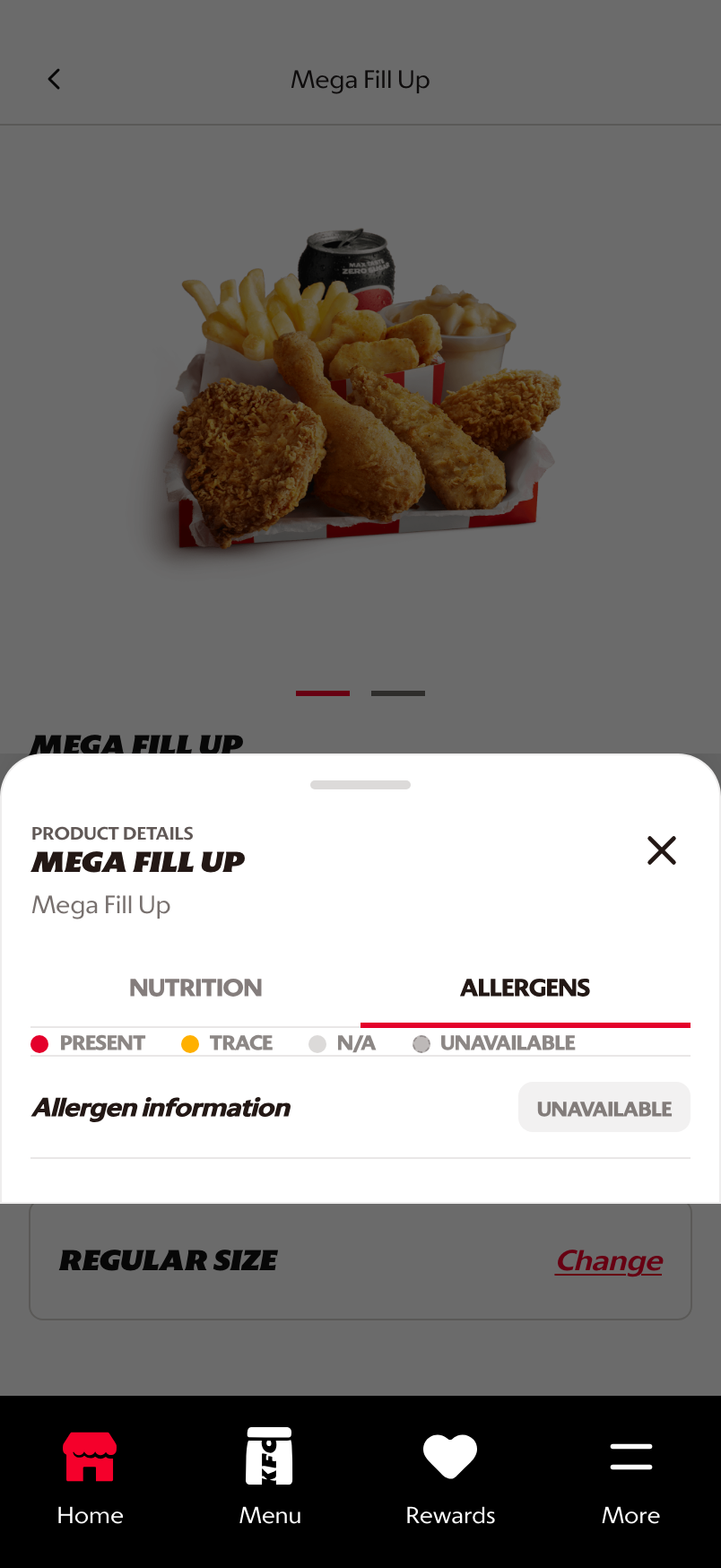
Unavailable state: missing allergen data is shown directly instead of being hidden or implied.
What This Feature Is
Nutrition and Allergen is the product information layer accessible from the PDP. It gives customers supporting product data without taking them away from the product they are reviewing.
The prototype includes:
- PDP entry point for Nutrition & Allergens
- bottom-sheet presentation over the PDP
- product title and selected product context
- nutrition values per serve
- allergen tab with status legend
- explicit unavailable state for missing allergen data
Why This Step Is Designed This Way
Customers need trustworthy product information close to the purchase decision, especially when dietary, allergen, or health considerations affect selection.
Keeping this information in a bottom sheet allows customers to inspect details and return to the same PDP without losing product, size, or customization context.
- Close to decision: the entry point sits on PDP where customers are already evaluating the item.
- Structured data: nutrition rows and allergen status labels support quick scanning.
- Market-ready fallback: unavailable data is visible, which avoids unsupported confidence in incomplete information.
WIP: What Can Be Configured On This Screen
| Configurable Area | What Markets Should Be Able To Control | Current Documentation Status |
|---|---|---|
| Nutrition values | Nutrient list, unit labels, per-serve values, and market data source | WIP |
| Allergen legend | Present, trace, not applicable, unavailable, and market-specific labels | WIP |
| Product scope | Base item, size-specific values, and modifier-adjusted values | WIP |
| Legal copy | Disclaimer language, data freshness notes, and regulatory requirements | WIP |
| Availability state | Missing data, unavailable data, or product not eligible for allergen display | WIP |
| Entry point | PDP info link, product card indicator, or footer/legal destination | Prototype shows PDP entry |
| Localization | Nutrition and allergen terminology across supported languages | WIP |
What This Screen Should Communicate
- The customer is still inside the product decision.
- Nutrition and allergen data is available without losing PDP progress.
- The source and state of information should feel trustworthy.
- Missing or unavailable data must be explicit, not hidden.
Design Read On This Screen
- The sheet pattern preserves PDP context while giving enough room for structured data.
- Tabs separate nutrition and allergen use cases without creating separate pages.
- Row-based values support scanning for specific nutrients.
- The allergen legend prepares the customer to interpret market data consistently.
- Explicit unavailable states help markets handle incomplete data responsibly.