Secret Menu
How This Journey Works
A. Signed-In User
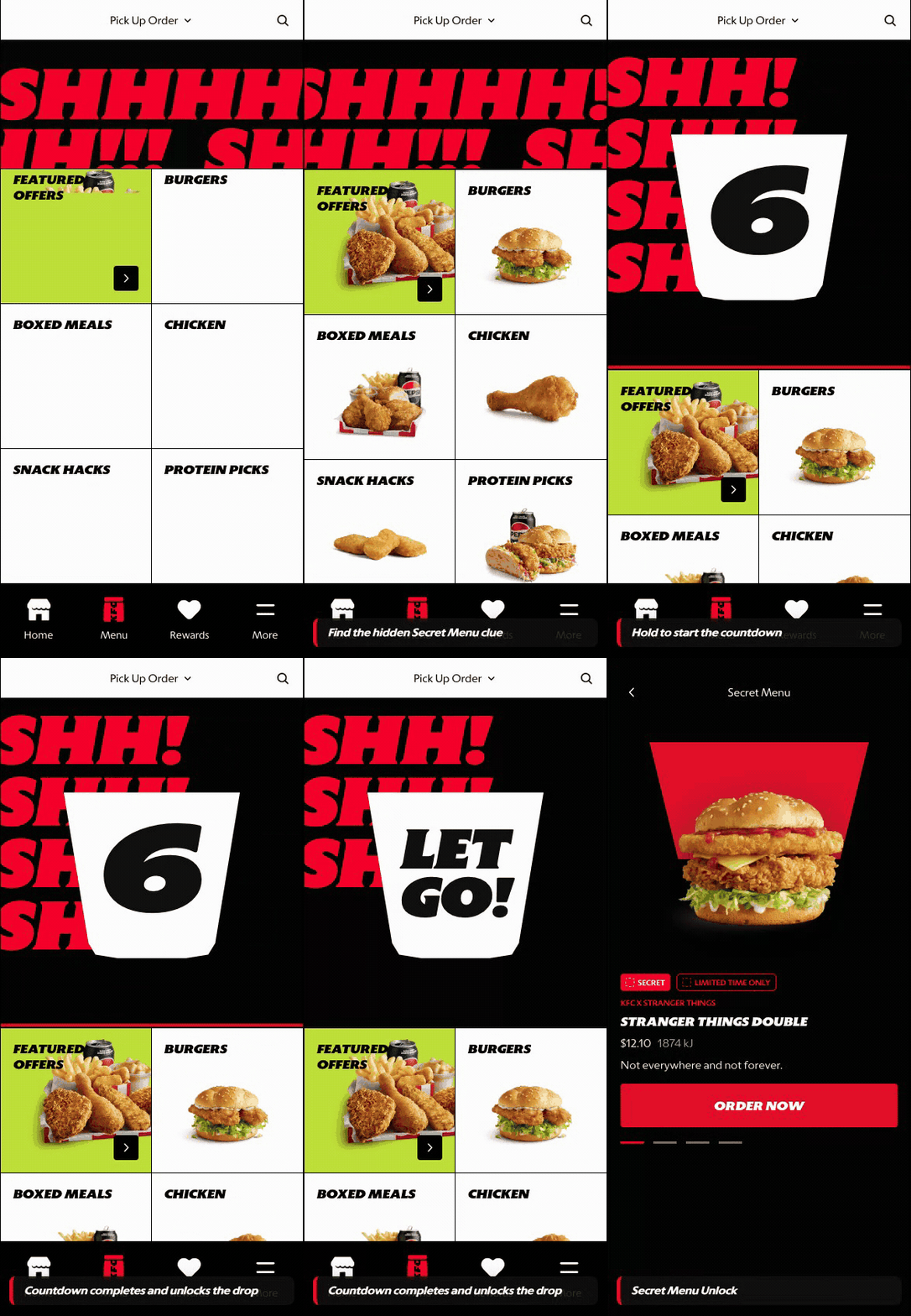
What this shows
- Shows the hidden unlock mechanic and countdown reveal moment.
- Creates a campaign-led product discovery path outside standard categories.
- Carries the customer into a Secret Menu surface that still supports ordering.
B. Guest User
Current library note: no prototype-backed GIF is available for this customer state in this pass.
What this shows
- No guest-specific Secret Menu GIF is included in the current library.
- Do not present guest Secret Menu unlock as prototype-backed in this pass.
- Guests can continue standard menu browsing until a supported guest state exists.
Key difference: Signed-in Secret Menu behavior is prototype-backed through the unlock and reveal path. Guest-specific Secret Menu behavior should remain documented as pending until a dedicated guest clip or design state exists.
Secret Menu is a special discovery path that sits outside standard menu browsing. It creates a premium reveal moment for limited-time or campaign-led products, then carries the customer into a Secret Menu PDP where the item can still be reviewed and customized before adding to cart.
Screen Capture Sequence
Secret Menu should be captured as an unlock, reveal, suppression, and PDP sequence. The value is not only the final product card; it is the hidden entry mechanic, the premium reveal moment, the fallback state when the customer does not engage, and the customization path that follows.
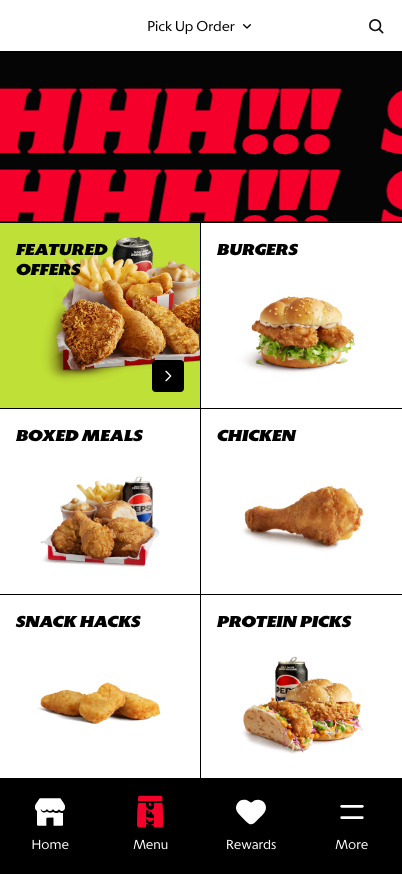
Unlock clue: the Secret Menu is hinted above the category tiles without becoming a normal category.
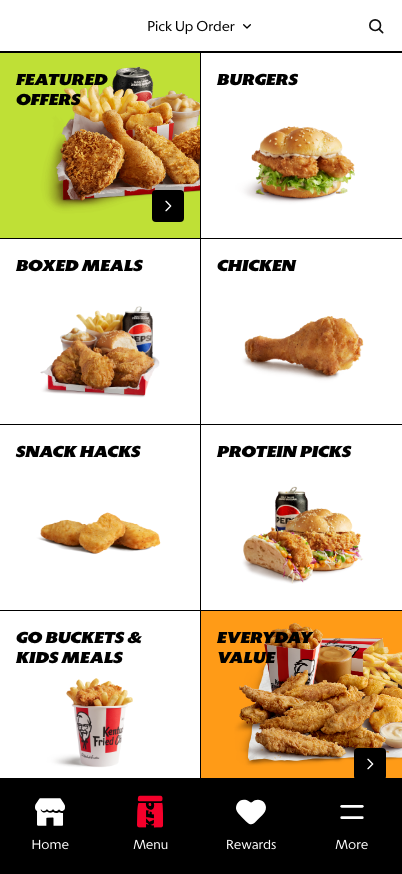
Not Interested state: if the customer does not engage, the clue is suppressed for the session and normal menu browsing stays focused.
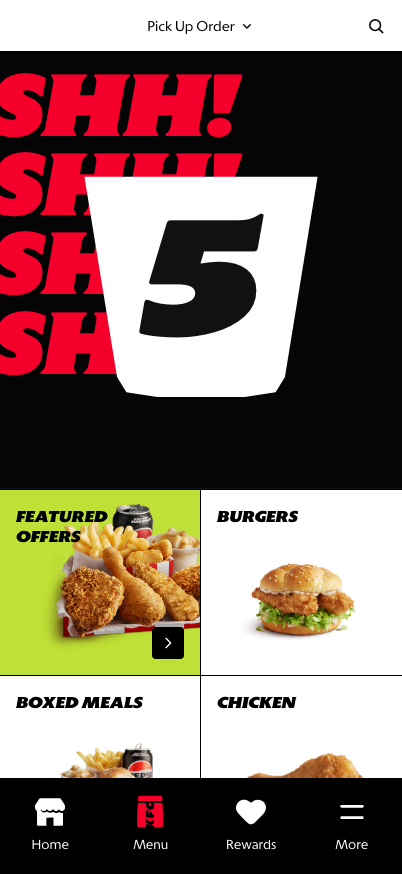
Unlock action: the customer presses and holds the clue, or pulls down from the top of Menu Landing, until the countdown completes.
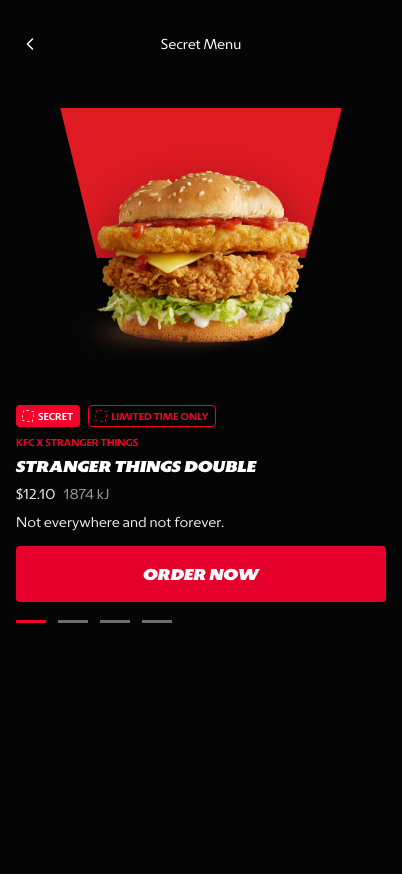
Reveal state: the customer lands in a distinct Secret Menu surface with product carousel, campaign tags, and Order Now CTA.
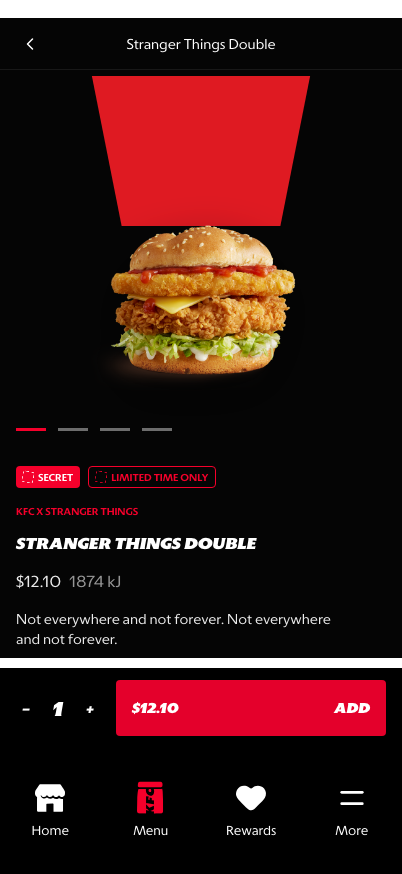
Secret Menu PDP top: the product remains campaign-led while price, quantity, and add-to-cart controls stay visible.
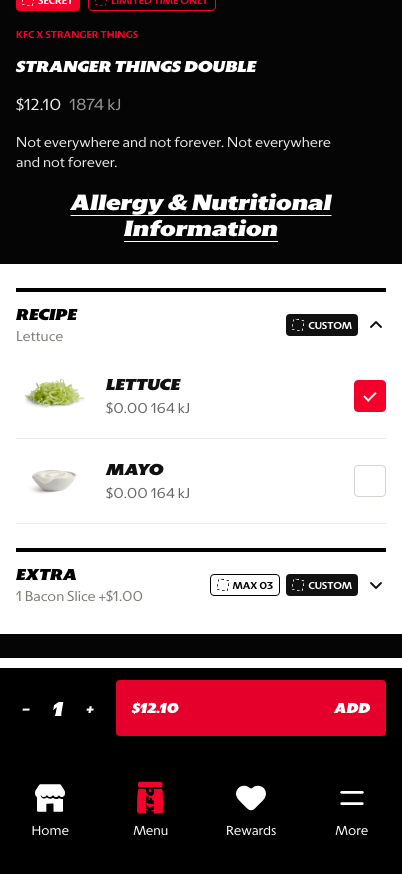
Recipe customization: the customer can toggle included ingredients such as lettuce and mayo.
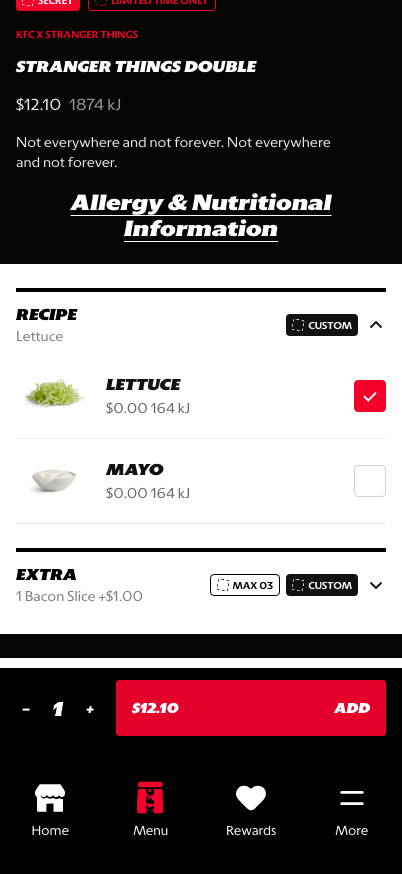
Extra customization: the customer can add paid extras, such as bacon, with quantity rules and price deltas.
What This Feature Is
Secret Menu is a controlled campaign surface for products that should feel more exclusive than standard menu items. In the prototype, it uses a hidden clue on Menu Landing, a press-and-hold countdown, a session-level Not Interested state when the customer does not engage, a darker reveal environment, product carousel behavior, campaign tags, and a direct Order Now path into Secret Menu PDP.
The Secret Menu PDP then supports product-level customization before add-to-cart:
- recipe toggles, such as lettuce and mayo,
- paid extras, such as bacon slice,
- quantity or maximum rules for extras,
- price deltas for add-ons,
- persistent quantity and
Addcontrols.
Why It Is Designed This Way
The Secret Menu is designed to create a reveal, not just another category. It gives the business a way to promote limited-time products, surprise-and-delight mechanics, or market-specific campaigns without diluting the main menu structure.
Keeping Secret Menu separate also protects the normal menu journey. Customers who want standard browsing can continue through category and PLP, while customers who engage with the reveal get a more expressive experience. The Not Interested state supports this by removing the clue for the session when the customer does not interact.
The PDP customization layer is important because Secret Menu products still need to behave like orderable commerce items, not only campaign content. The product can feel exclusive while still supporting practical controls for ingredients, extras, pricing, and final cart confirmation.
Secret Menu PDP Customization
| Customization Area | What The Customer Can Do In The Prototype | Why It Matters |
|---|---|---|
| Recipe | Toggle included ingredients such as lettuce and mayo | Gives customers basic control over the build without leaving the Secret Menu PDP |
| Extras | Add paid extras such as bacon slice | Supports basket value and product personalization |
| Quantity rules | Choose extra quantity within a configured limit, currently shown as max 3 | Prevents invalid builds and keeps market rules visible |
| Price impact | See the add-on price delta before adding to cart | Keeps the premium reveal commercially transparent |
| Add-to-cart | Adjust item quantity and add the configured item from the sticky PDP action area | Maintains purchase momentum after customization |
WIP: What Can Be Configured On This Screen
| Configurable Area | What Markets Should Be Able To Control | Current Documentation Status |
|---|---|---|
| Unlock behavior | Visible tile, hidden gesture, countdown, campaign link, or direct entry | WIP |
| Not Interested handling | Inactivity timer, session persistence, reset rules, and re-entry eligibility | WIP |
| Campaign copy | Secret label, product kicker, limited-time messaging, and eligibility copy | WIP |
| Product set | Which products appear, order, availability, and fallback when sold out | WIP |
| Visual treatment | Dark theme, product poster art, carousel behavior, and animation intensity | WIP |
| Availability rules | Market, store, daypart, customer segment, and campaign date windows | WIP |
| Destination | PDP, PLP, add-to-cart, or campaign detail page | WIP |
| PDP customization | Recipe toggles, extras, quantity limits, price deltas, defaults, and disabled states | WIP |
| PDP terms and nutrition | Nutrition link, campaign terms, allergen copy, and localized legal requirements | WIP |
What This Screen Should Communicate
- The customer has entered a special menu experience.
- The customer understands how the hidden Secret Menu is unlocked.
- The customer can continue normal menu browsing if they do not engage with the clue.
- The product is limited, campaign-led, or intentionally different from the core menu.
- The customer can move directly from reveal to product detail or ordering.
- The customer can still customize the Secret Menu item before adding it to cart.
- Standard menu browsing remains available through back navigation.
Design Read On This Screen
- The dark visual treatment separates Secret Menu from everyday category browsing.
- Large product imagery makes the reveal feel premium and focused.
- Tags like
SecretandLimited Time Onlyexplain why the item is treated differently. - A single primary CTA keeps the experience commercial, not just decorative.
- The Not Interested state prevents the hidden mechanic from repeatedly interrupting standard browsing.
- PDP customization keeps the experience operationally credible because the campaign item still follows orderable product rules.