Product Customization
How This Journey Works
A. Signed-In User
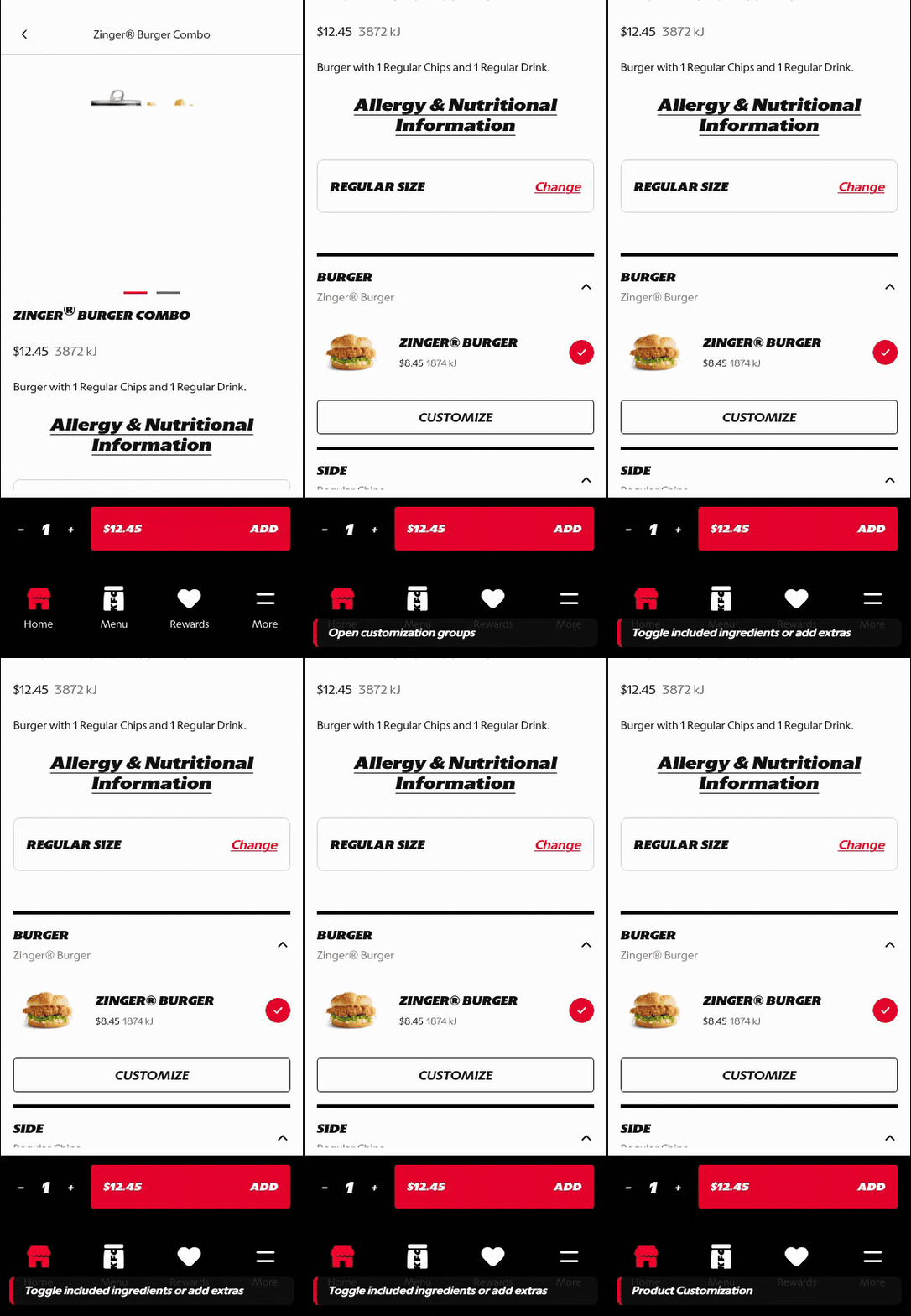
What this shows
- Shows modifier groups and selection rules inside the PDP flow.
- Keeps price changes visible as the customer adjusts the item.
- Supports valid product configuration before adding to cart.
B. Guest User
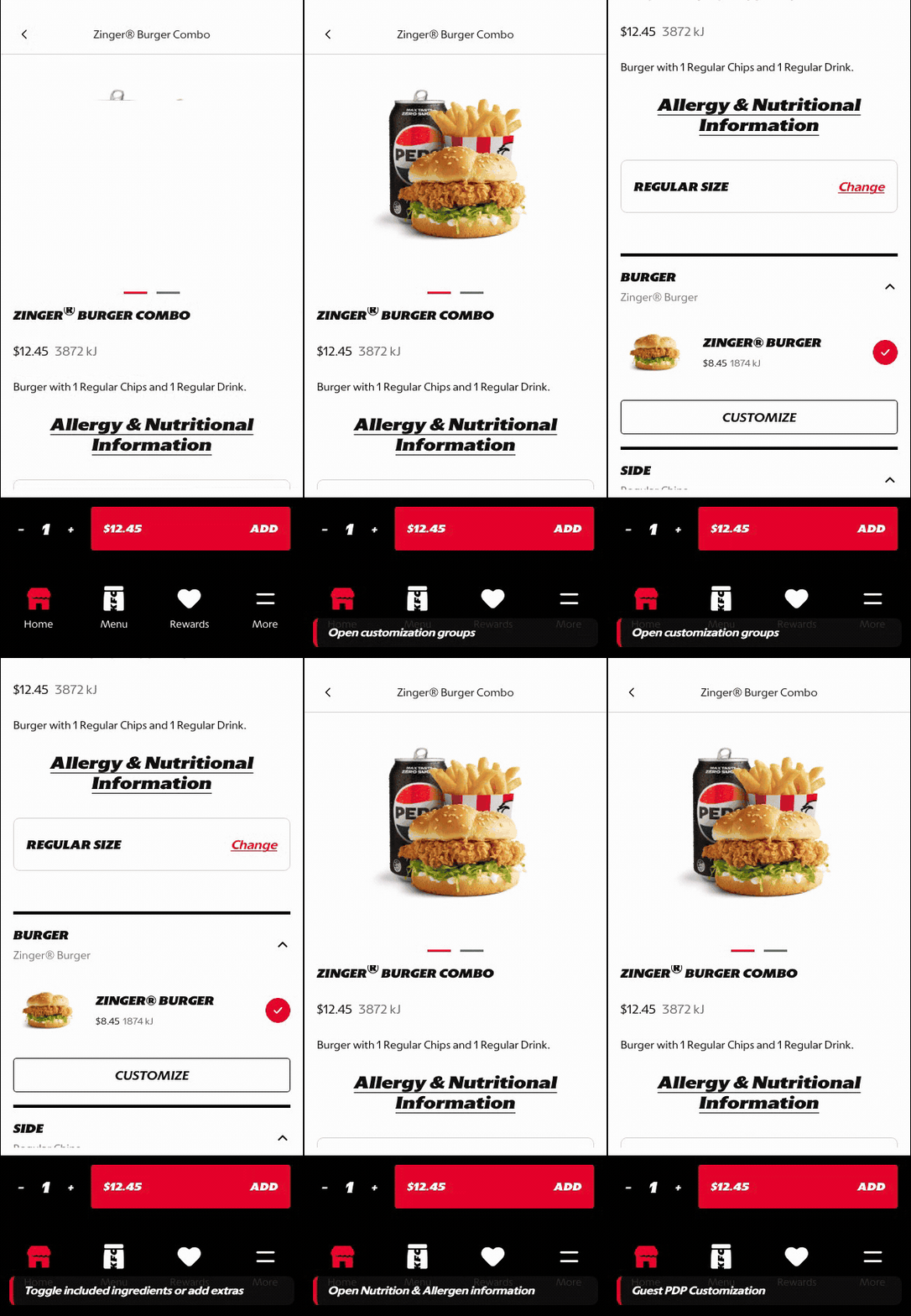
What this shows
- Allows customization before sign-in so the customer can build intent.
- Keeps selected options attached to the product path.
- Moves account gates later, when checkout or saved information is needed.
Key difference: Signed-in users see account-aware shortcuts and rewards access. Guests can browse and build intent, but authentication is required for account-specific actions such as checkout, rewards redemption, or saved details.
Product Customization covers the PDP states where the customer changes size, bundled components, defaults, and deeper modifier options before adding a product to cart.
Screen Capture Sequence
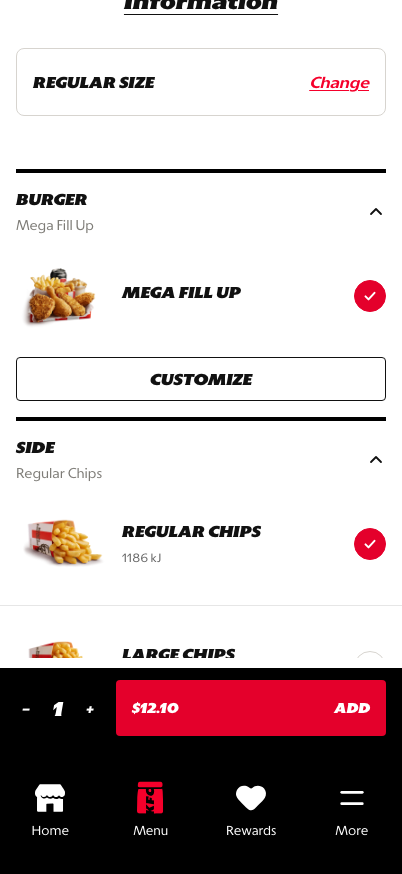
Meal size and product context: customer confirms the base product before deeper editing.
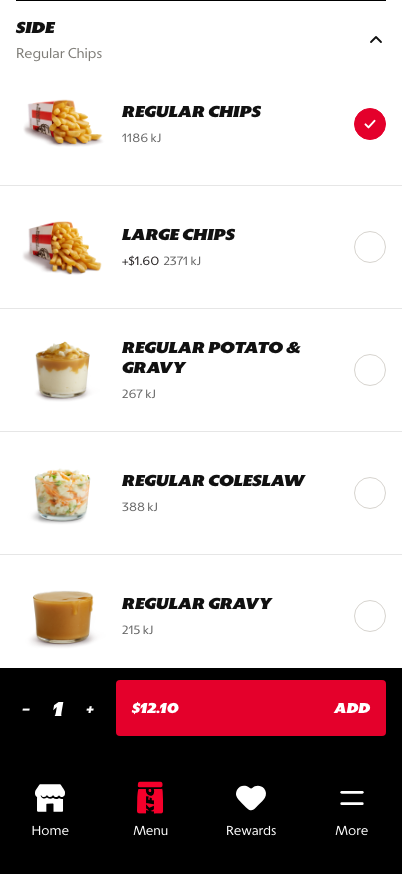
Component groups: meal parts are exposed in a structured, editable order.
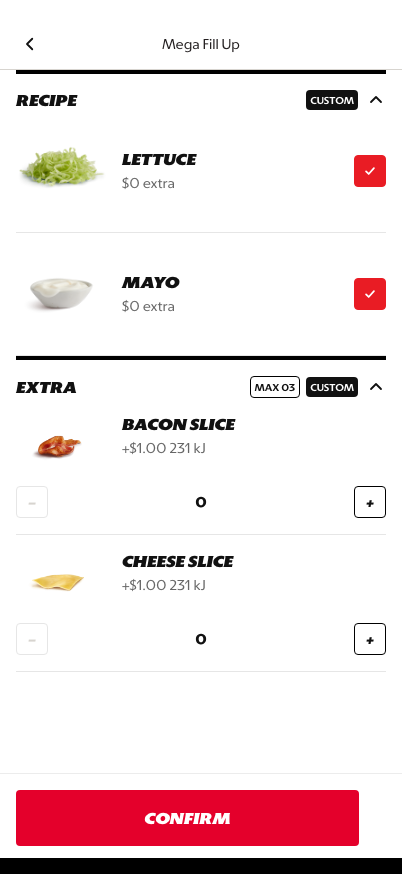
Deep customization: the customer can edit nested choices without losing the product context.
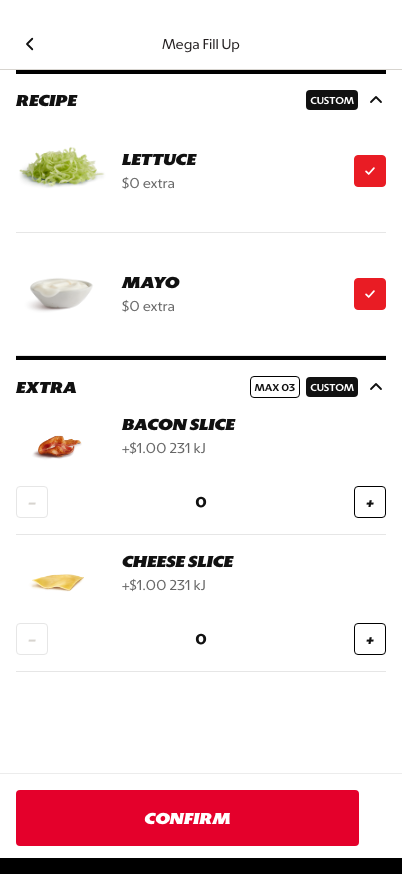
Add/remove controls: defaults and optional modifiers can be adjusted with clear quantity behavior.
What This Feature Is
Product Customization is the configuration layer inside PDP. It supports:
- meal size selection
- selected defaults
- component groups such as burger, chips, drink, and side
- deeper customization for nested modifiers
- price impact through the live add-to-cart total
Why This Step Is Designed This Way
Customization needs to feel guided and predictable so customers can personalize items without second-guessing the order. The prototype separates high-level meal structure from deeper editing states so the PDP does not become one long unstructured modifier form.
Defaults reduce effort, while edit controls give customers a clear path to change the parts that matter.
WIP: What Can Be Configured On This Screen
| Configurable Area | What Markets Should Be Able To Control | Current Documentation Status |
|---|---|---|
| Size options | Solo, combo, box, feast, or market-specific size formats | WIP |
| Component groups | Which components are included and whether each is required or optional | WIP |
| Defaults | Preselected burger, side, drink, sauce, and modifier defaults | WIP |
| Nested modifiers | Add/remove rules, maximum quantities, default ingredients, and surcharge items | WIP |
| Price behavior | Base price, upgrade price, add-on price, and live total calculation | WIP |
| Validation | Required choices, disabled add-to-cart states, and missing selection messages | WIP |
| Localization | Modifier labels, group descriptions, and legal copy in supported languages | WIP |
What This Screen Should Communicate
- The customer is still configuring one selected product.
- Modifier groups should feel structured, not overwhelming.
- Price impact and selected options should stay understandable as the screen grows.
- The customer should feel like they are progressing toward confirmation, not starting over.
Design Read On This Screen
- Grouping and spacing make option sets easier to scan.
- Defaults reduce effort without hiding choice.
- Nested editing keeps deeper customization available without making the main PDP feel overloaded.
- The live total keeps the customer aware of price impact before they add to cart.
- The structure supports market variation without requiring a bespoke PDP layout for every product type.