Delivery
How This Journey Works
A. Signed-In User
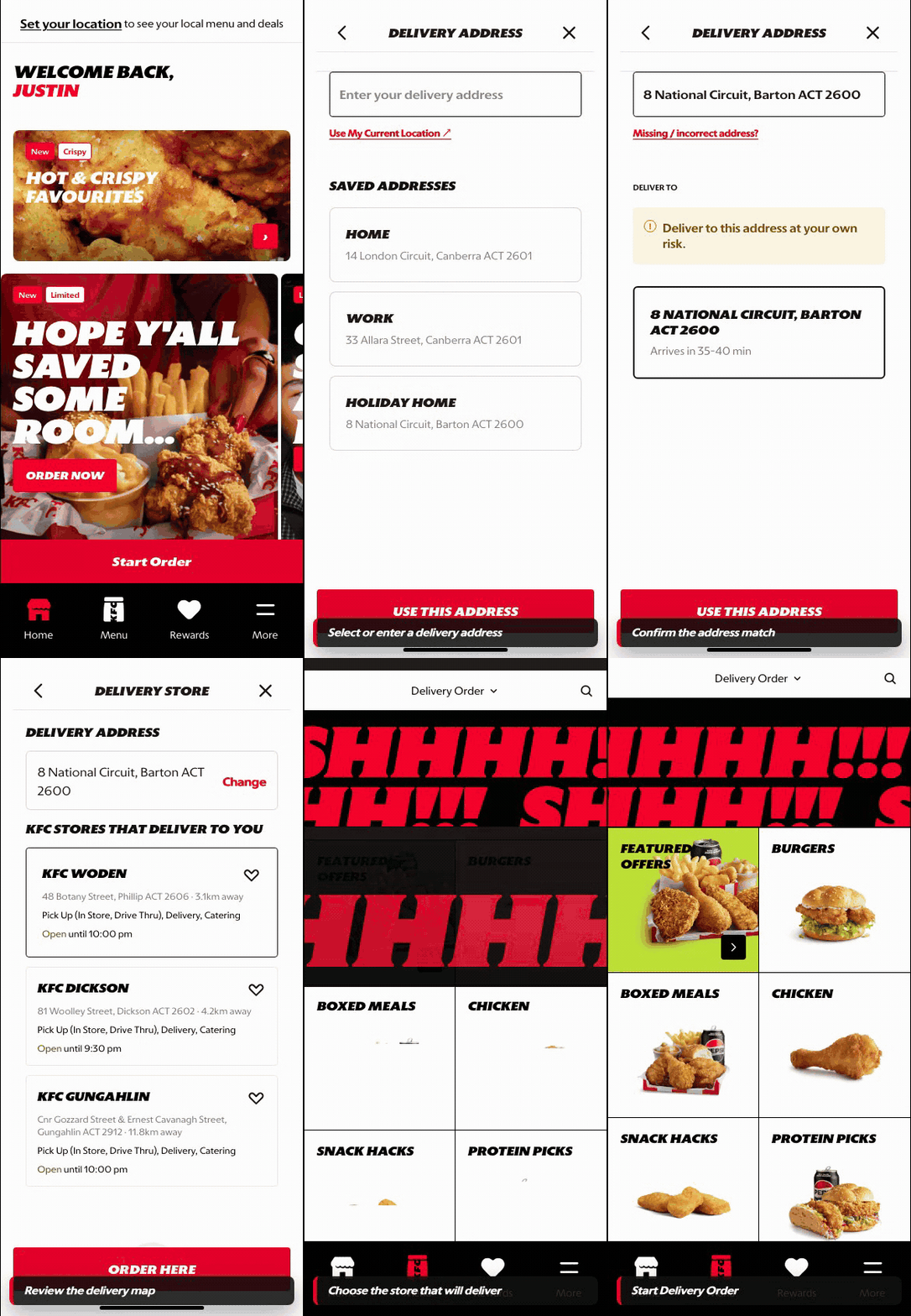
What this shows
- Uses saved delivery context where available.
- Resolves address, serviceability, timing, and delivery store before menu browsing.
- Keeps the customer moving from setup into an orderable menu.
B. Guest User
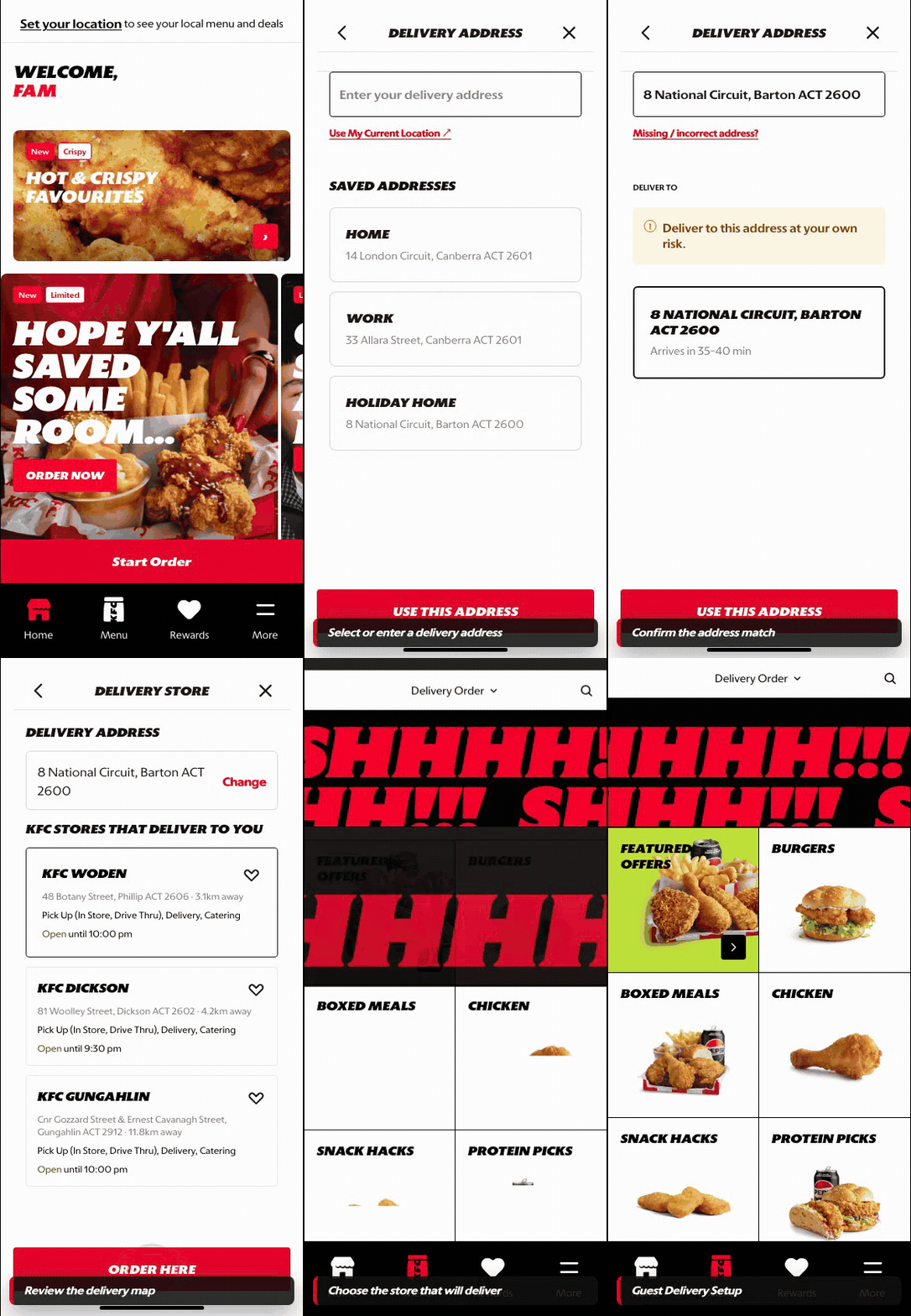
What this shows
- Lets the customer enter or confirm an address before sign-in.
- Shows serviceability and delivery context before cart building begins.
- Preserves guest intent while saved-address behavior remains account-aware.
Key difference: Signed-in users see account-aware shortcuts and rewards access. Guests can browse and build intent, but authentication is required for account-specific actions such as checkout, rewards redemption, or saved details.
Delivery is the order-mode path where the customer provides a delivery address before browsing the menu. The address determines serviceability, delivery store assignment, fees, timing, and eligible offers.
Screen Capture Sequence
Delivery should be captured across the full setup flow because the experience moves from address input to serviceability, map confirmation, and store assignment.
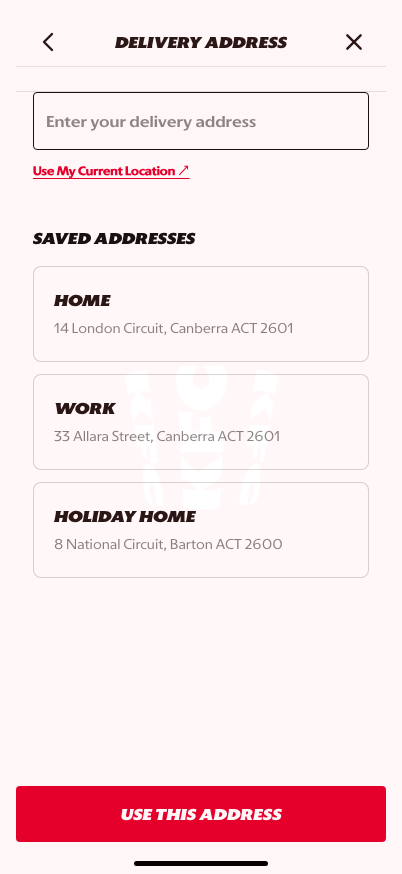
Address entry: saved addresses, search, and current-location shortcuts start the delivery setup.
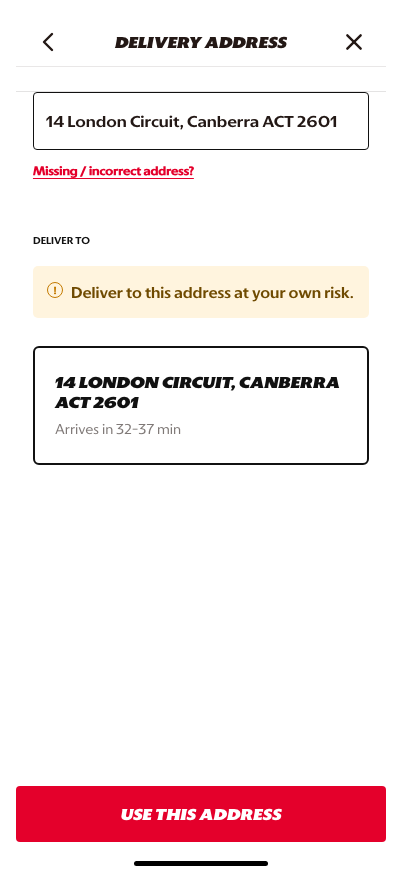
Search results: the customer narrows the address before serviceability is resolved.
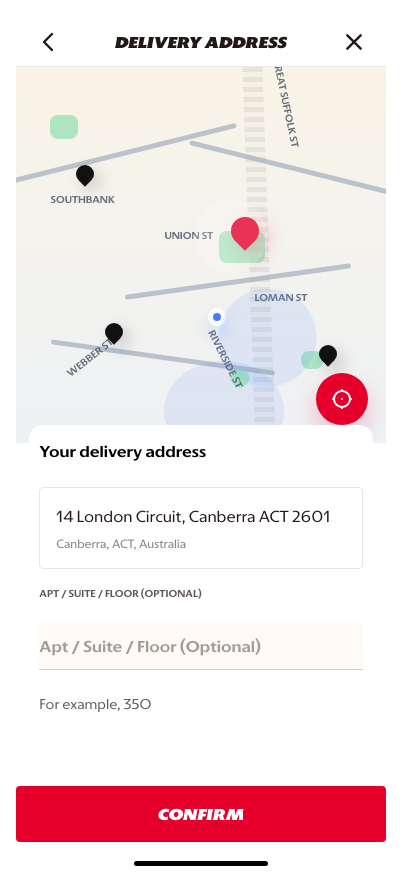
Map confirmation: the selected destination is validated before the order context is locked.
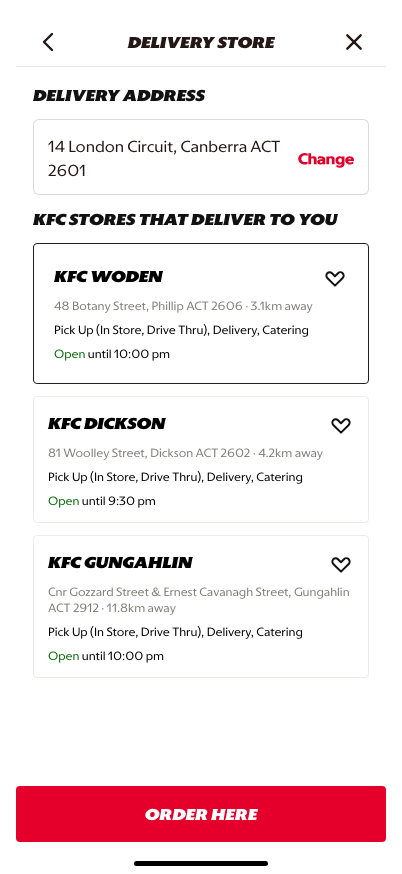
Store assignment: the delivery address connects to the serving store and the customer can continue.
What This Feature Is
Delivery captures where the customer wants the order delivered. In the prototype, the customer can enter an address, use current location, or select from saved addresses.
This step feeds the rest of the commerce journey by resolving:
- whether delivery is available,
- which store or delivery zone serves the address,
- delivery timing and fee logic,
- delivery-specific menu availability,
- checkout fulfillment details.
Why It Is Designed This Way
Delivery cannot safely start from menu browsing alone. The platform needs a serviceable address before it can show accurate availability, fees, and delivery timing.
Saved addresses reduce repeat-customer friction, while manual entry and current-location options support new or situational orders. This balances speed for known customers with flexibility for new delivery contexts.
WIP: What Can Be Configured On This Screen
| Configurable Area | What Markets Should Be Able To Control | Current Documentation Status |
|---|---|---|
| Address inputs | Manual entry, saved addresses, current location, unit/floor fields | WIP |
| Serviceability rules | Delivery zones, provider coverage, store assignment, and unavailable-address handling | WIP |
| Saved address behavior | Labels, default address, edit/delete behavior, and signed-in requirements | WIP |
| Delivery promise | ETA, fee, minimum spend, and delivery partner messaging | WIP |
| Market copy | Address examples, privacy copy, permission messaging, and error states | WIP |
| Fallback paths | Switch to pickup, change address, or show no-delivery messaging | WIP |
What This Screen Should Communicate
- The customer is setting a delivery destination.
- Delivery availability depends on the entered address.
- Saved addresses can speed up repeat ordering.
- The selected address will shape menu, fees, timing, and checkout.
Design Read On This Screen
- The address field is the primary task and should stay visually dominant.
- Saved addresses make the screen feel personalized without forcing account work into the flow.
- The current-location shortcut helps customers move faster when they are ordering to their present location.
- The CTA should only move the customer forward once the address can be used for serviceability checks.