Add Metadata to Promotion
What this guide covers
Attaches custom metadata (key-value pairs) to a promotion for system integration or market-specific tracking needs.
Steps
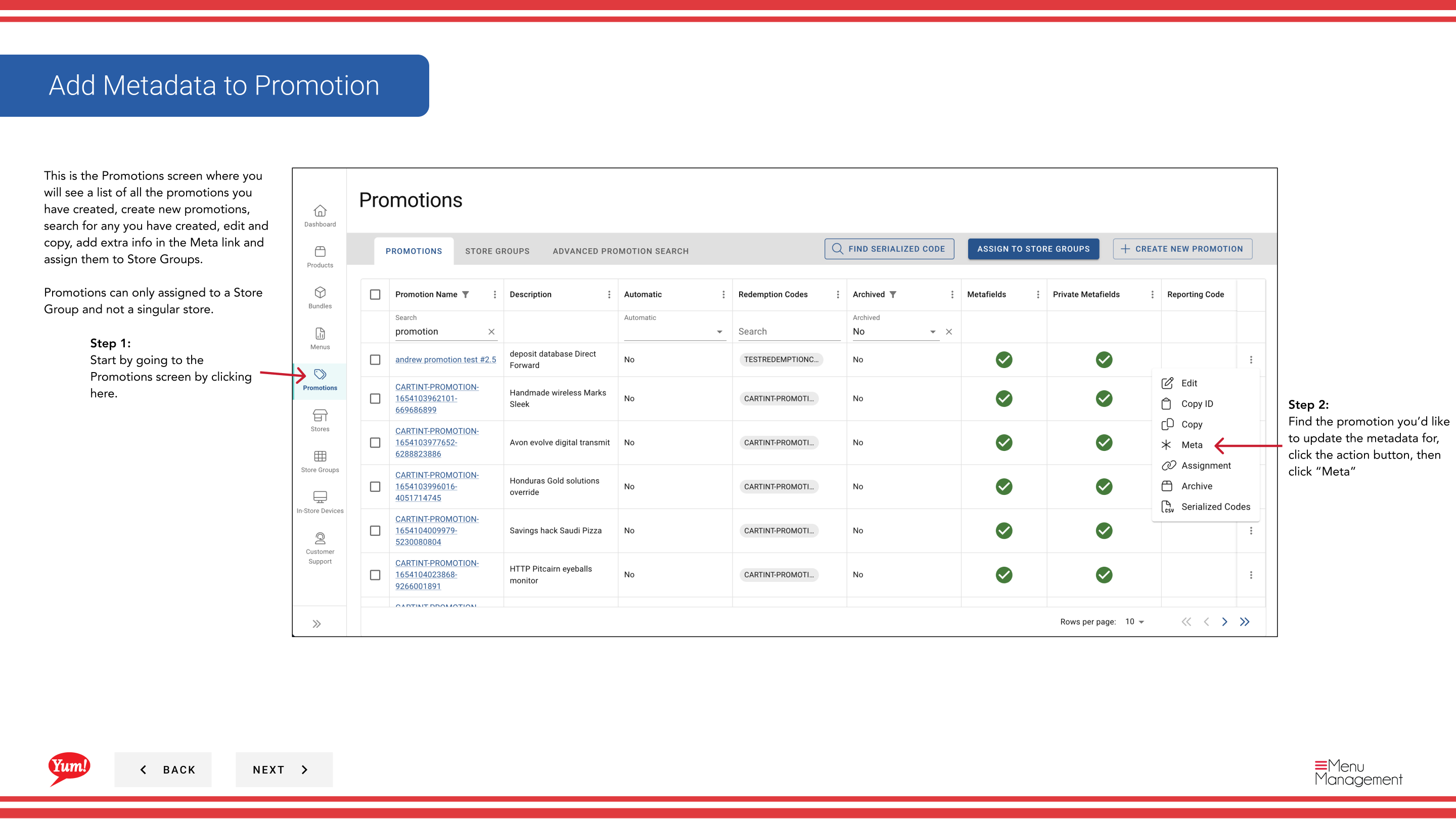
Step 1: Navigate to the Promotions section using the left-hand navigation menu.
Step 2: Find the promotion you want to update. Click the action menu button (three dots), then select Meta.
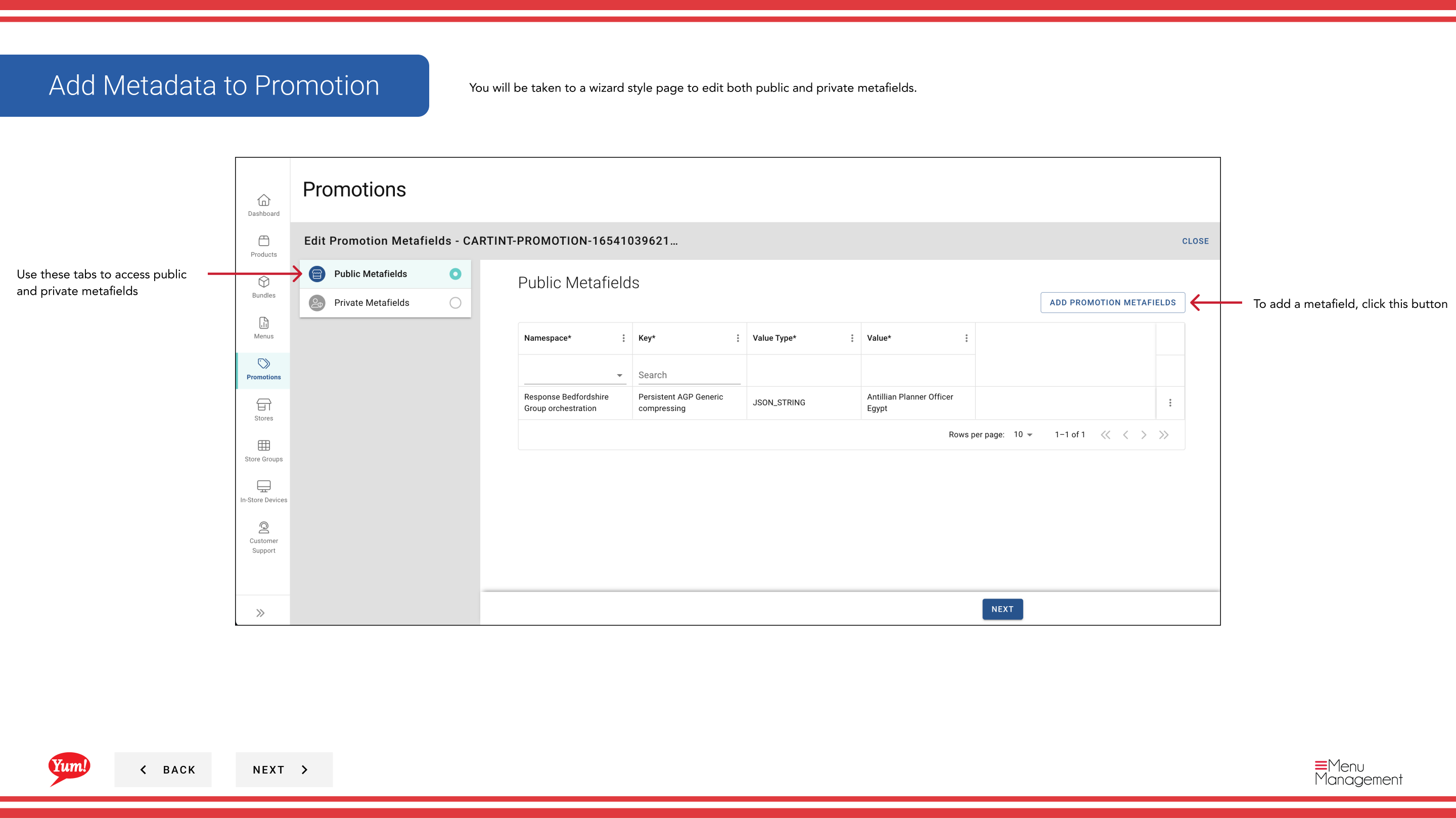
Step 3: The Metadata Wizard will open. You can add both public and private metafields.
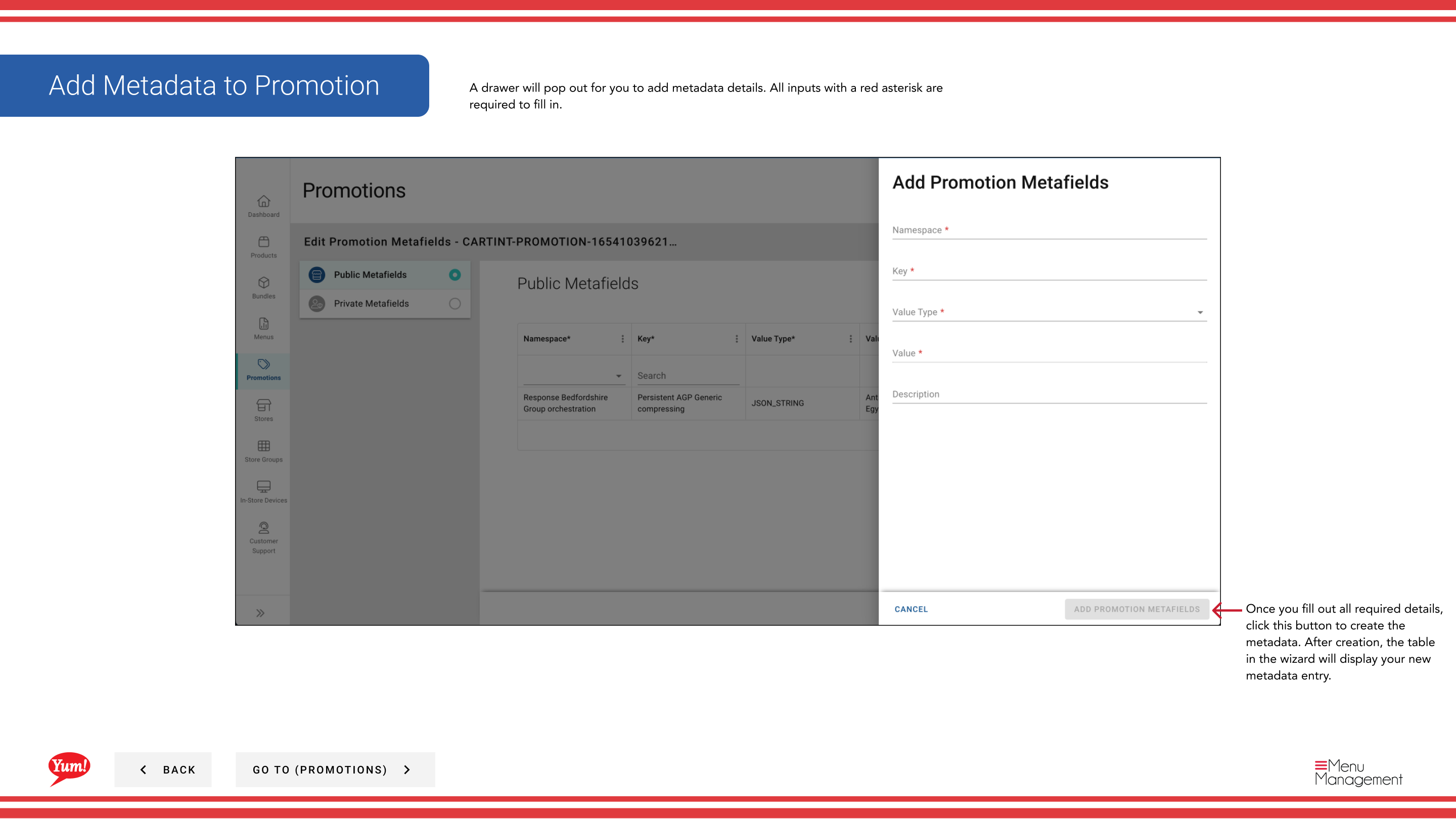
Step 4: To add a metafield, click the + Add Metafield button. Enter the following:
| Field | What to enter | Notes |
|---|---|---|
| Key | The name of the metadata field | e.g., “campaign_id”, “region”. Defined by your technical team. |
| Value | The value for this field | e.g., “CAMP123”, “APAC”. Must match the format your integrations expect. |
| Public/Private | Toggle to specify visibility | Public metadata is visible to integrations. Private is for internal tracking. |
Step 5: Click the Save button to apply the metadata.
Only add metadata if your technical team has specified the exact keys and values required for your system integrations. Metadata is used to pass additional data to connected systems.
Related guides
Part of the Admin Portal Guide · Section: Promotions