Create Serialized Code
What this guide covers
Generates unique single-use promotional codes tied to a promotion, used for tracked redemption campaigns where each customer receives a distinct code.
Steps
Step 1: Navigate to the Promotions section using the left-hand navigation menu.
Step 2: Find the promotion for which you want to create serialized codes. Click the action menu button (three dots), then select Serialized Code.
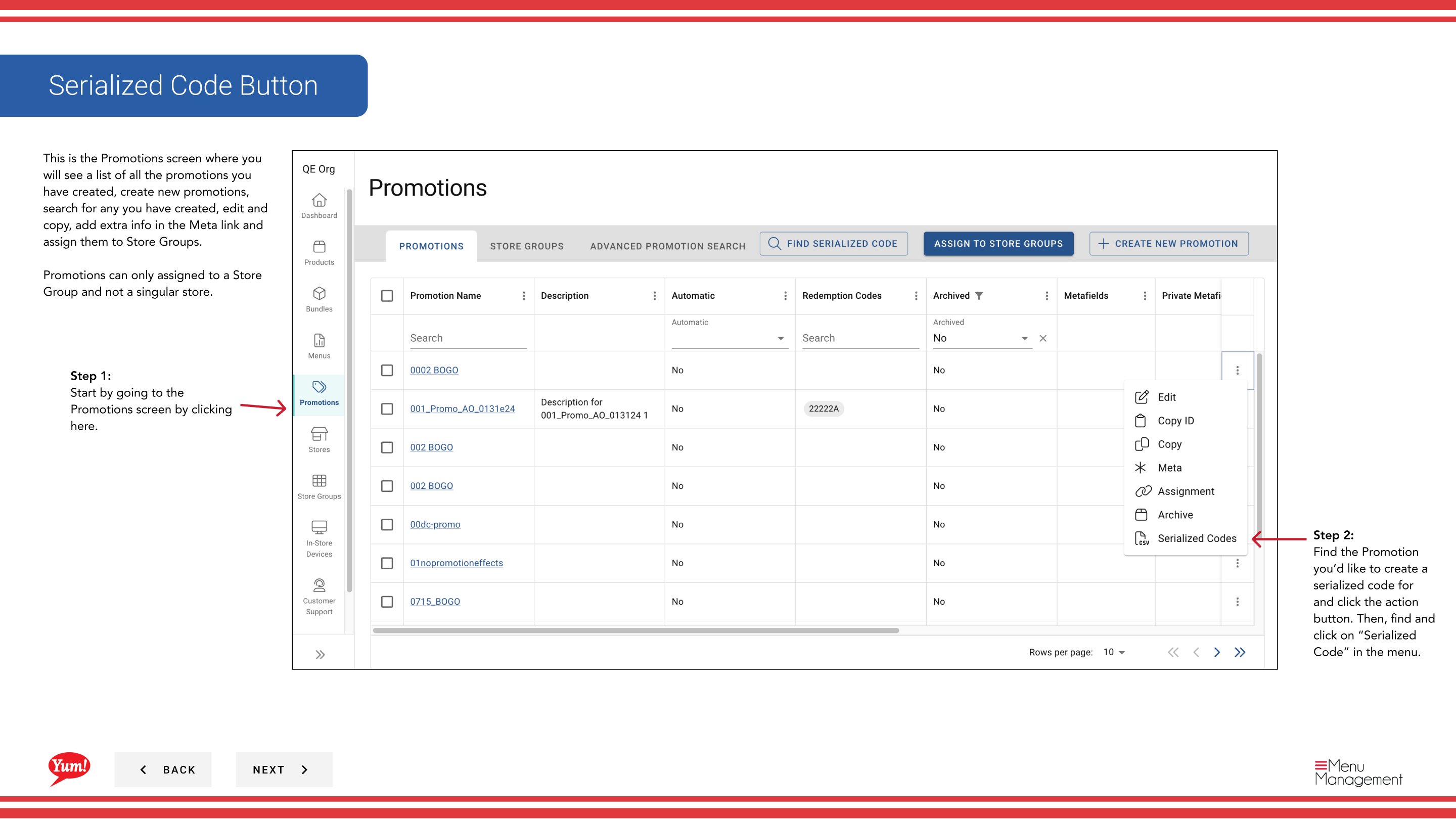
Step 3: Click the + Create New Serialized Code button (or the equivalent button shown on your screen).
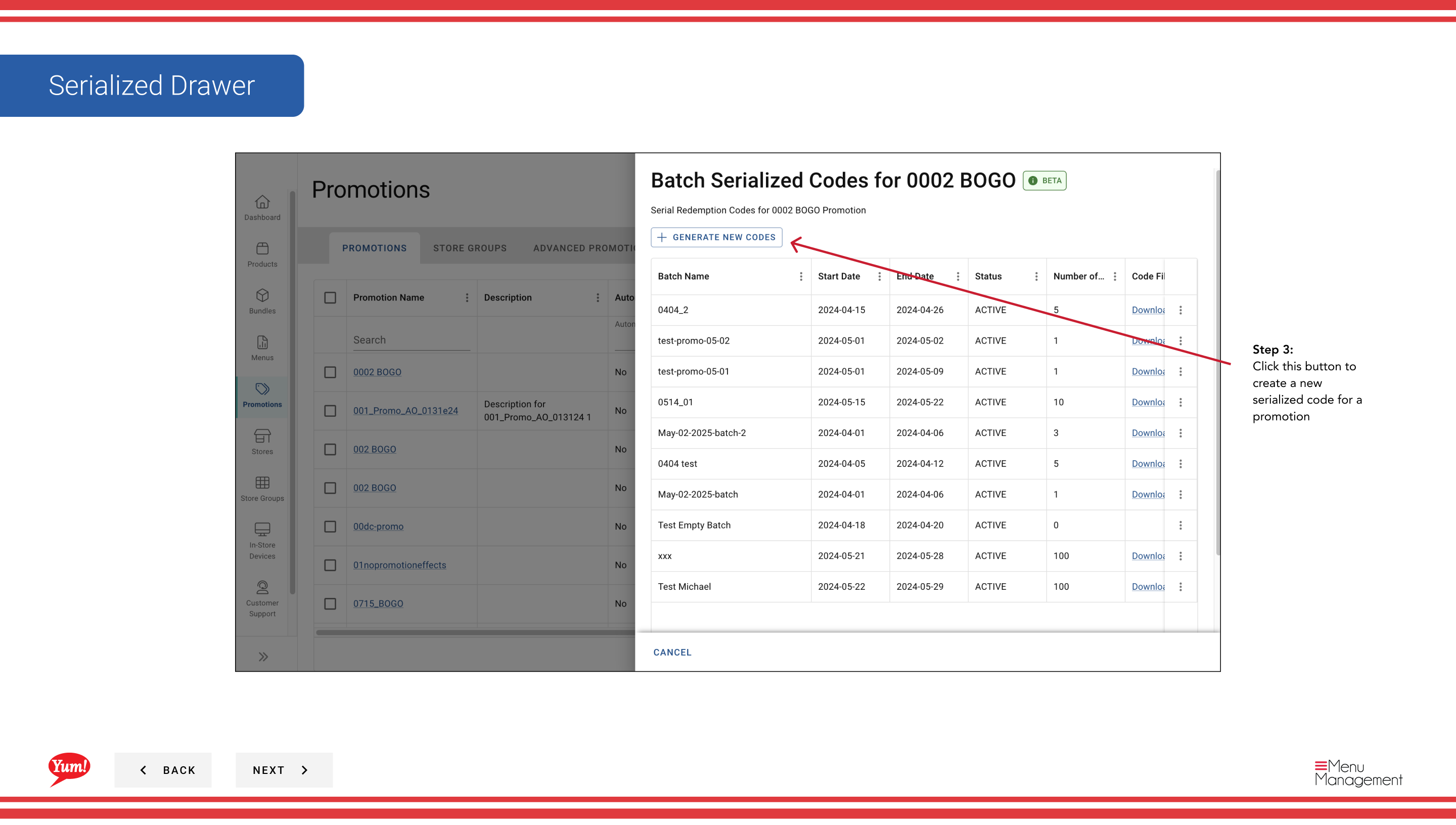
Step 4: Fill out the serialized code form with the following details:
| Field | What to enter | Notes |
|---|---|---|
| Prefix | Optional text to add to the start of each code | e.g., “KFC-”, “BOGO2024-”. Leave blank if no prefix is needed. |
| Quantity | Number of codes to generate | e.g., “100”, “5000”. Determines how many unique codes are created. |
| Expiry Date | When the codes expire | Select the date after which codes cannot be redeemed. |
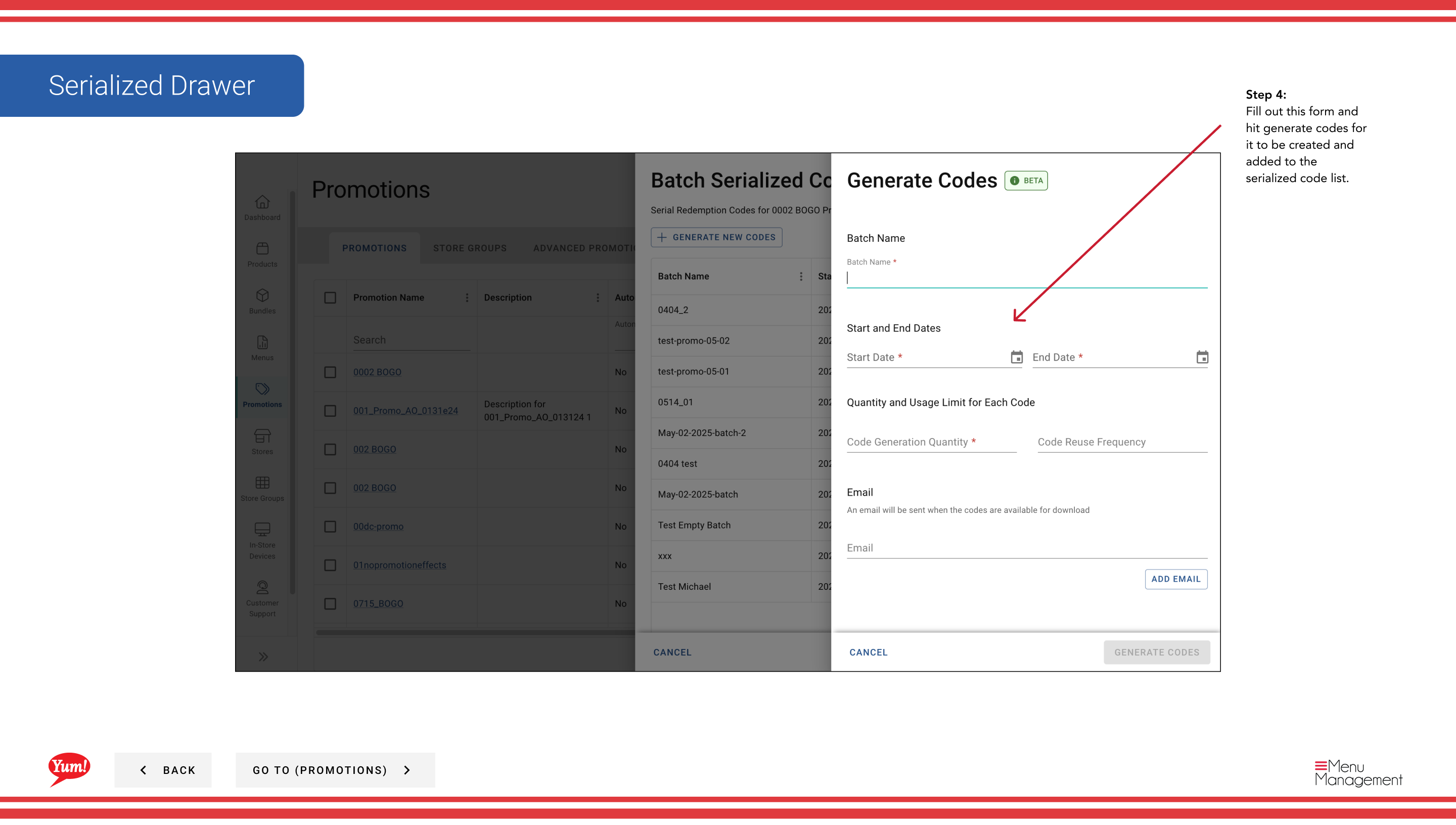
Step 5: Click Generate Codes to create and add the codes to the serialized code list.
Serialized codes are unique, single-use redemption codes. Each code can only be redeemed once. Once generated, codes are added to the promotion and ready for distribution to customers.
Related guides
Part of the Admin Portal Guide · Section: Promotions