Copy Promotion ID
What this guide covers
Copies a promotion’s unique ID to your clipboard for use in support tickets, system integrations, or cross-referencing with other systems.
Steps
Step 1: Navigate to the Promotions section using the left-hand navigation menu.
Step 2: Find the promotion you want to copy the ID for. Click the action menu button (three dots), then select Copy ID.
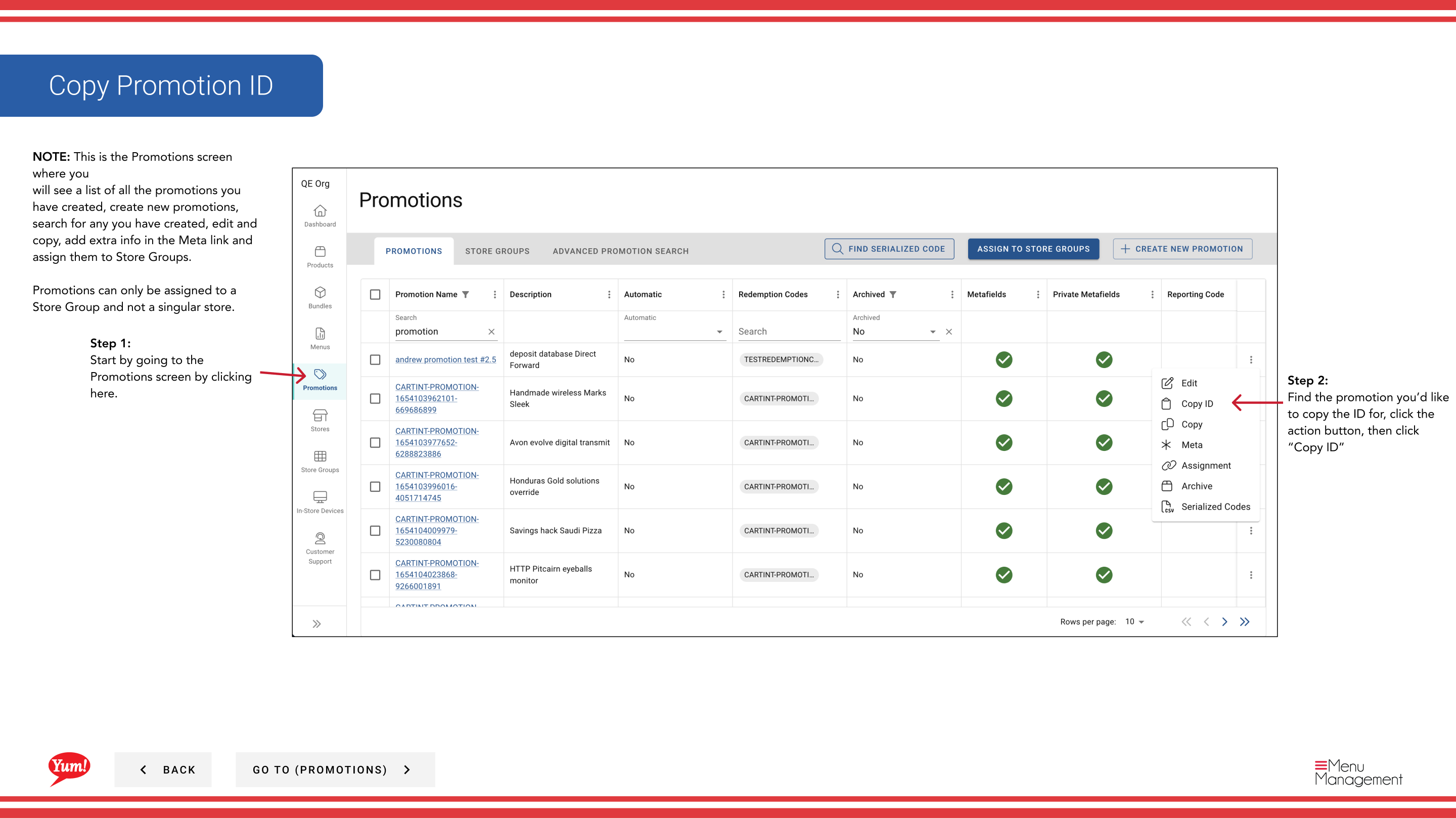
Step 3: The promotion ID has been copied to your clipboard. You can now paste it into support tickets, integration forms, or other systems as needed.
note
The Promotion ID is a unique identifier assigned by Atlas. Technical teams use this ID to reference the promotion in integrations, debugging, and system records.
Related guides
Part of the Admin Portal Guide · Section: Promotions