Find Serialized Code
What this guide covers
Locates a specific serialized promotional code within Atlas, used when verifying redemption status, troubleshooting issues, or managing code validity.
Steps
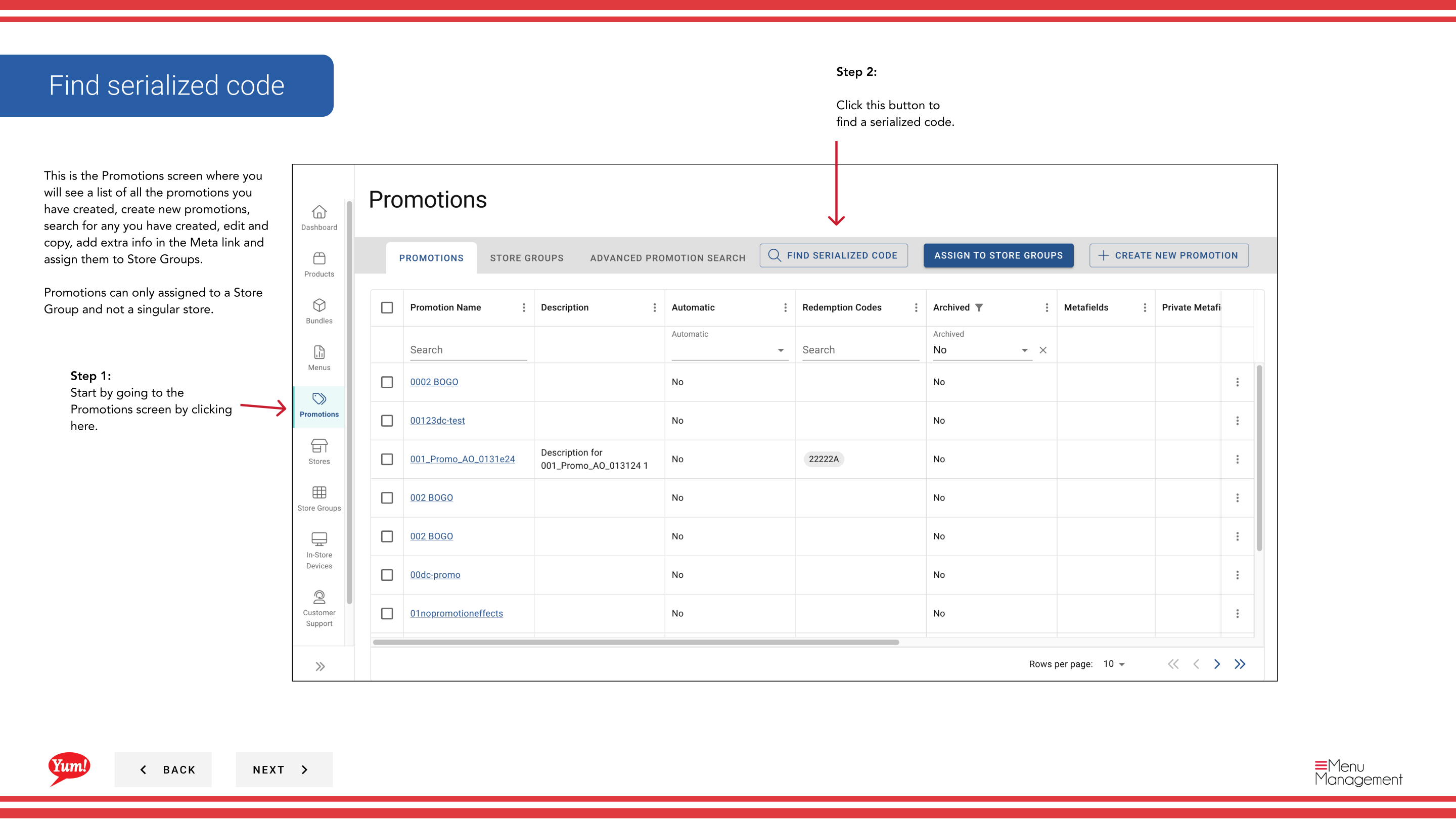
Step 1: Navigate to the Promotions section using the left-hand navigation menu.
Step 2: Click the Find Serialized Code button (usually visible near the promotions list).
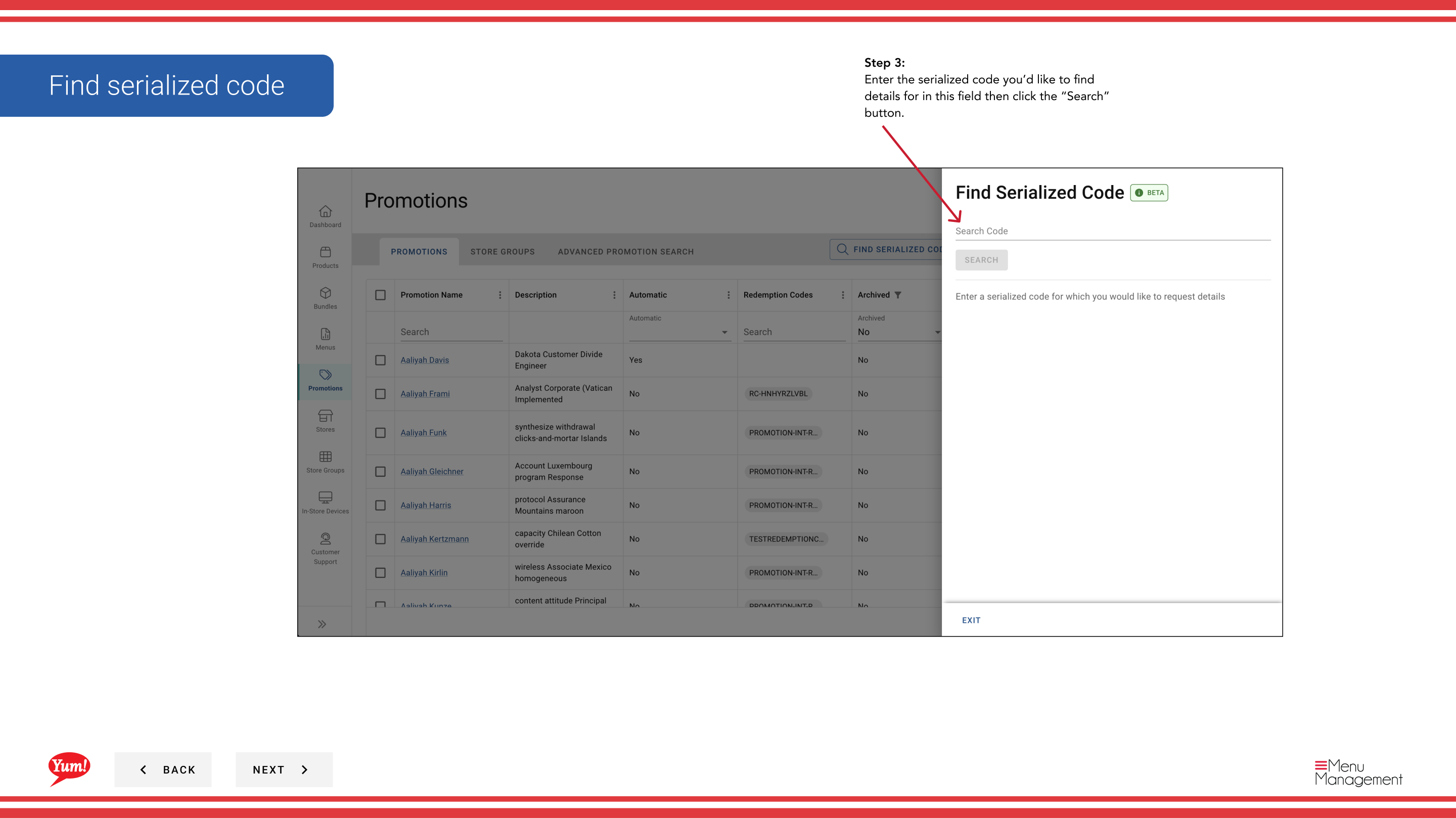
Step 3: Enter the serialized code you want to look up in the search field and click the Search button.
Step 4: The system will display the code details including:
- Code Value — The actual code text
- Promotion Name — The promotion this code is tied to
- Status — Whether the code is active, redeemed, or voided
- Expiry Date — When the code expires
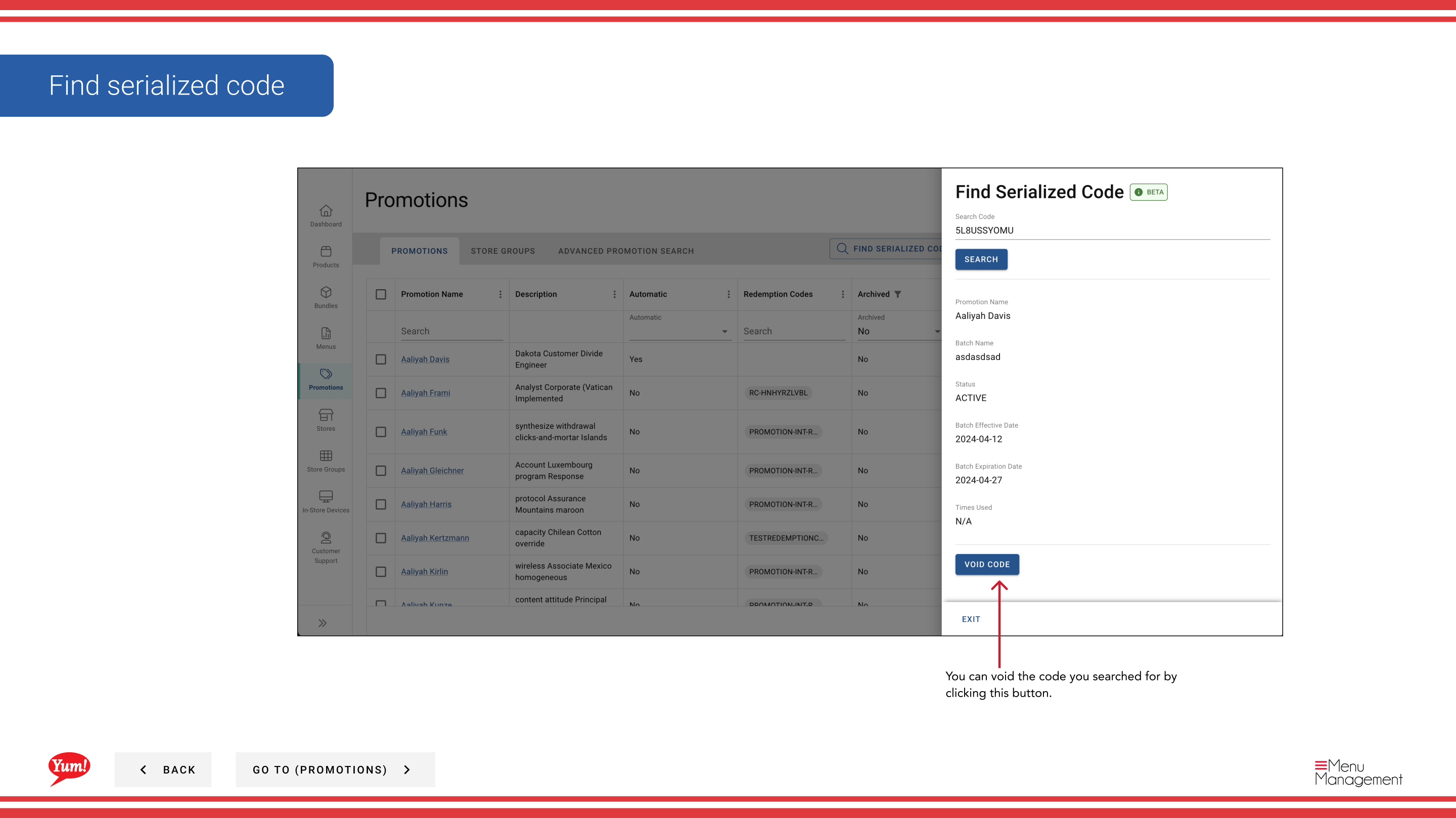
Step 5 (Optional): If you need to deactivate a code, click the Void Code button. A voided code cannot be redeemed.
Use this feature to verify that a code exists, check its redemption status, or troubleshoot customer issues with specific codes.
Related guides
Part of the Admin Portal Guide · Section: Promotions