Archive a Promotion
What this guide covers
Marks a promotion as archived to remove it from active use while retaining its record for historical reporting.
Steps
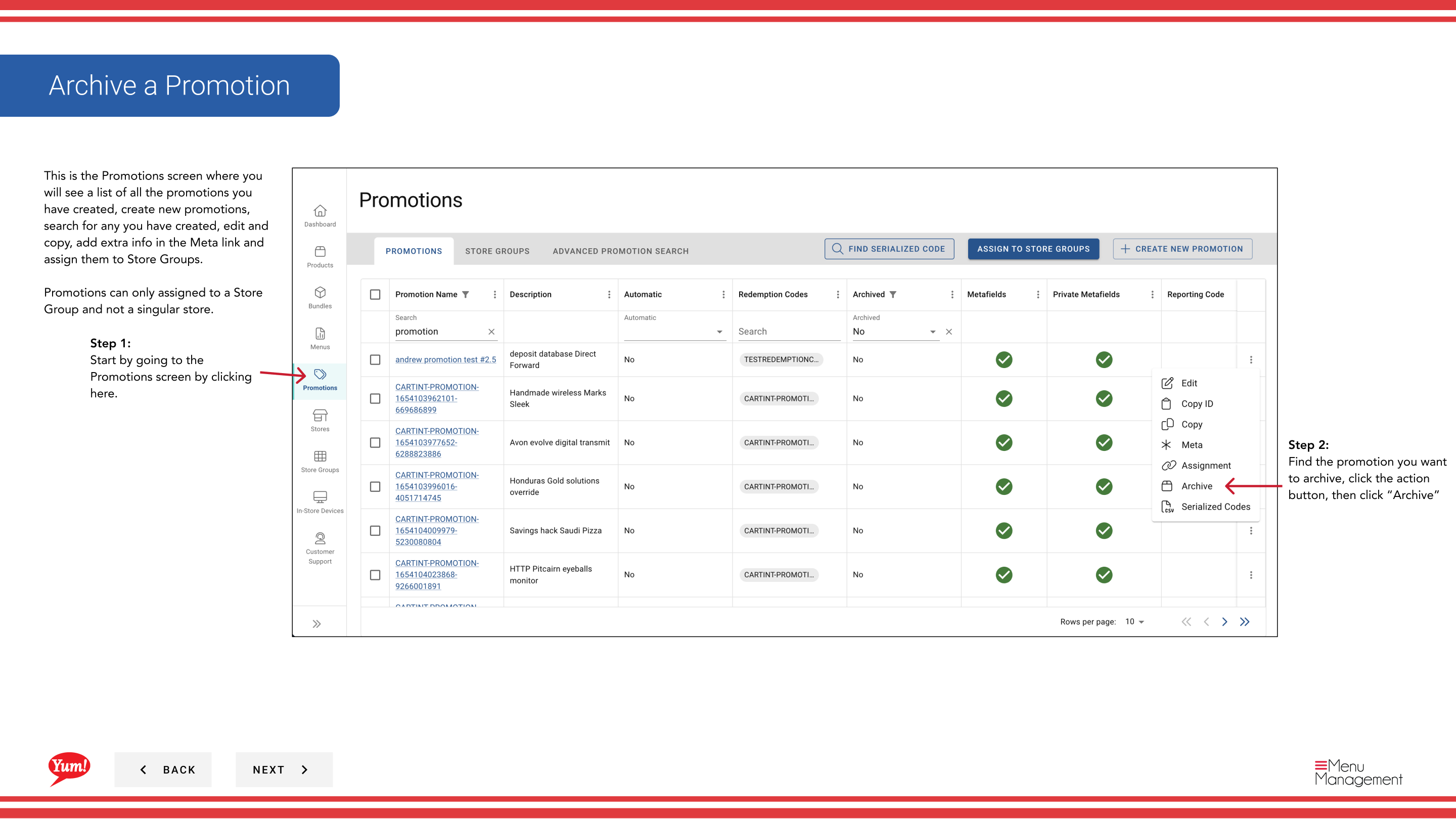
Step 1: Navigate to the Promotions section using the left-hand navigation menu.
Step 2: Find the promotion you want to archive. Click the action menu button (three dots), then select Archive.
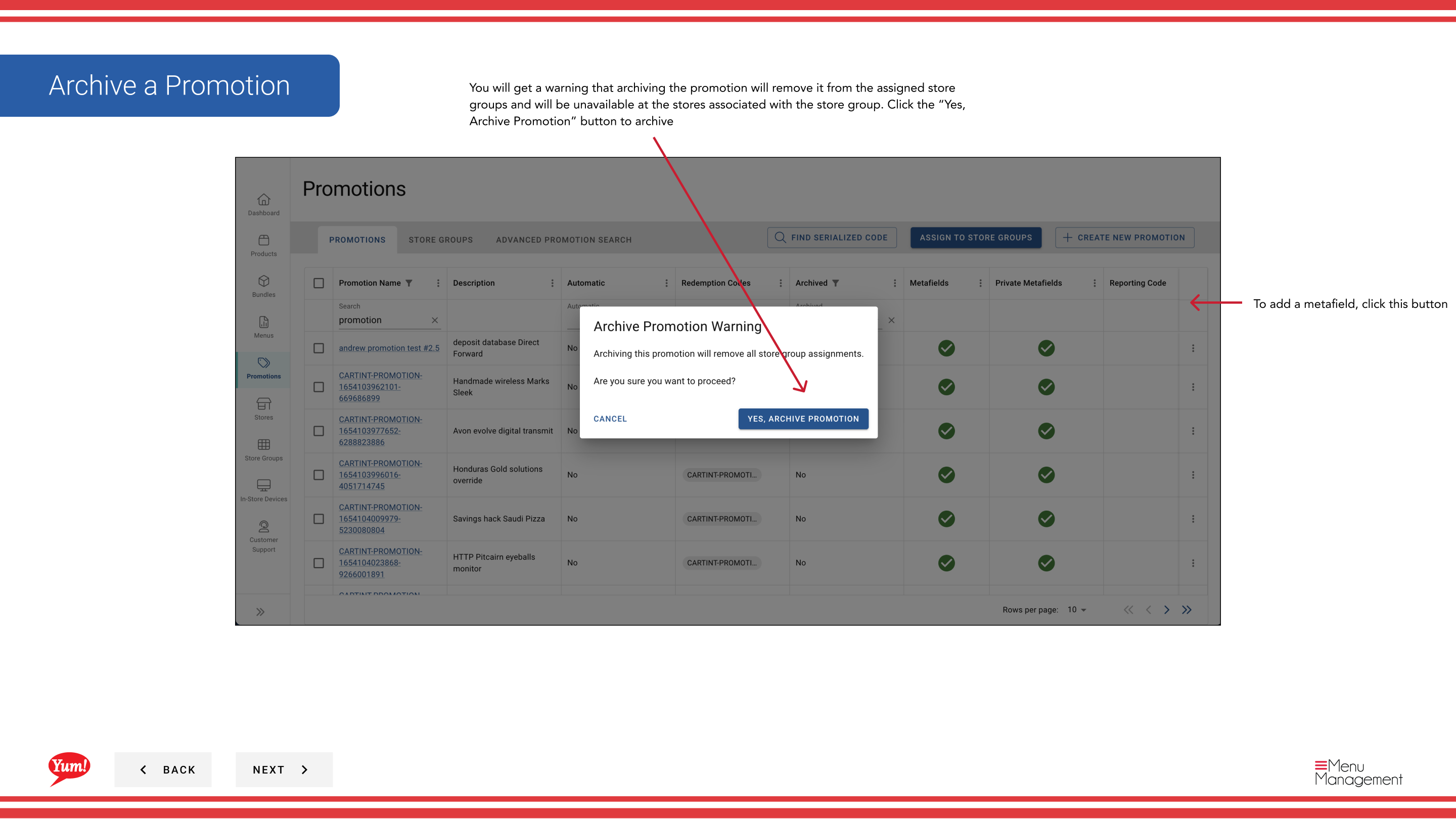
Step 3: A warning dialog will appear stating that archiving the promotion will remove it from assigned store groups. Click the Yes, Archive Promotion button to confirm.
Archiving will immediately deactivate the promotion across all assigned store groups and remove it from customer-facing channels. The promotion record is retained for historical purposes.
To find and restore archived promotions
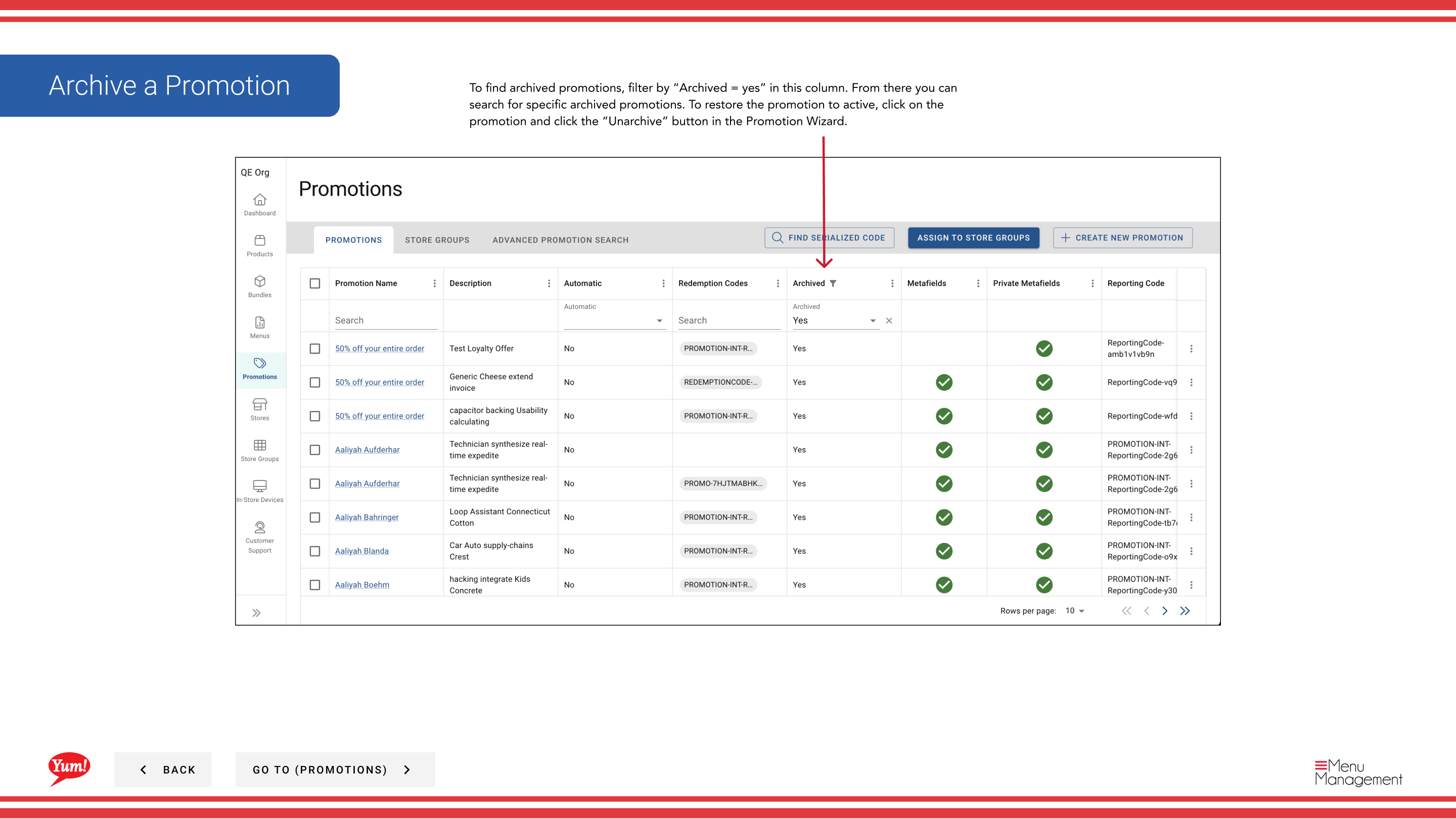
Step 1: In the Promotions list, use the Archived filter column and select Yes to display all archived promotions.
Step 2: Find the promotion you want to restore and click the promotion name to open the Promotion Wizard.
Step 3: Click the Unarchive button to restore the promotion to active status.
Related guides
Part of the Admin Portal Guide · Section: Promotions