Edit a Promotion
What this guide covers
Updates an existing promotion’s configuration, such as validity dates, discount values, or requirement and effect settings.
Steps
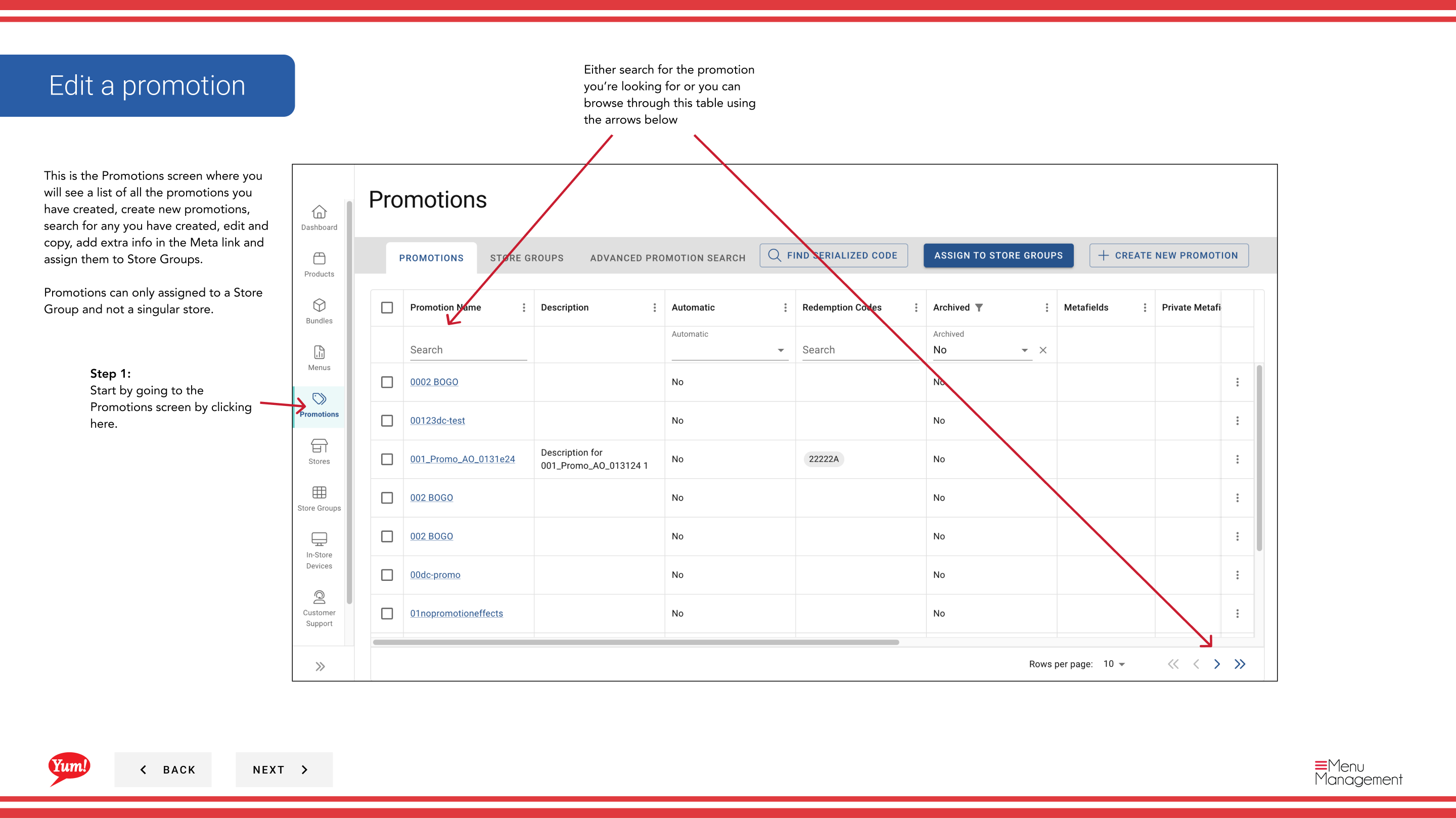
Step 1: Navigate to the Promotions section using the left-hand navigation menu.
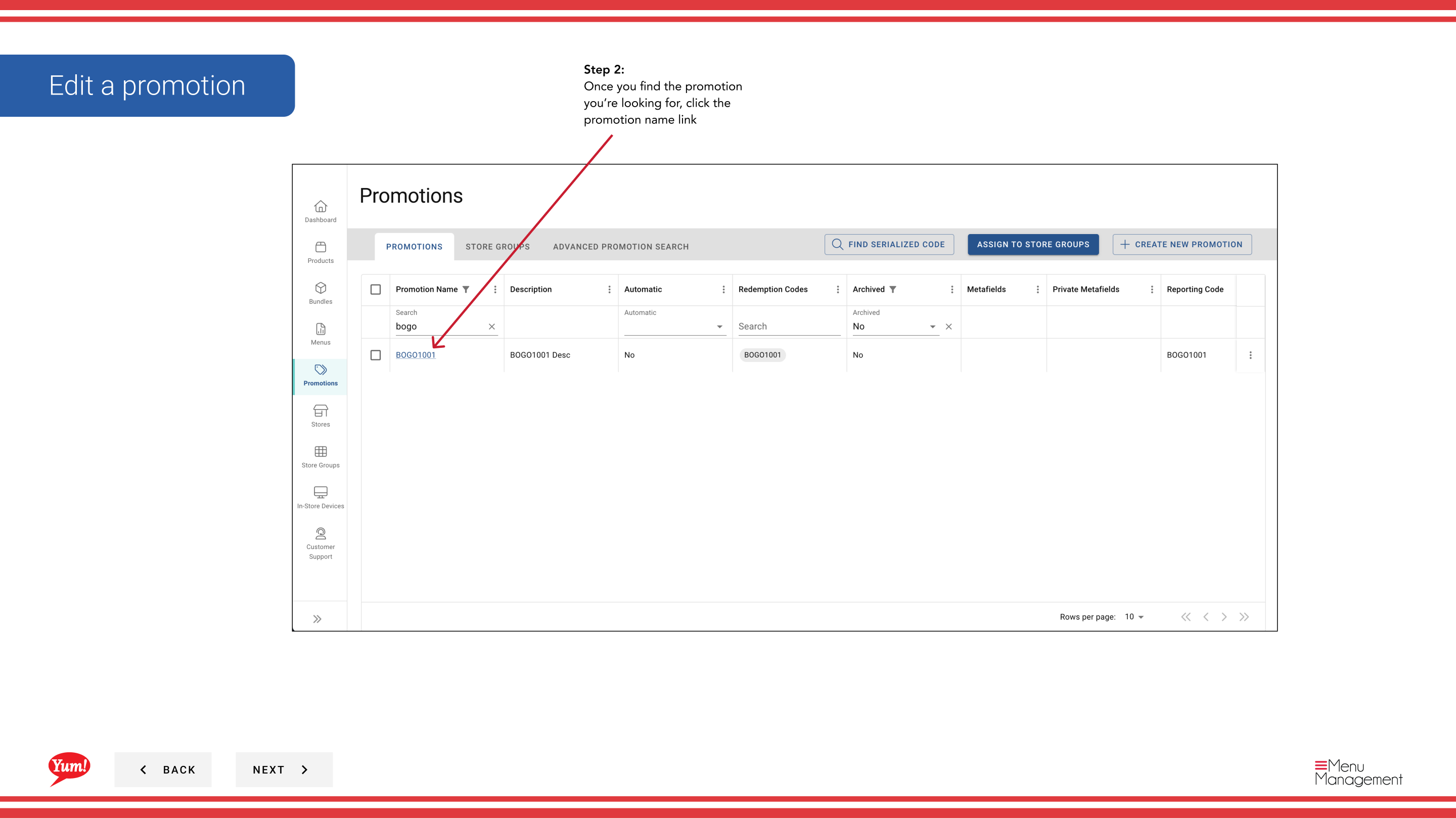
Step 2: Find the promotion you want to edit by browsing the table or using the search bar. Click the promotion name to open the Promotion Wizard.
Step 3: Update any promotion details (name, display name, description, flow type, requirements, effects, or validity period).
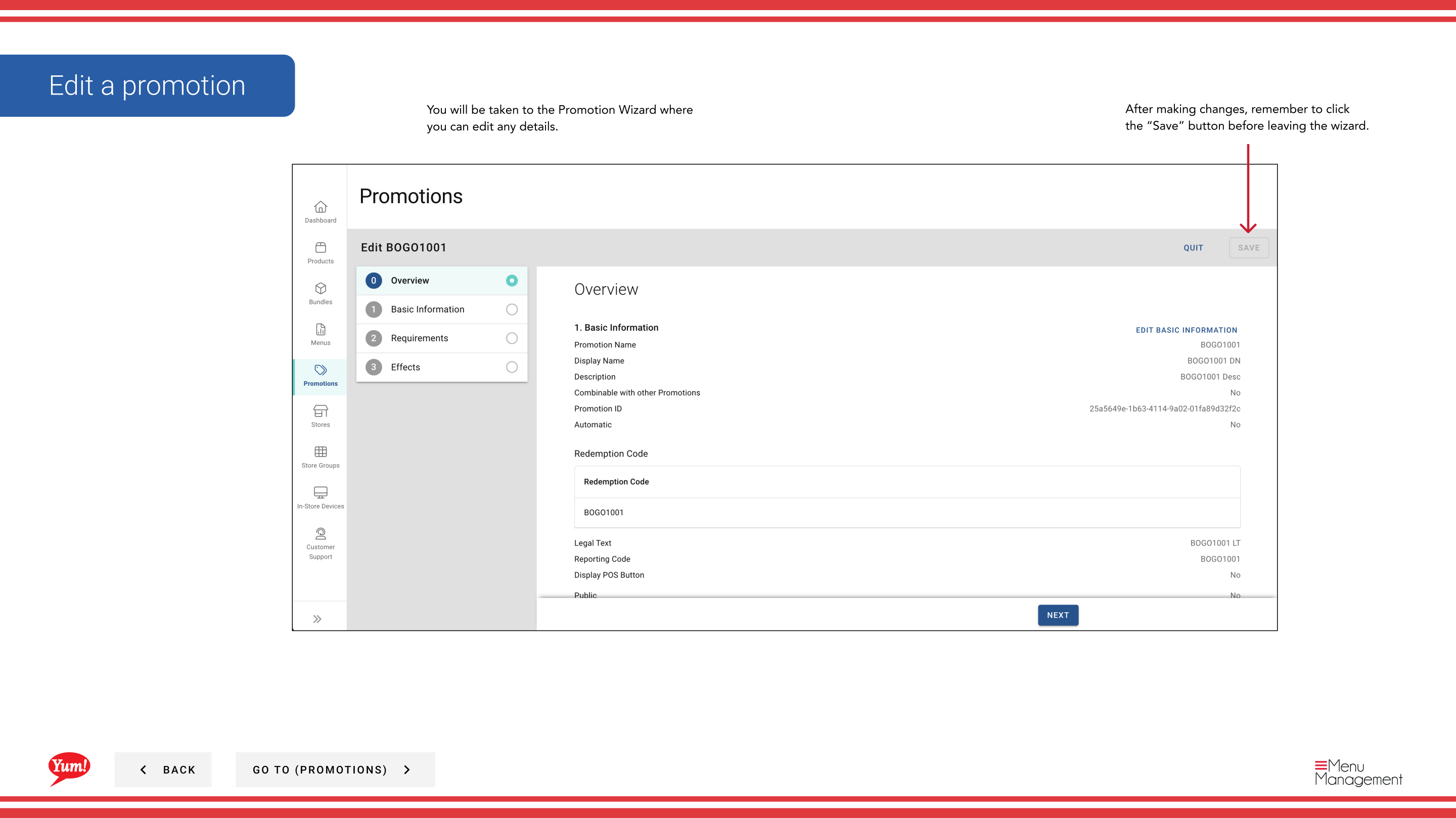
Step 4: When you have finished making changes, click the Save button to apply your updates.
The Promotion Wizard guides you through each section. You can click on any step number to jump to that section or proceed sequentially.
Related guides
Part of the Admin Portal Guide · Section: Promotions