Sign In
How This Journey Works
A. Signed-In User
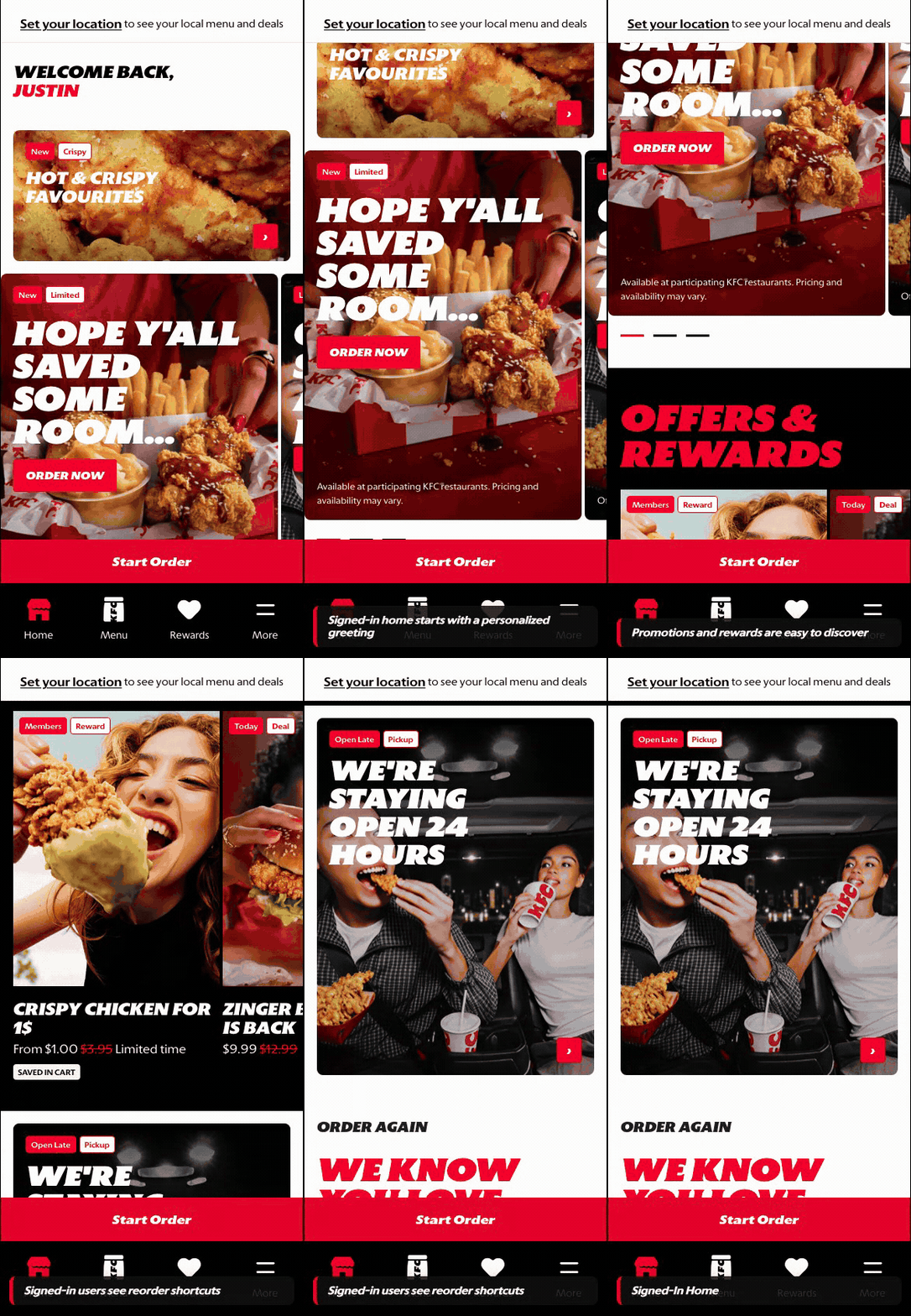
What this shows
- Shows the account-aware state the returning customer reaches after OTP success.
- Restores rewards, personalization, and saved context after authentication.
- Provides the fallback destination when there is no interrupted checkout or rewards task.
B. Guest User
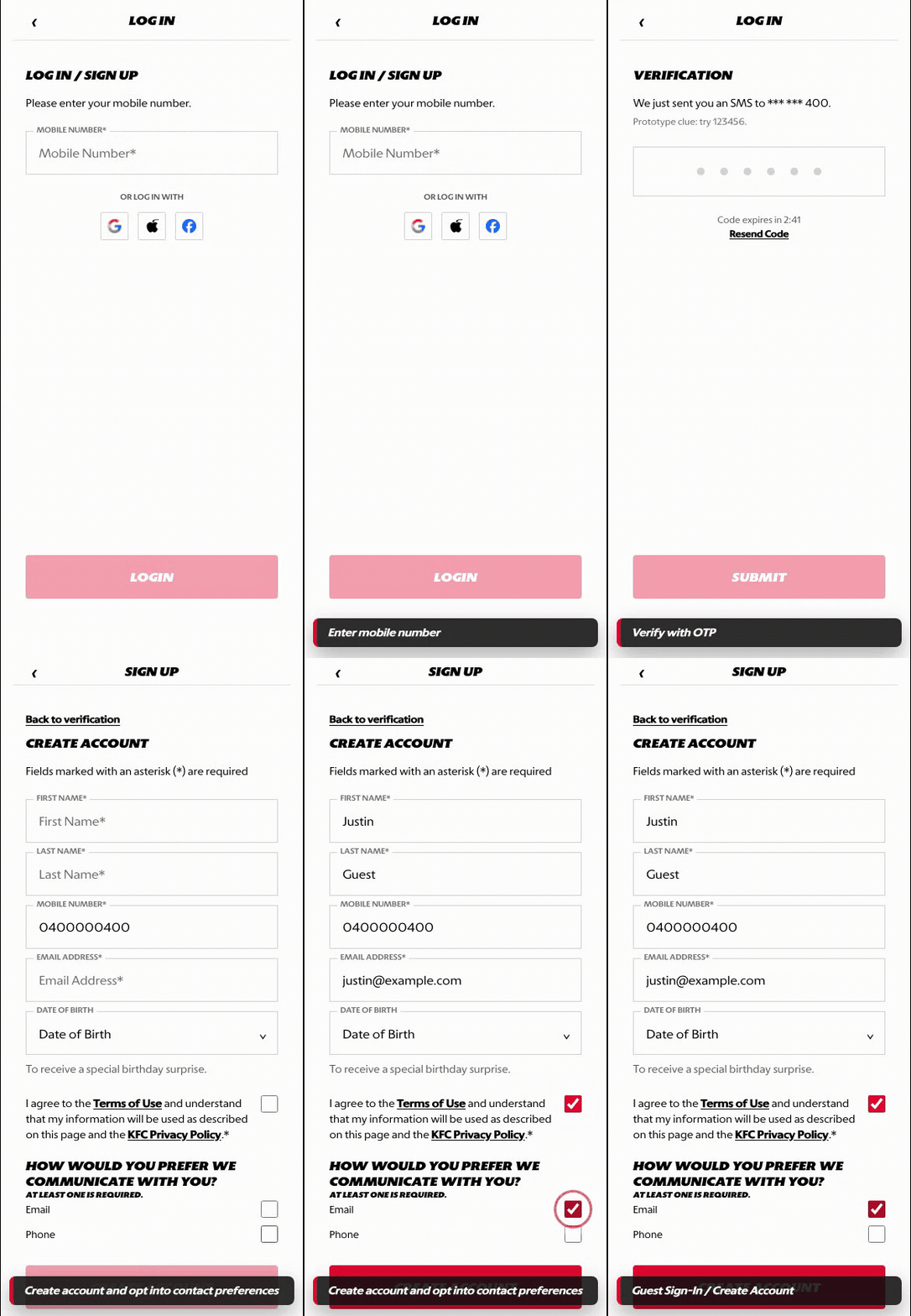
What this shows
- Shows the unauthenticated entry into phone number and OTP authentication.
- Supports returning-user sign-in without forcing account creation.
- Preserves the original task so the customer can continue after authentication.
Key difference: Signed-in users are already in the account-aware experience. Guests or signed-out returning customers authenticate through OTP, then return to the homepage or the task they started.
Sign In covers the returning-customer path. For an existing user, the flow should only require phone number entry, OTP verification, and redirect back into the signed-in homepage or interrupted task.
Screen Capture Sequence
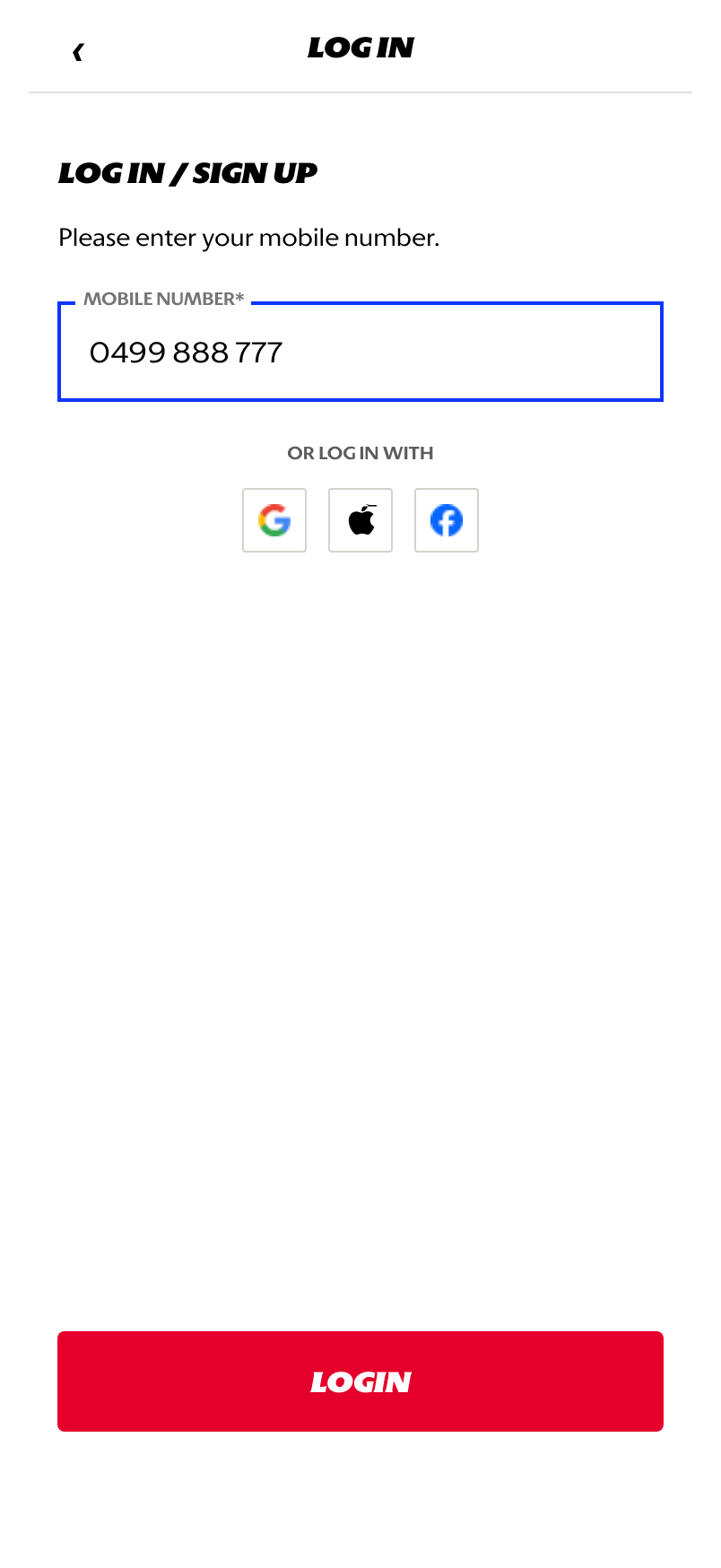
Mobile number: the returning customer enters the phone number linked to their account.
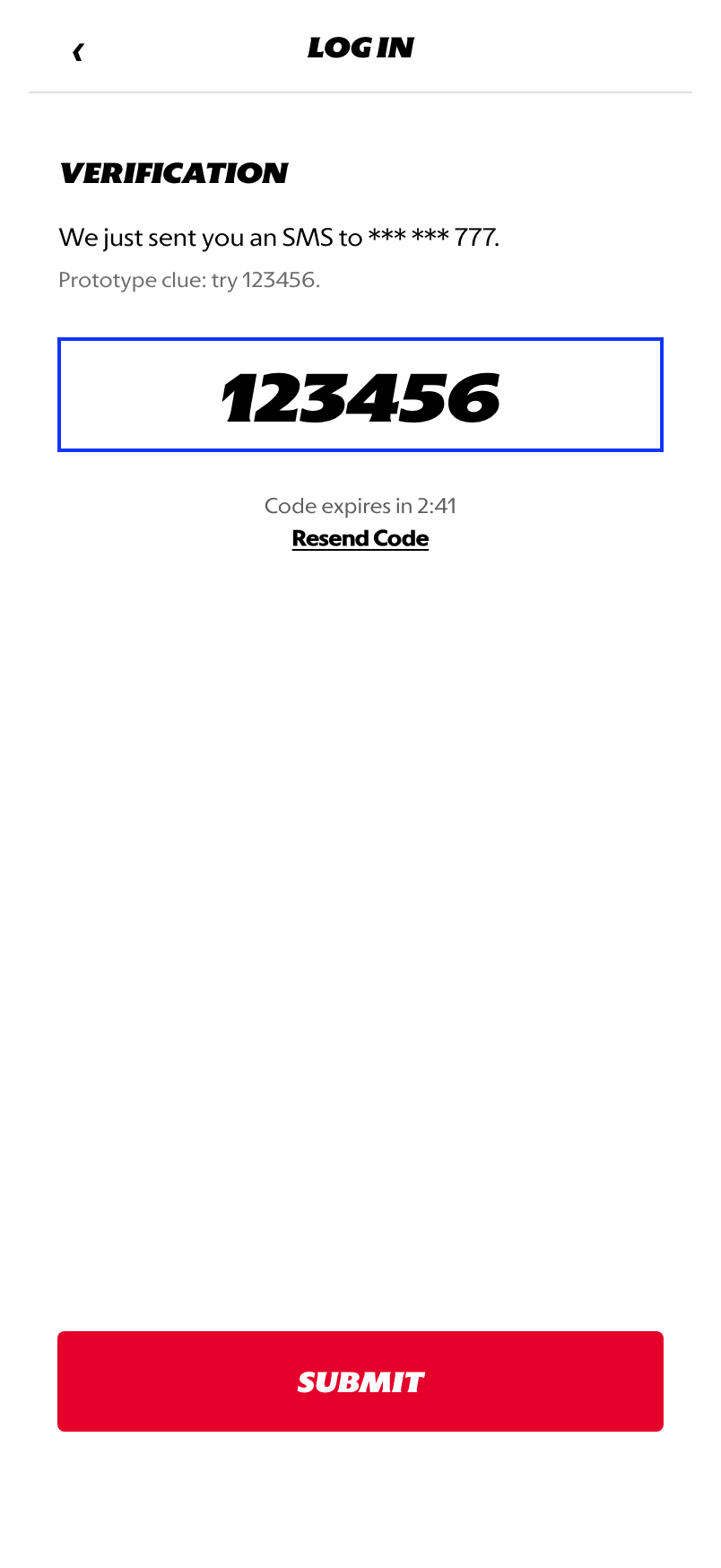
OTP verification: the customer enters the SMS code to authenticate the existing account.
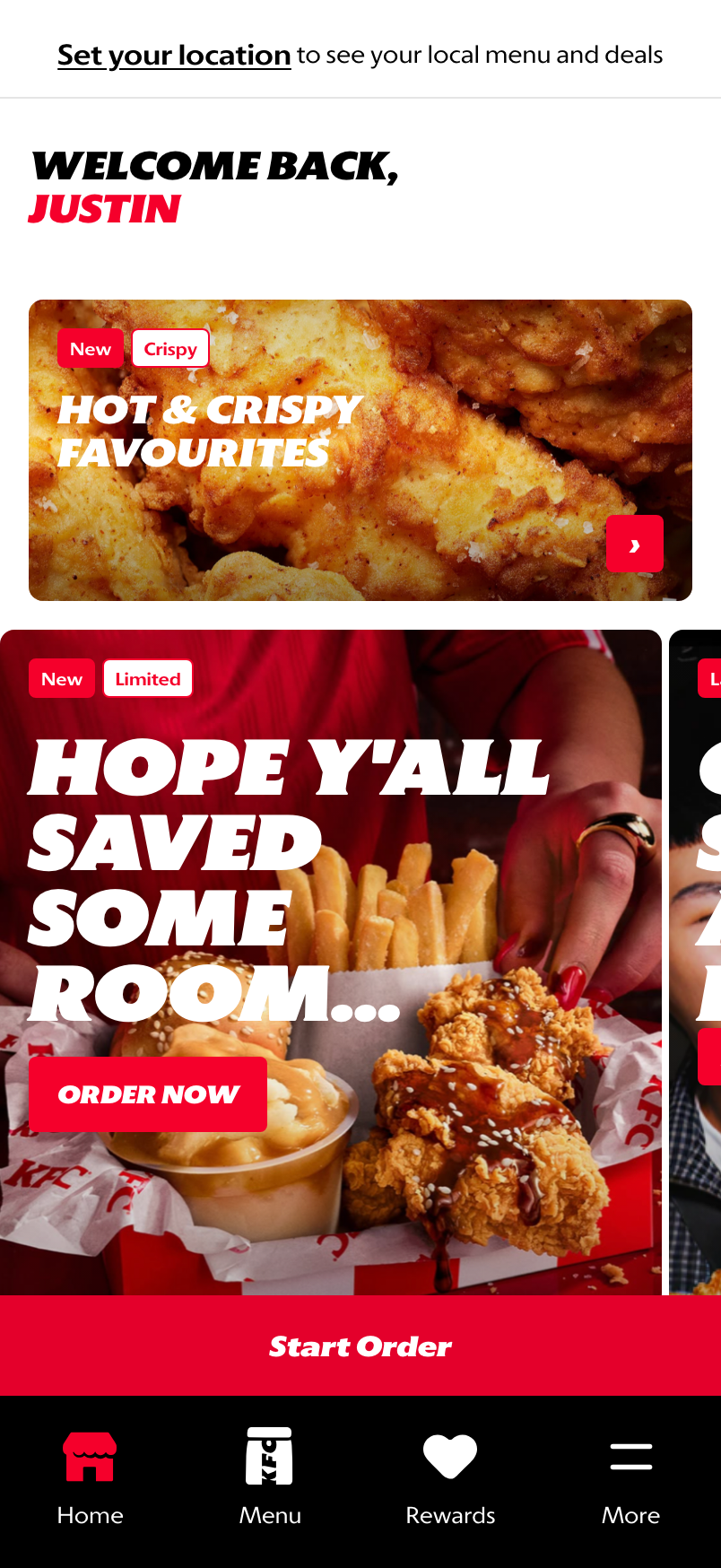
Homepage redirect: after OTP success, the returning customer lands in the signed-in homepage state.
What This Feature Is
Sign In is the returning-user authentication flow. It should not ask the customer to create an account when the phone number is already associated with an existing profile.
The intended returning-user flow is:
- Enter mobile number.
- Submit OTP.
- Redirect to signed-in homepage or the task the customer was trying to complete.
Why This Step Is Designed This Way
Returning customers value speed and reliability. Sign In should confirm identity and return the customer to the product experience without unnecessary account setup.
- No create-account form: existing users should bypass profile creation after OTP success.
- Task continuity: if Sign In was triggered from cart, checkout, rewards, or account access, the customer should return to that context.
- Homepage fallback: if there is no interrupted task, redirect to the signed-in homepage.
WIP: What Can Be Configured On This Screen
| Configurable Area | What Markets Should Be Able To Control | Current Documentation Status |
|---|---|---|
| Phone number recognition | Existing account lookup, country format, and validation rules | WIP |
| OTP behavior | Code length, expiry timer, resend behavior, attempt limits, and lockout handling | WIP |
| Existing-user redirect | Homepage, rewards, cart, checkout, or original return screen | WIP |
| New-user branch | When an unrecognized number should continue into Sign Up | WIP |
| Social sign-in options | Enabled providers, market availability, and provider labels | Visual only in prototype |
| Error states | Invalid phone, incorrect OTP, expired OTP, blocked account, and service unavailable | WIP |
| Localization | Translation-ready labels for supported market languages | WIP |
What This Screen Should Communicate
- The customer is authenticating an existing account.
- OTP is the only required verification step for a recognized returning user.
- The customer should not be asked to recreate profile details.
- Successful verification returns the customer to a signed-in state.
Design Read On This Screen
- The shared Log In / Sign Up entry keeps the first step simple.
- OTP is optimized for fast re-entry rather than full onboarding.
- The homepage redirect confirms that the customer is now recognized and signed in.
- Existing-user branching should remain distinct from the new-account Sign Up path.