Sign Up
How This Journey Works
A. Signed-In User
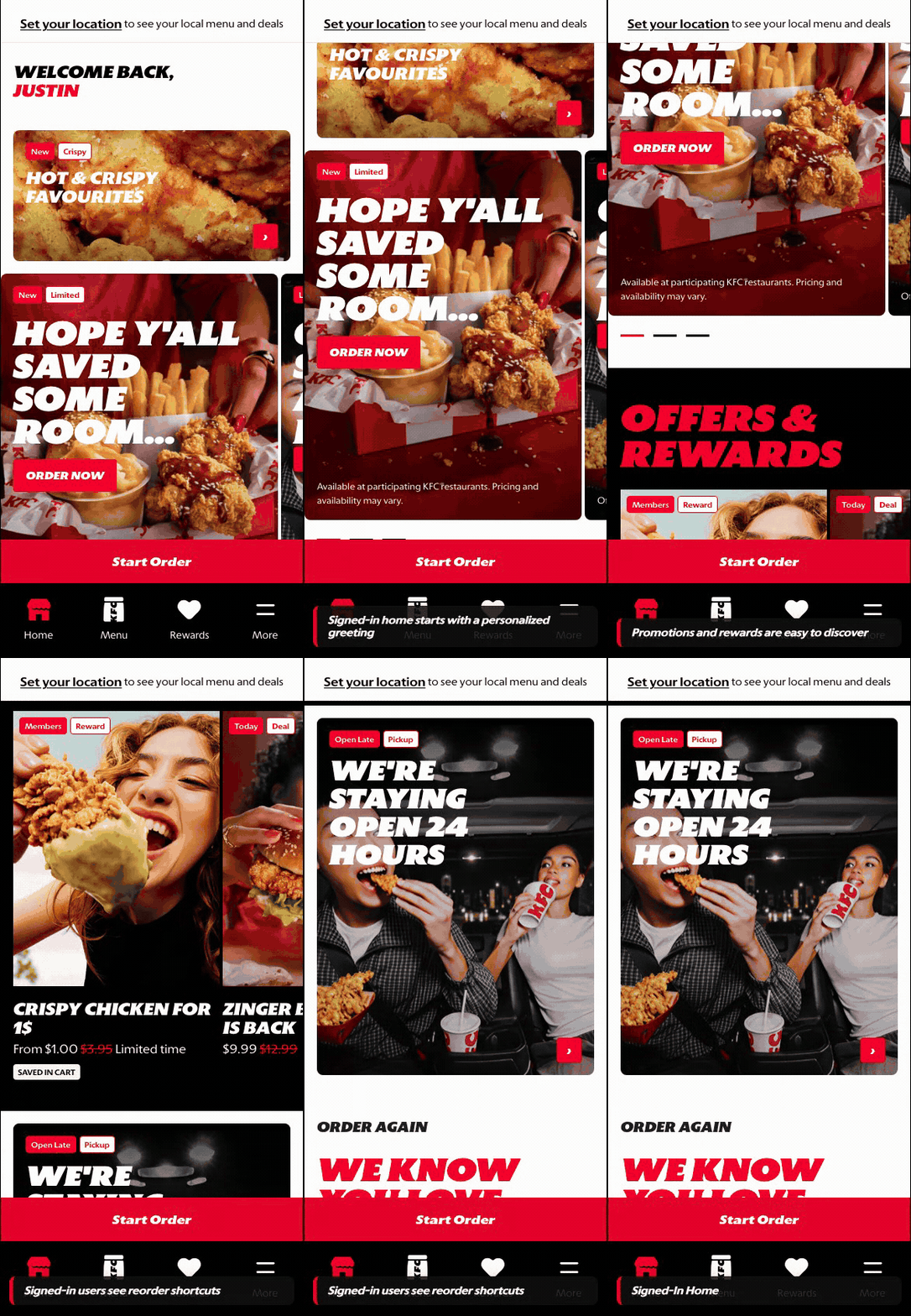
What this shows
- Shows the account-aware destination after account creation succeeds.
- Confirms that rewards, personalization, and saved context become available after sign-up.
- Provides the target state for the completed new-account journey.
B. Guest User
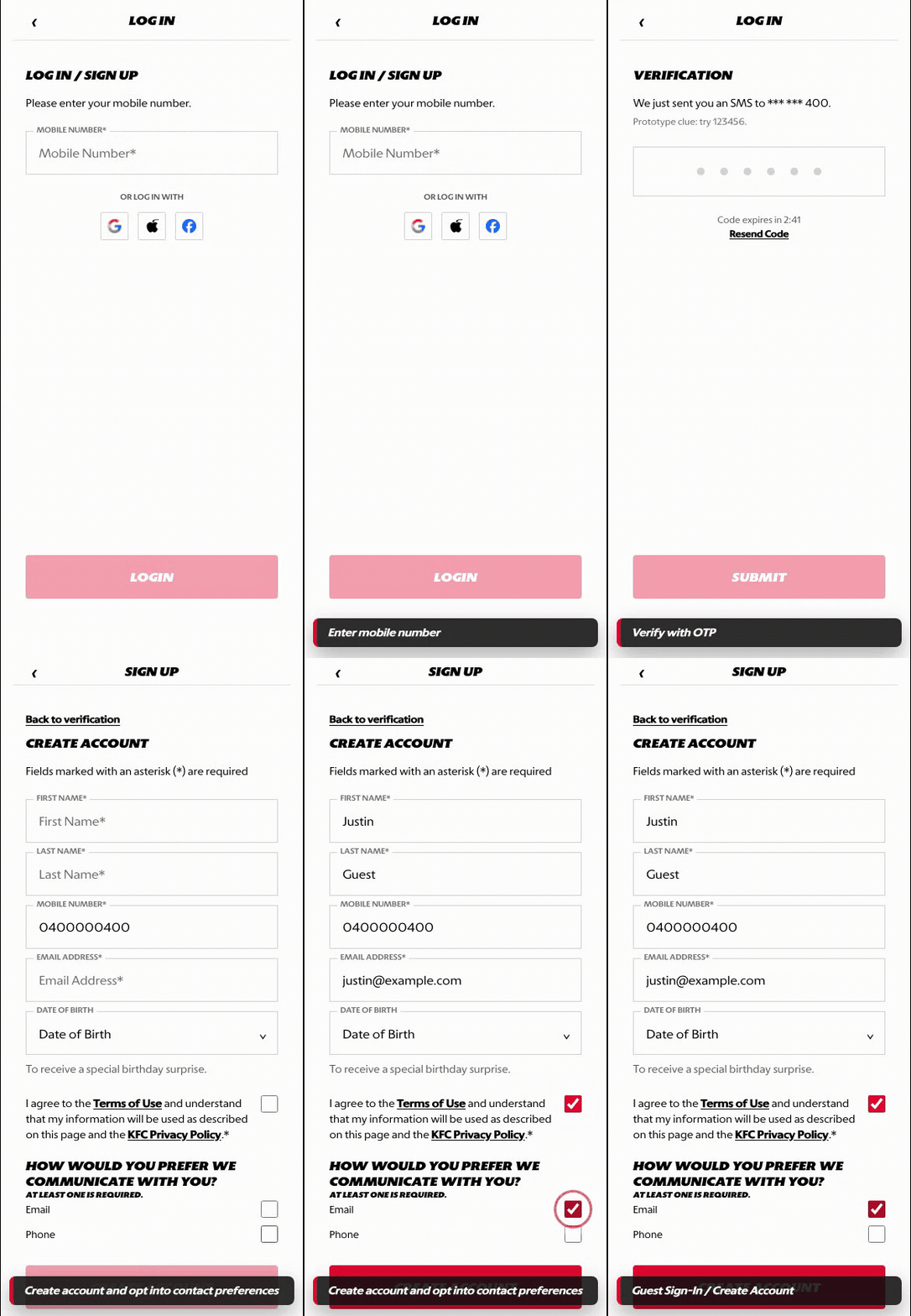
What this shows
- Shows the unauthenticated path into sign-in or account creation.
- Covers phone number, OTP, and account creation progression.
- Preserves the customer path so account creation can return to the intended experience.
Key difference: Signed-in users already have access to account-aware shortcuts and rewards. Guests use Sign Up to create that account context before account-specific actions can continue.
Sign Up covers account creation for a new customer. The flow starts with mobile number verification, continues through OTP, then asks the customer to complete the account profile before redirecting to the signed-in homepage.
Screen Capture Sequence
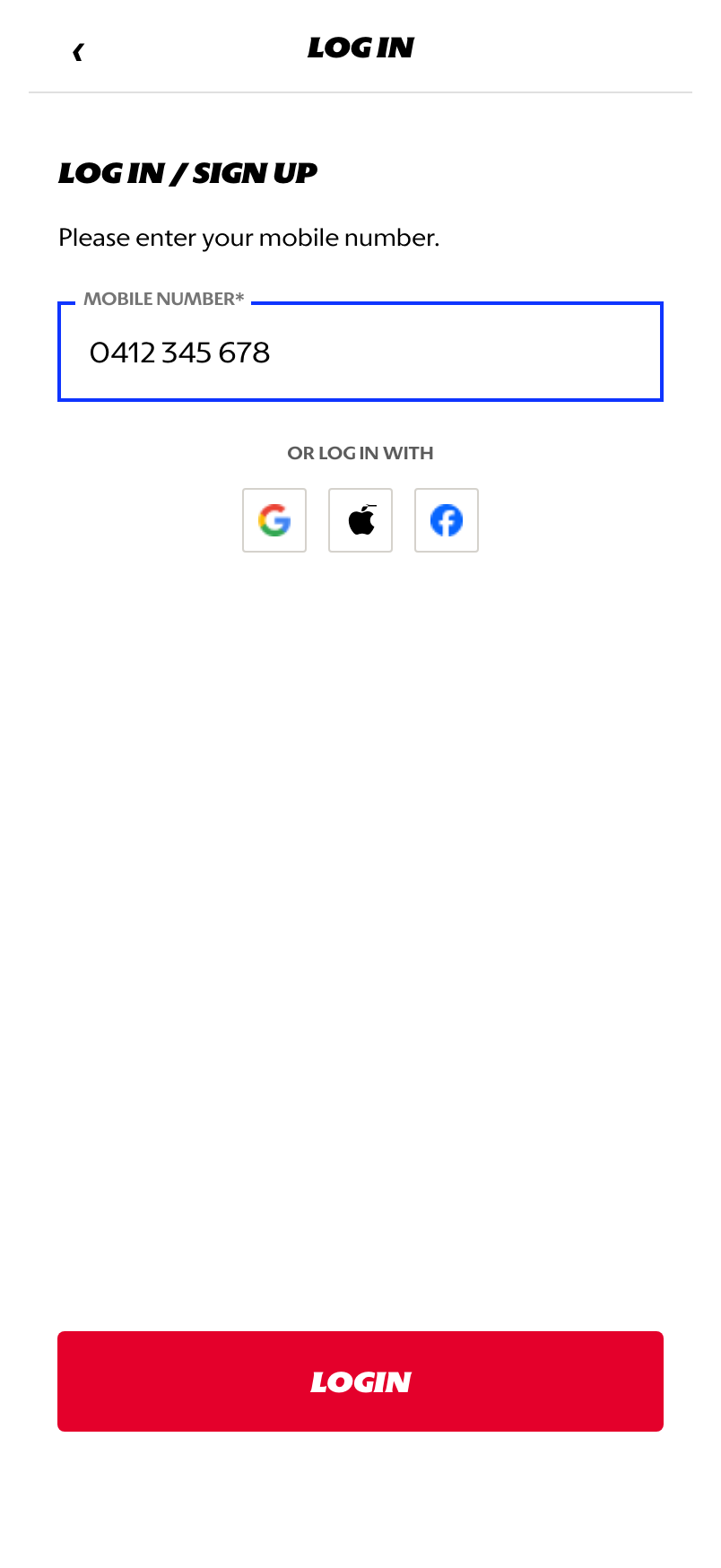
Mobile number: the customer enters a phone number to start identity verification.
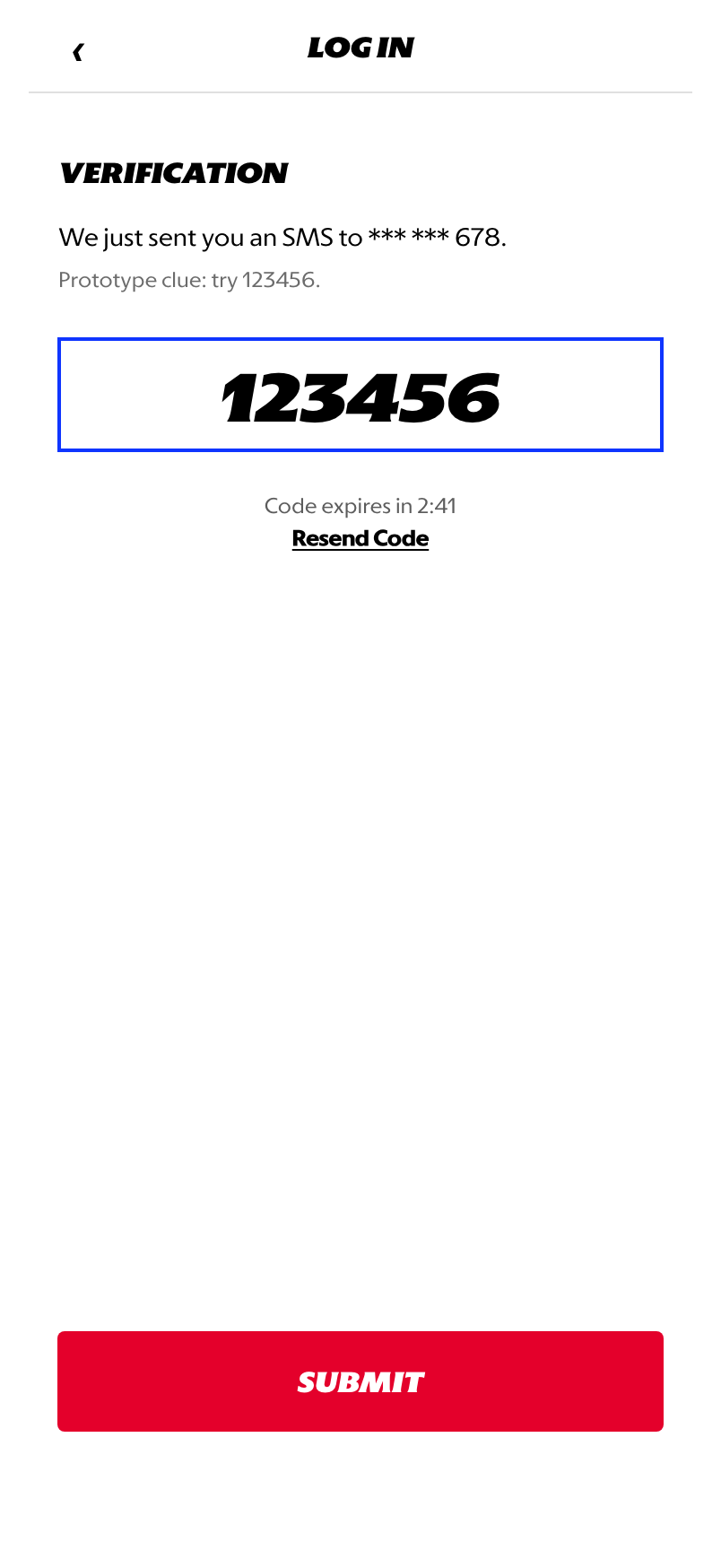
OTP verification: the customer enters the SMS code to prove access to the phone number.
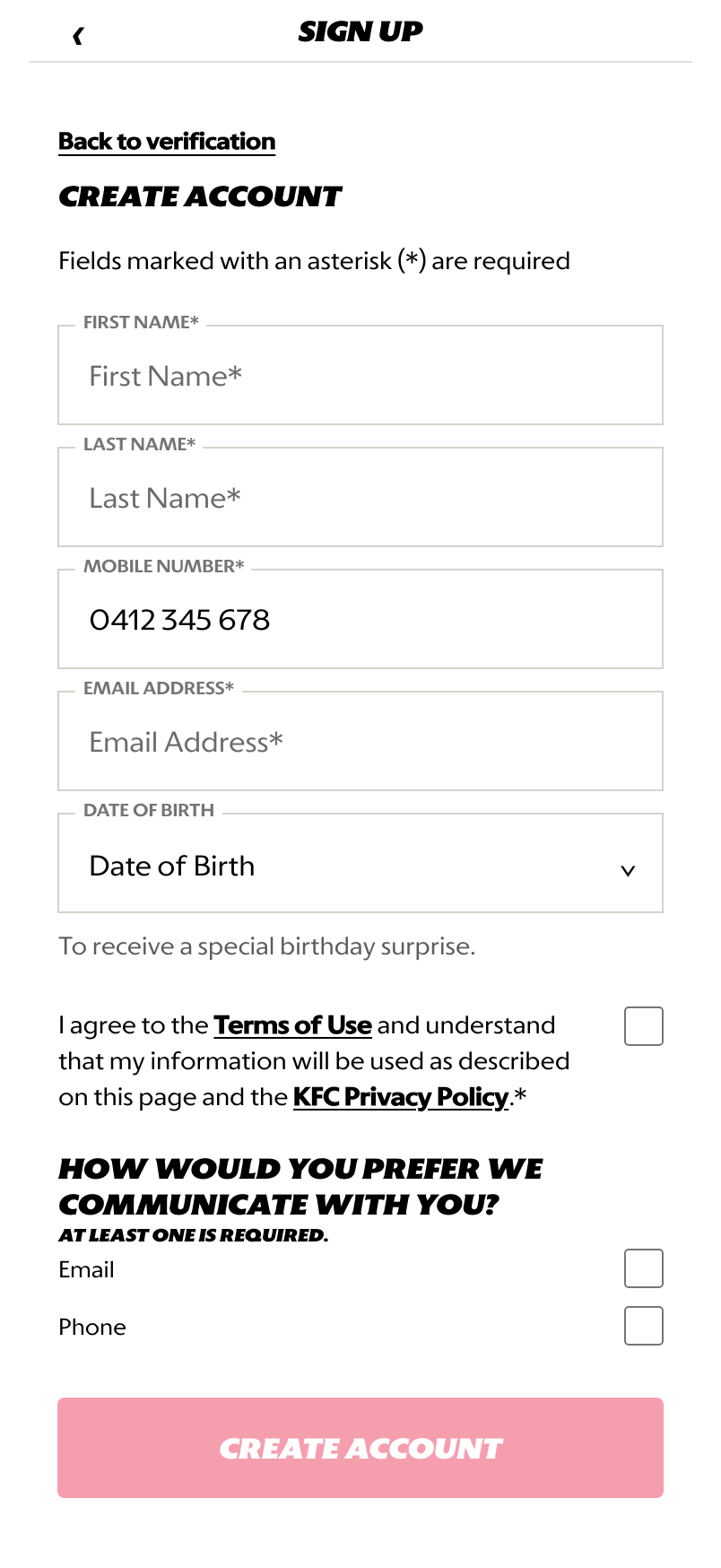
Create account: the customer is asked for required profile, consent, and contact preference details.
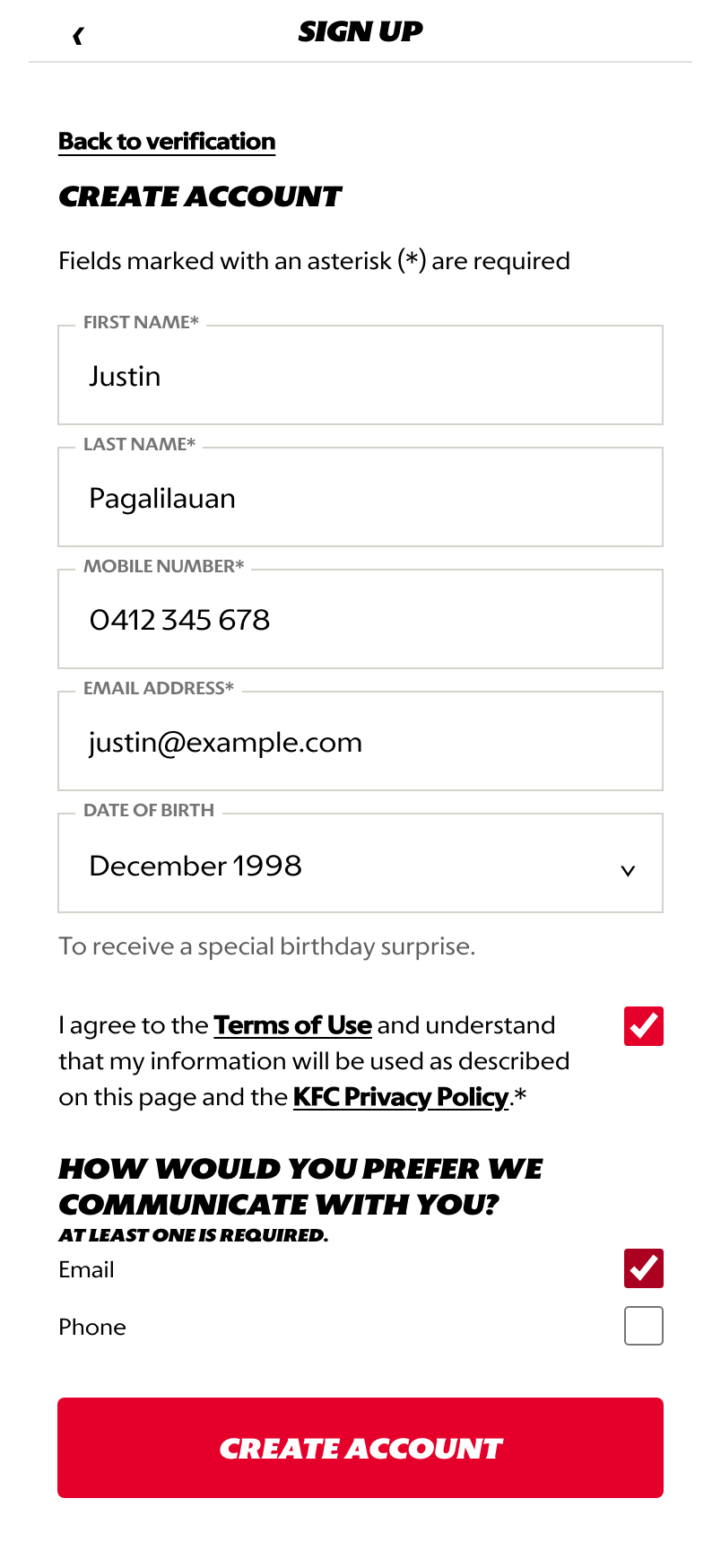
Ready to submit: the CTA becomes available after required information and consent are complete.
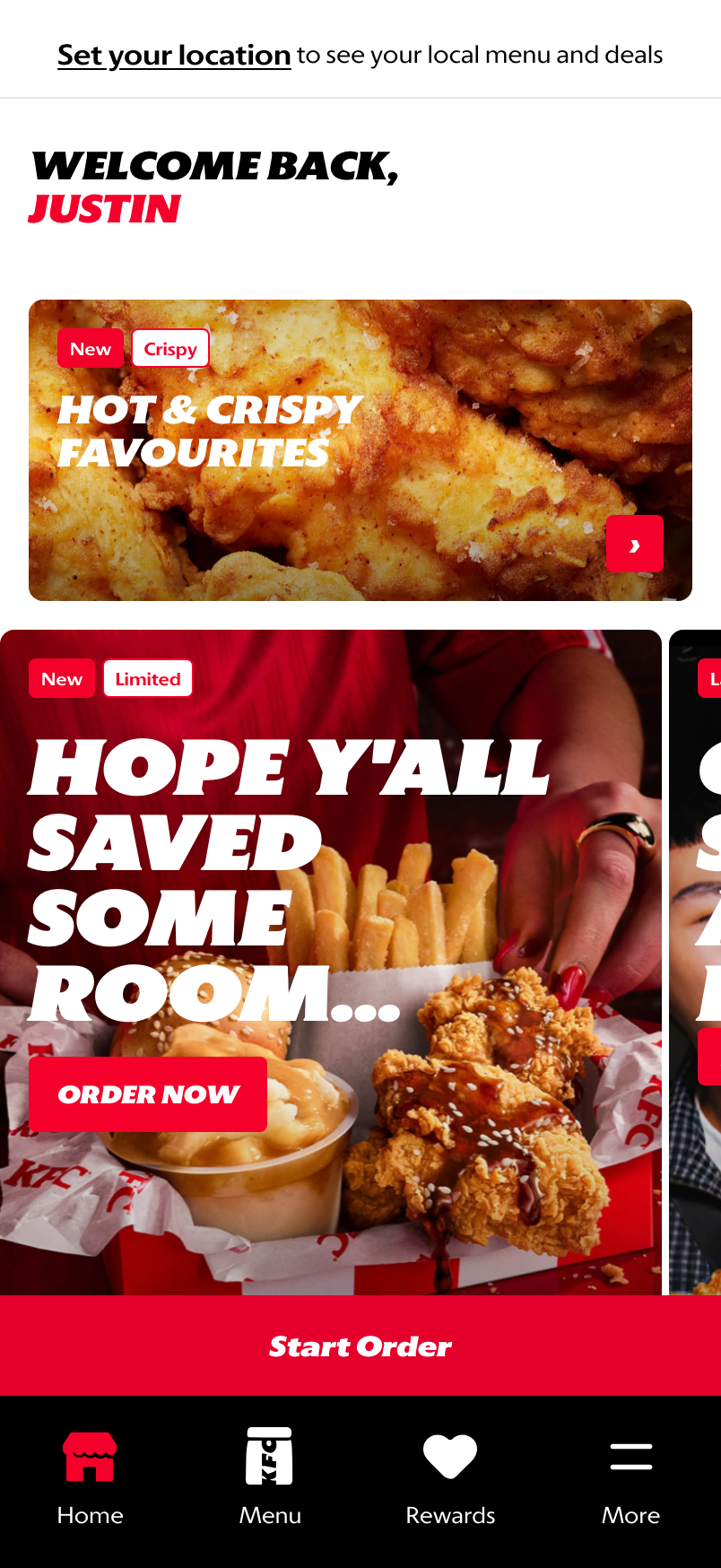
Signed-in home: successful account creation redirects the customer into the signed-in homepage state.
What This Feature Is
Sign Up is the new-account path for customers who do not already have a recognized profile. It uses phone verification first, then collects the minimum account information needed to create the profile.
The prototype includes:
- mobile number entry
- SMS OTP verification
- create-account form
- required terms acceptance
- required contact preference selection
- signed-in homepage redirect
Why This Step Is Designed This Way
Registration should feel lightweight, but it still needs clear consent, verified contact information, and enough profile data to support loyalty, offers, order history, and future account recovery.
- OTP first: phone verification confirms the customer controls the mobile number before account creation continues.
- Account form second: profile and consent are collected only after verification, which reduces wasted form completion.
- Homepage redirect: the customer lands in a signed-in state and can continue browsing, ordering, or rewards discovery.
WIP: What Can Be Configured On This Screen
| Configurable Area | What Markets Should Be Able To Control | Current Documentation Status |
|---|---|---|
| Phone number validation | Country format, minimum length, and accepted number types | WIP |
| OTP behavior | Code length, expiry timer, resend copy, attempt limits, and error handling | WIP |
| Social sign-in options | Enabled providers, market availability, and legal handling | Visual only in prototype |
| Profile fields | Required fields, optional date of birth, labels, and validation | WIP |
| Consent language | Terms, privacy copy, opt-in text, and market legal requirements | WIP |
| Contact preferences | Required channels, default selections, and channel labels | WIP |
| Post-sign-up destination | Homepage, rewards onboarding, checkout, or interrupted task return | Prototype shows homepage |
| Localization | Translation-ready labels for supported market languages | WIP |
What This Screen Should Communicate
- The customer is creating a new account, not only logging in.
- The phone number must be verified before account setup continues.
- Required fields and required consent are clear.
- Successful completion moves the customer into the signed-in experience.
Design Read On This Screen
- The first screen combines Log In / Sign Up because the phone number is the shared entry point.
- OTP keeps the flow short while still validating identity.
- The account form separates profile creation from verification, which makes the required fields easier to understand.
- Contact preference selection supports market consent requirements and later customer engagement.