Accept Online Orders (Turn On or Off)
What this guide covers
Toggles whether a store accepts online orders through digital channels — used to quickly disable ordering during closures or operational issues.
Steps
Step 1: Navigate to the Stores section using the left-hand navigation menu.
Step 2: Search for the store by Name, Store Number, or Franchise Code using the search box.
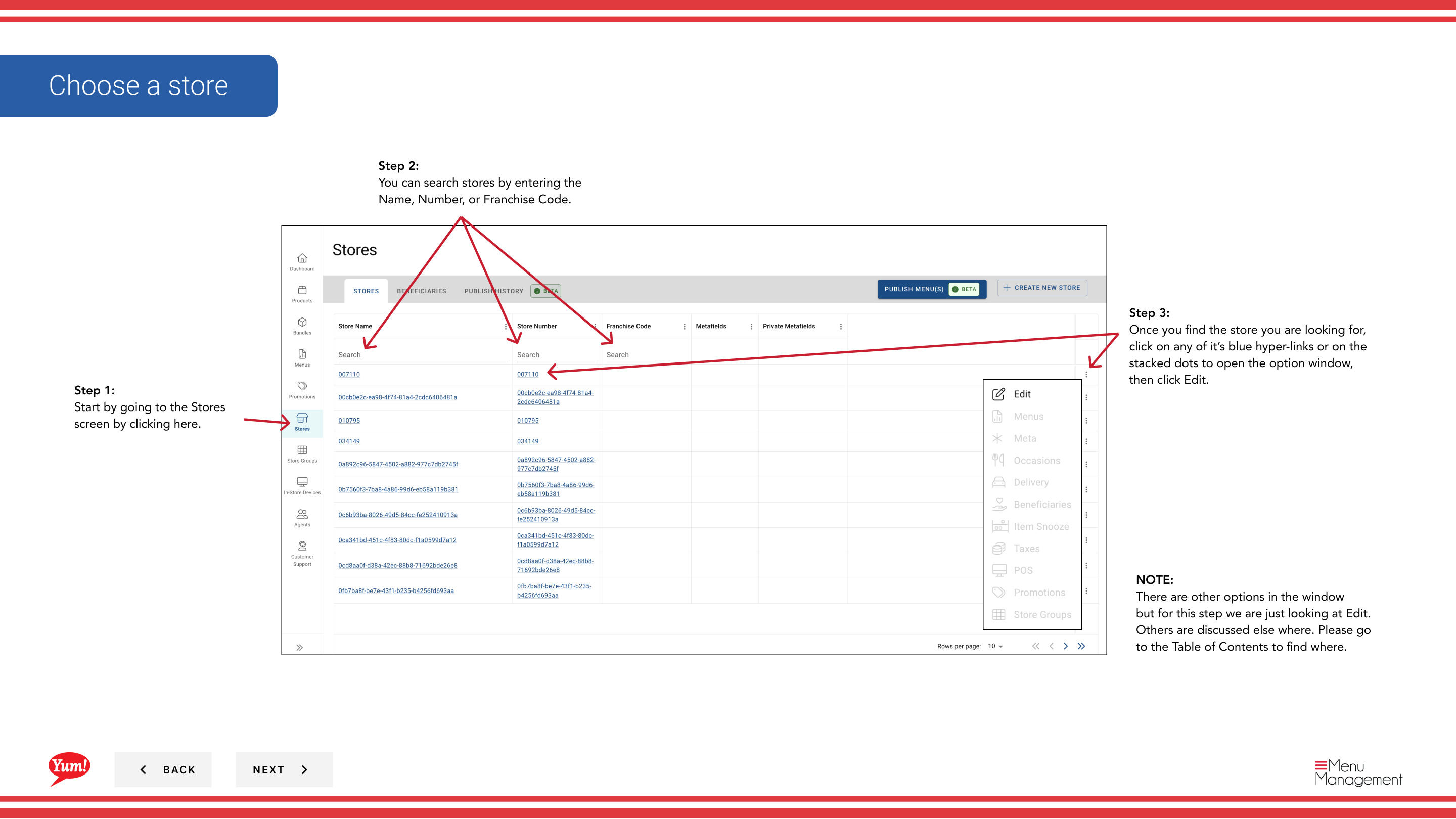
Step 3: Once you find the store, click the store name (or any blue hyperlink) to view the store details, or click the three-dot menu (•••) icon and select Edit.
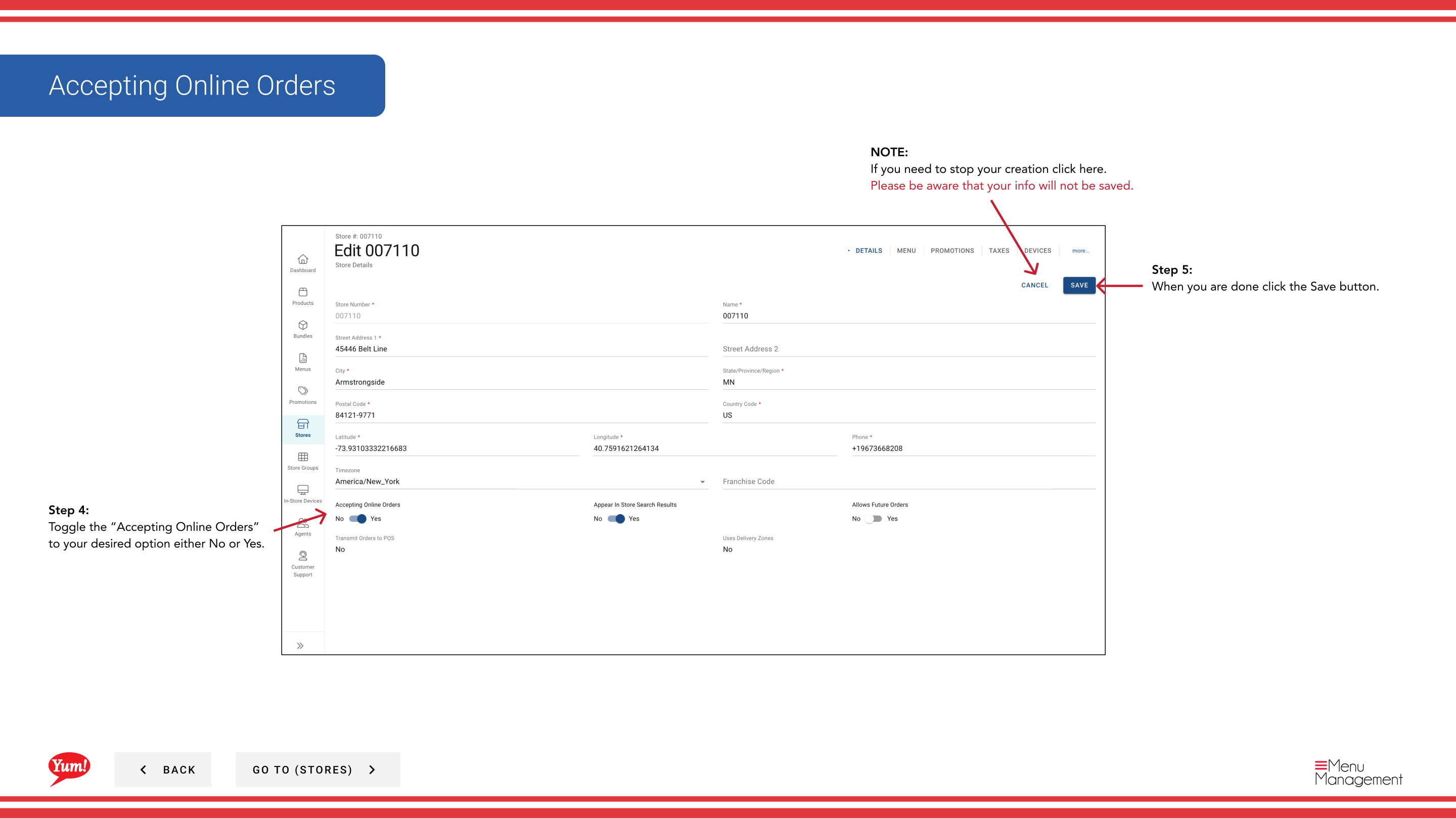
Step 4: Locate the Accepting Online Orders toggle and set it to your desired state:
- Yes: Store accepts online orders through digital channels
- No: Store does not accept online orders (orders are temporarily disabled)
Step 5: Click the Save button to apply the change.
Use No to quickly disable ordering during store closures, system maintenance, or staff shortages without needing to edit other store settings.
Clicking Cancel at any time discards your change.
Related guides
- Edit Store Details — Update other store information
Part of the Admin Portal Guide · Section: Stores