Allow Future Orders (Turn On or Off)
What this guide covers
Enables or disables a store’s ability to accept orders placed in advance, relevant for pre-order or scheduled delivery capabilities.
Steps
Step 1: Navigate to the Stores section using the left-hand navigation menu.
Step 2: Search for the store by Name, Store Number, or Franchise Code using the search box.
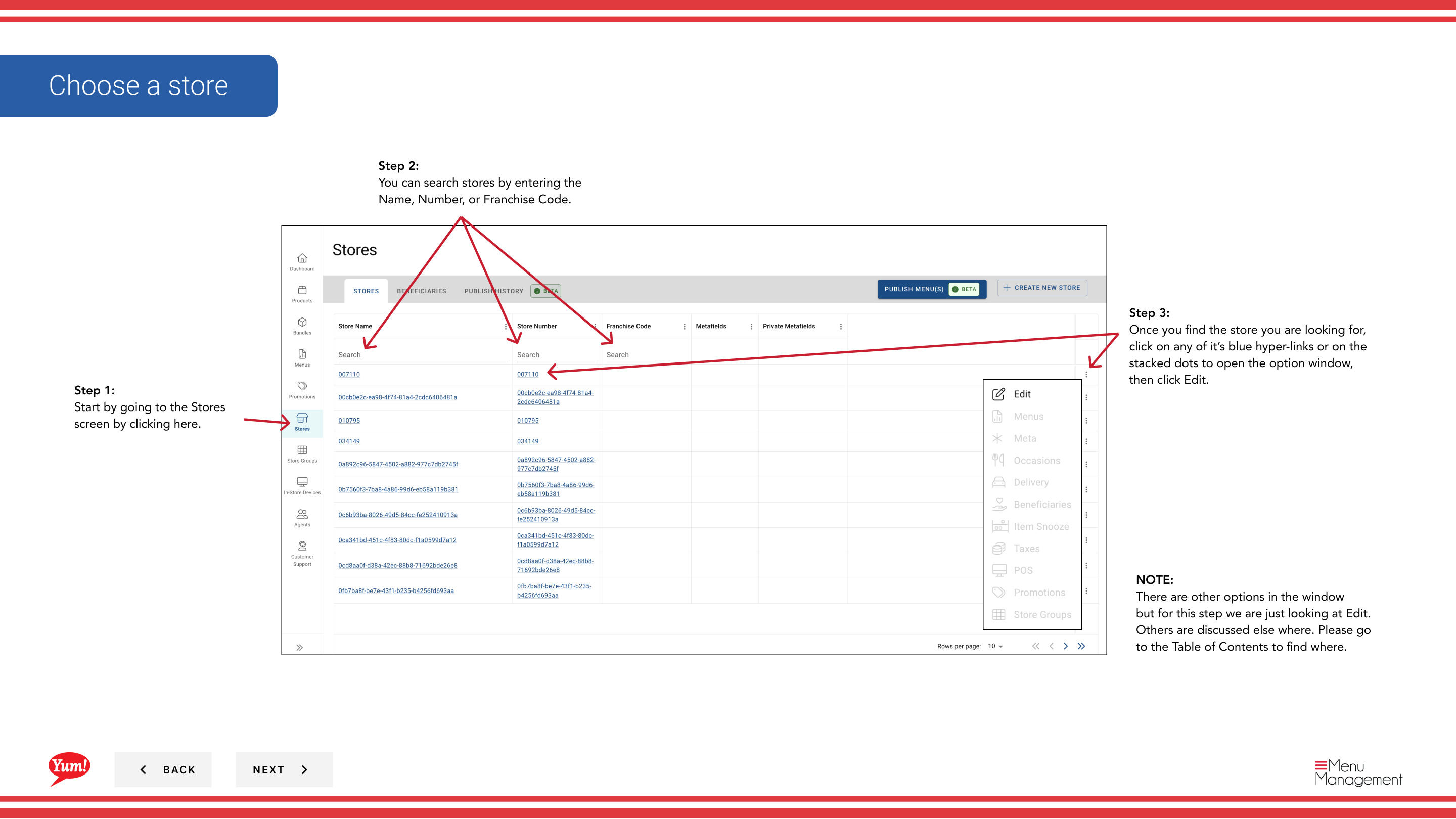
Step 3: Once you find the store, click the store name (or any blue hyperlink) to view the store details, or click the three-dot menu (•••) icon and select Edit.
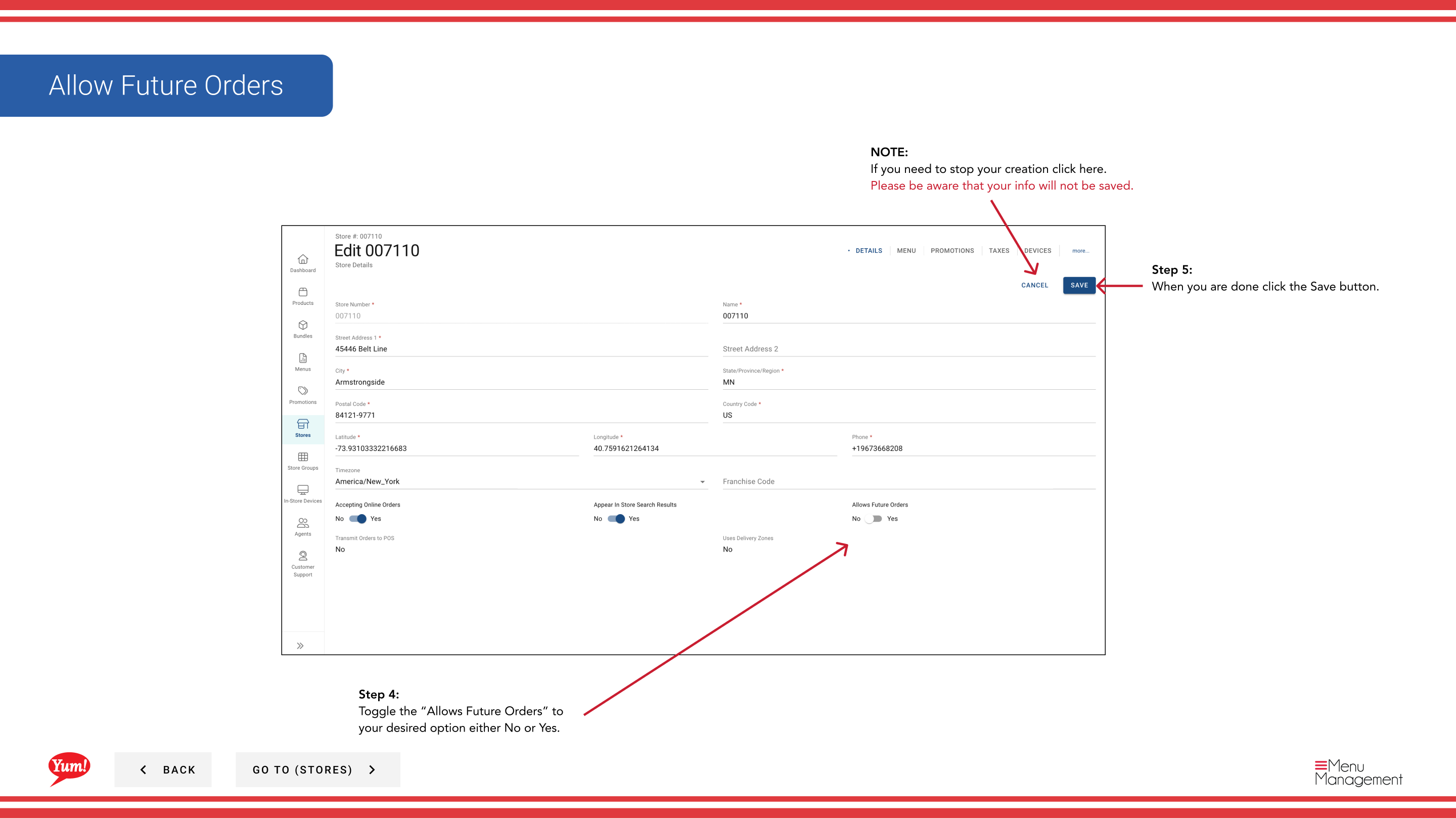
Step 4: Locate the Allows Future Orders toggle and set it to your desired state:
- Yes: Customers can place orders in advance for scheduled delivery or pickup
- No: Customers can only place orders for immediate fulfillment
Step 5: Click the Save button to apply the change.
Future Orders Requirement: This setting requires the store to have a supported ordering channel configured. Confirm with your regional manager if your store supports this capability.
Clicking Cancel at any time discards your change.
Related guides
- Edit Store Details — Update other store information
Part of the Admin Portal Guide · Section: Stores